Celestia (TIA)
What is Celestia?
Here are 5 key points about Celestia (TIA):
- Celestia is a modular data availability network that orders blobs and makes them available while execution and settlement can occur on other layers.
- Data availability sampling allows light nodes to verify that block data is available without downloading the entire block.
- Namespaced Merkle trees let applications retrieve and verify only the data relevant to their namespace.
- Celestia is a Proof-of-Stake network built with the Cosmos SDK, with validators securing consensus.
- TIA is Celestia's native token. It is used for transaction fees and staking, and TIA holders can participate in governance.
Learn more about Celestia by reading the Gem Wallet Learn article: What Is The Celestia Blockchain?
Celestia Support in Gem Wallet
When you set up a new Multi-coin wallet, Gem Wallet creates a native Celestia address for you.
Gem Wallet can be used to:
- Buy Celestia (TIA) with fiat through available third-party providers.
- Hold, send, and receive native TIA.
- Stake TIA with a validator to earn staking rewards.
How to Add a Celestia Wallet?
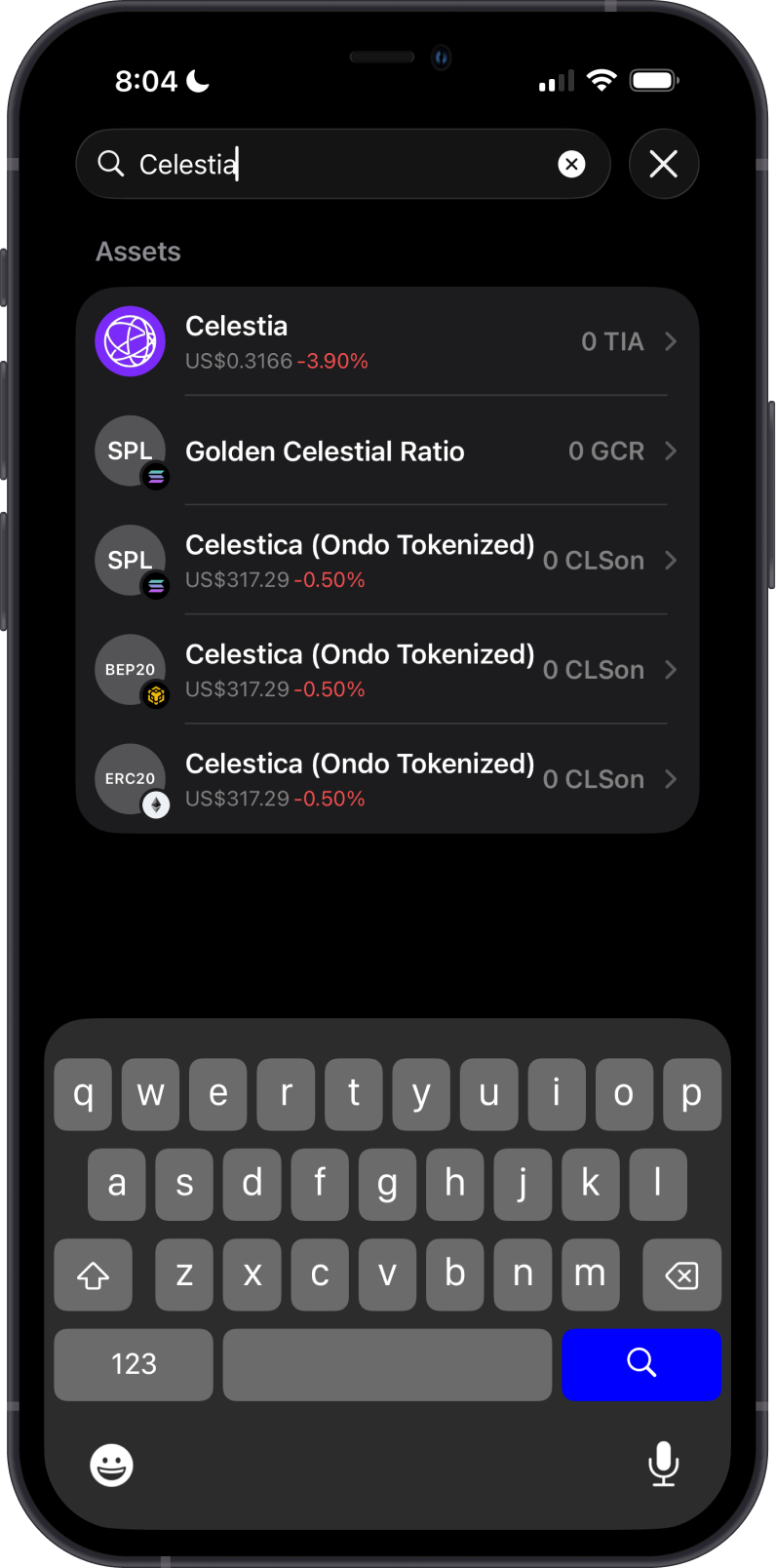
To activate your Celestia wallet in Gem Wallet:
- Tap the magnifying glass in the upper-right corner.
- Search for “Celestia” or “TIA”.
- Select the native Celestia asset.
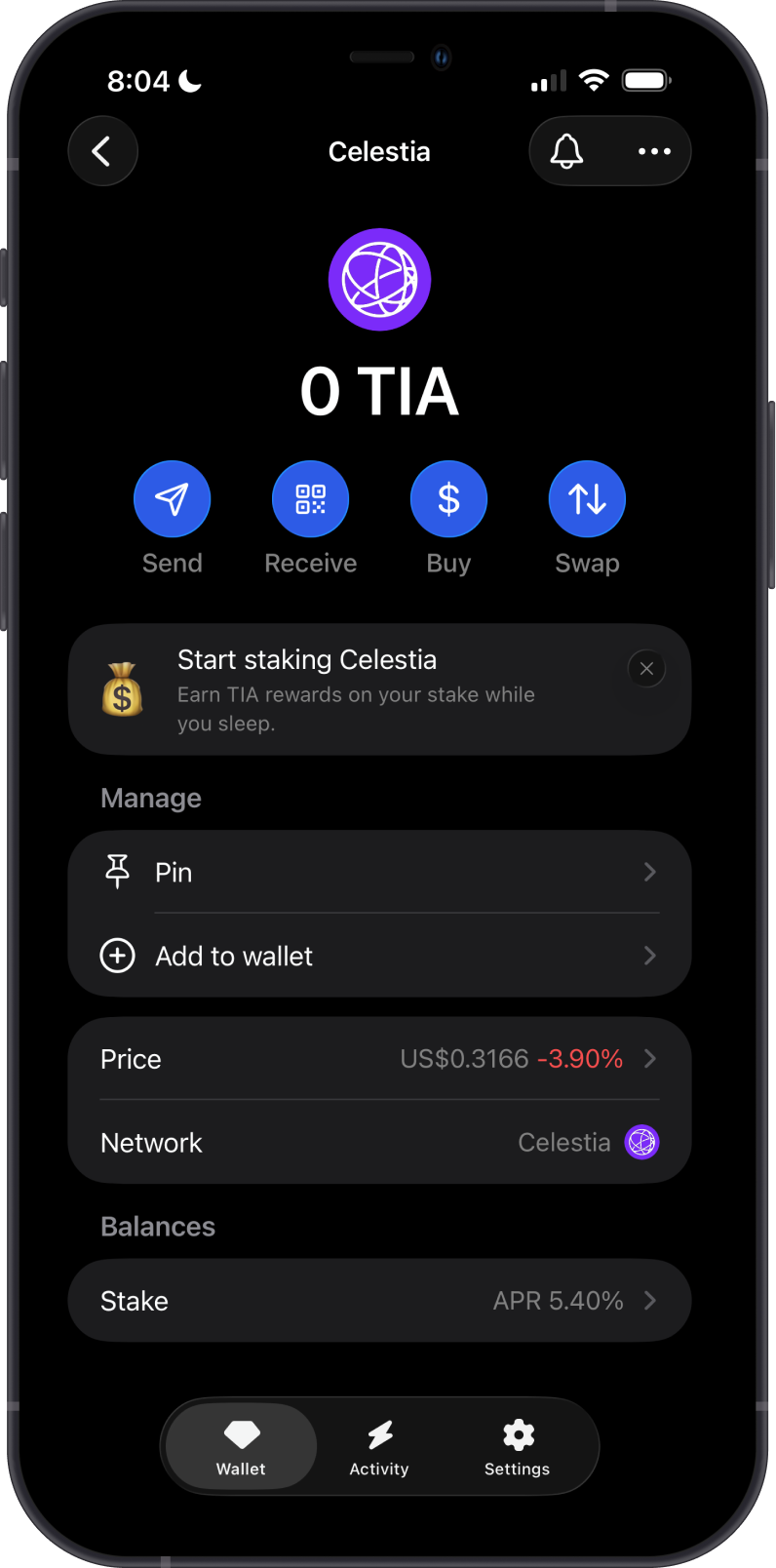
- Choose “Pin” to keep it easily accessible, or tap “Add to wallet” to enable it.
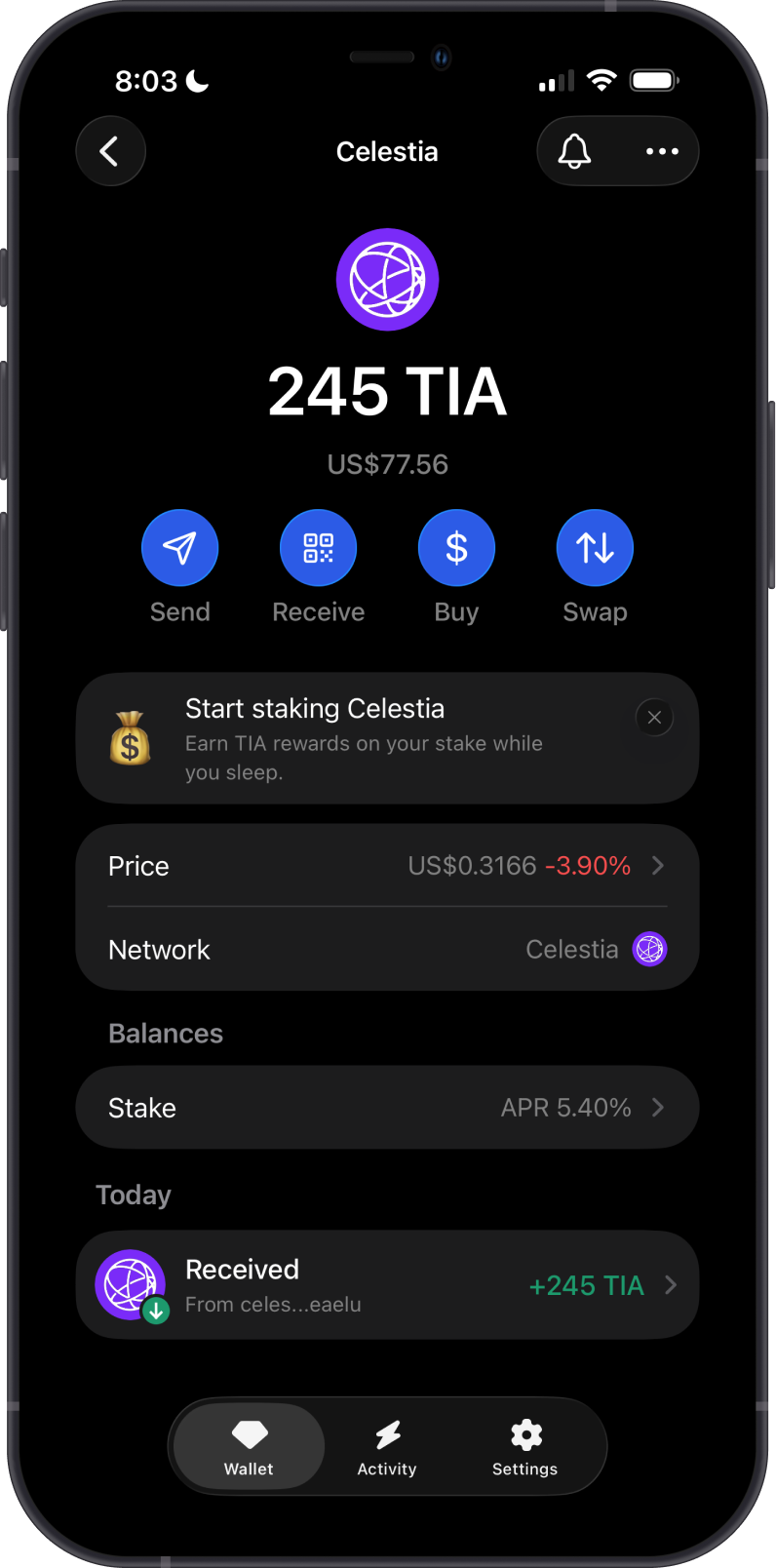
Your TIA wallet will appear on the main wallet screen, ready for buying, sending, receiving, and staking.
How to Buy or Receive Celestia with Gem Wallet?
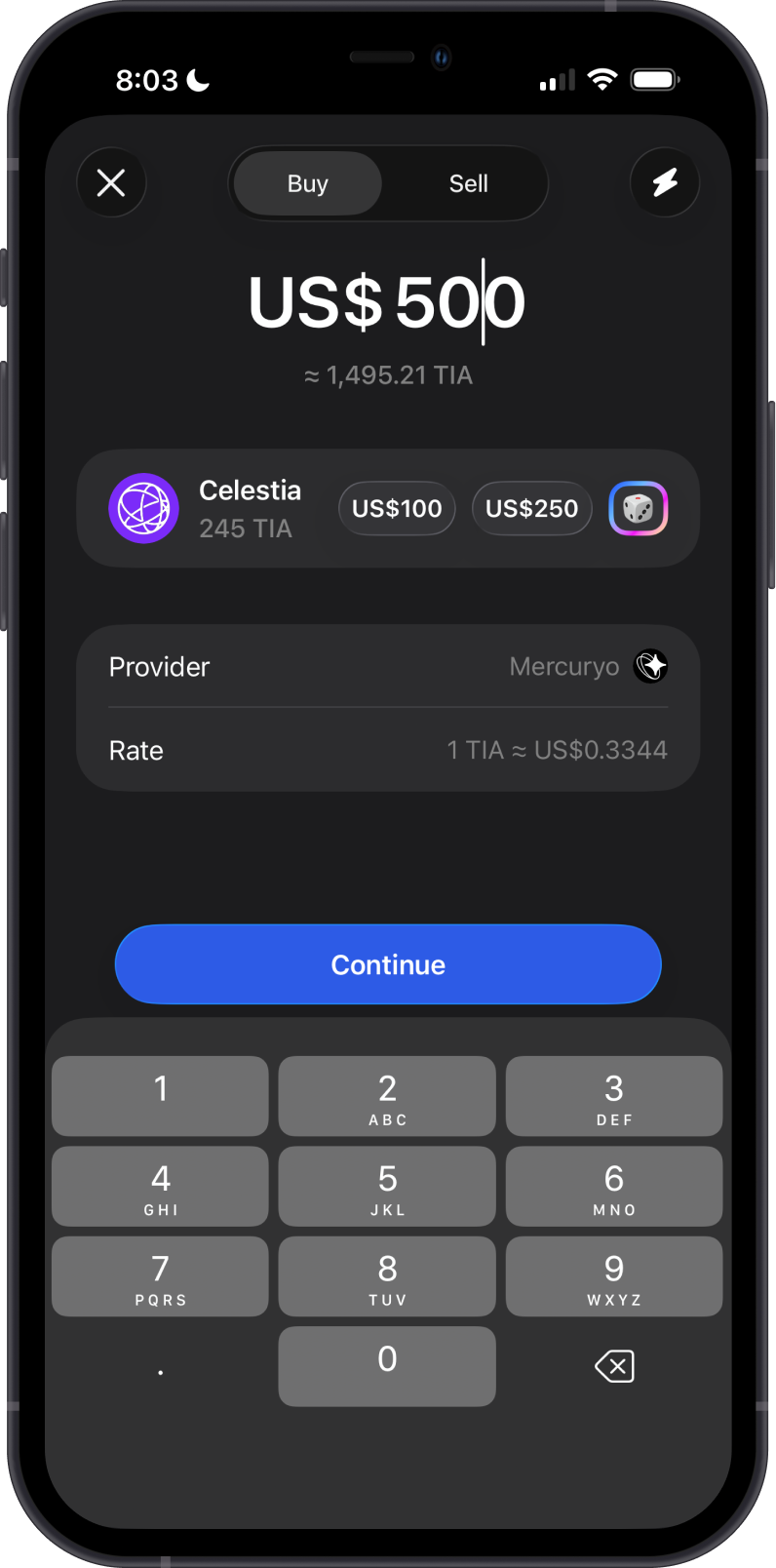
To buy TIA, tap Buy from the Celestia asset screen, enter the fiat amount, and select an available provider. Provider availability, supported payment methods, fees, and quoted amounts vary by region and provider.
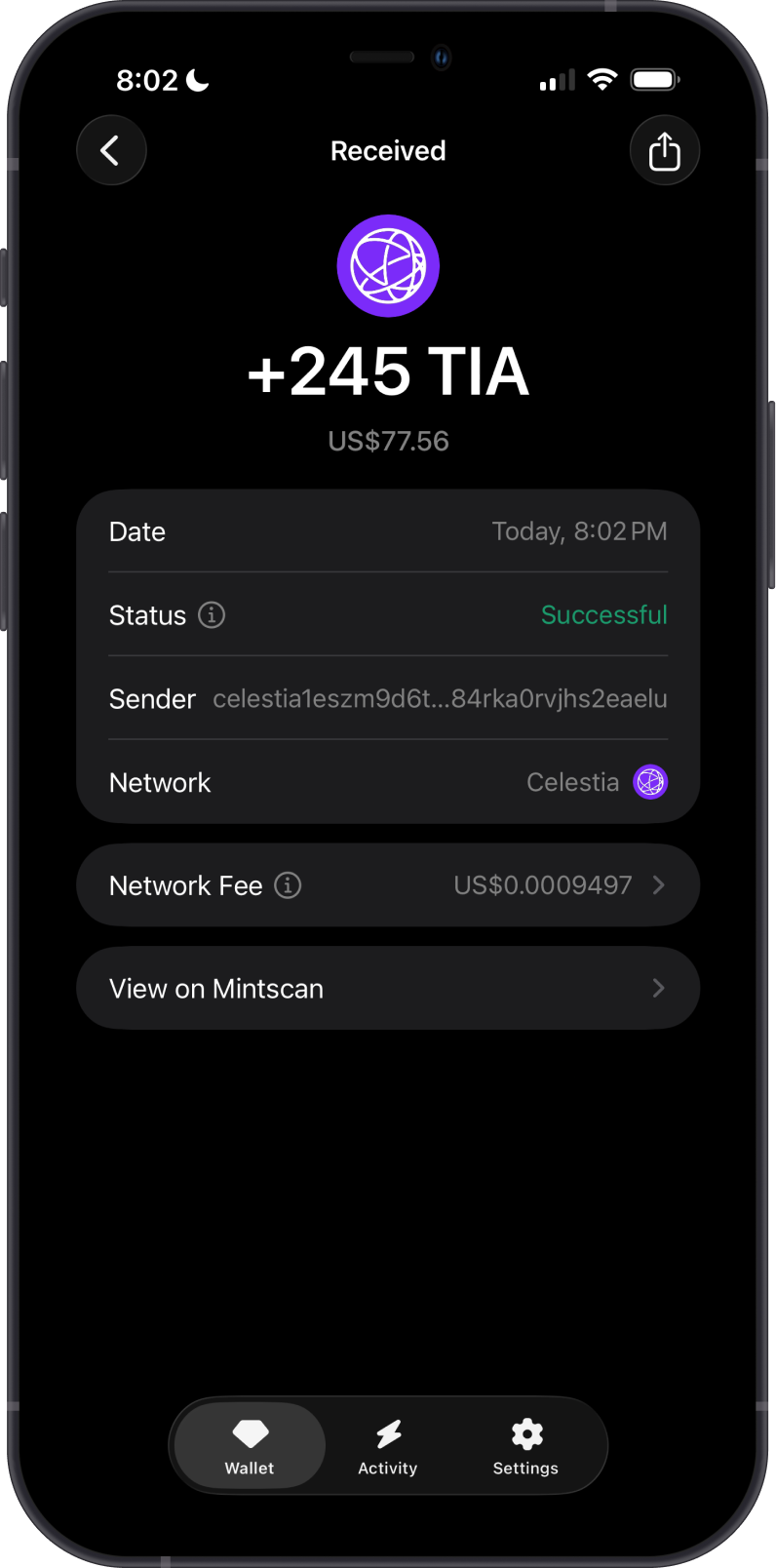
To receive TIA, tap Receive and copy or share the Celestia address shown in Gem Wallet. Send only native TIA on the Celestia network to this address.
Gem Wallet does not require a memo to receive TIA. If you send TIA to an exchange or another custodial service, include the memo they provide when one is required; a missing or incorrect memo can delay or prevent the service from crediting your deposit.
How to Send Celestia with Gem Wallet?
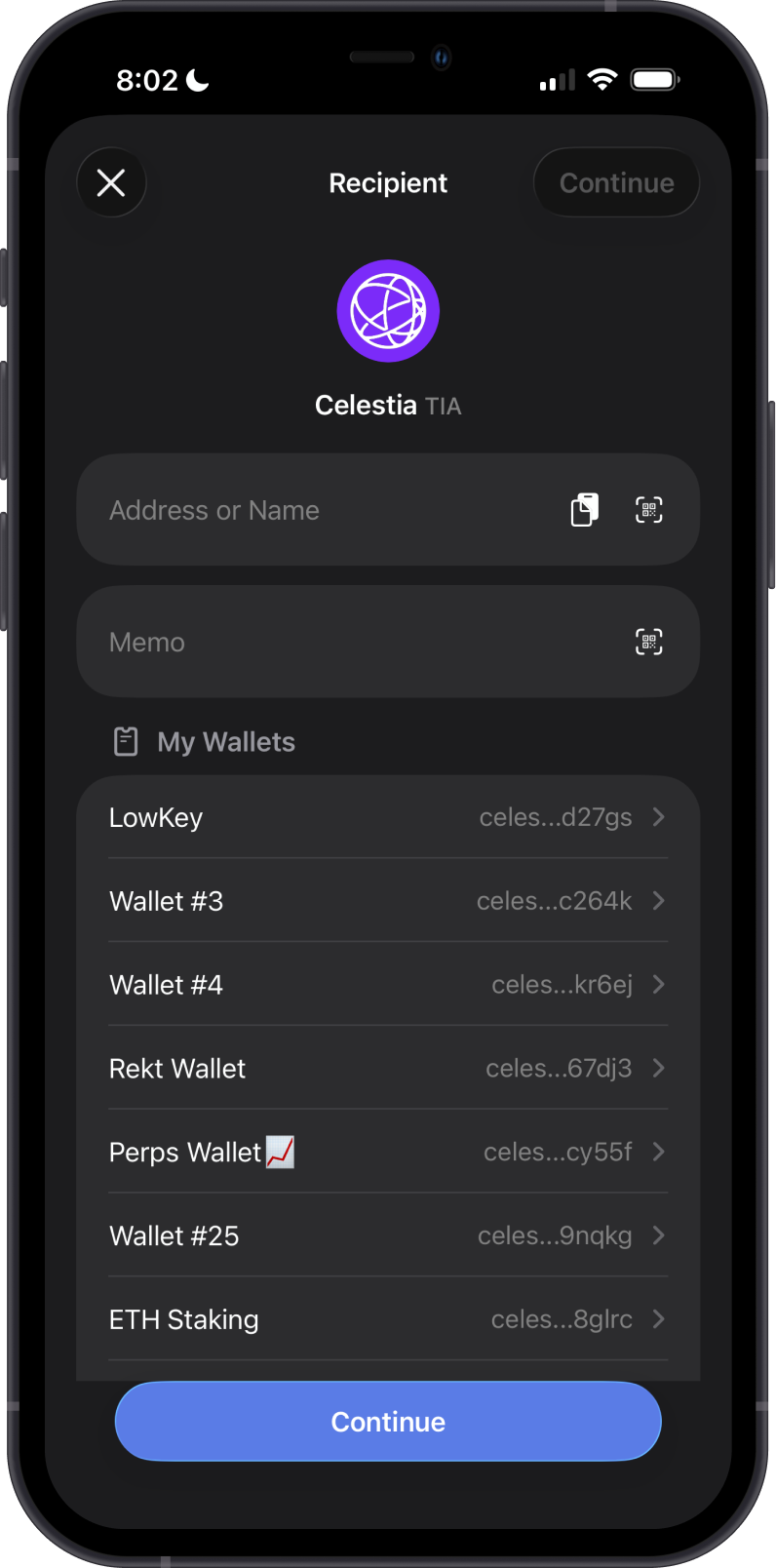
Tap Send, then enter the recipient's Celestia address manually, paste it, scan its QR code, or select one of your wallets. Add a memo if the receiving service requires one, enter the TIA amount, and tap Continue to review and confirm the transaction.
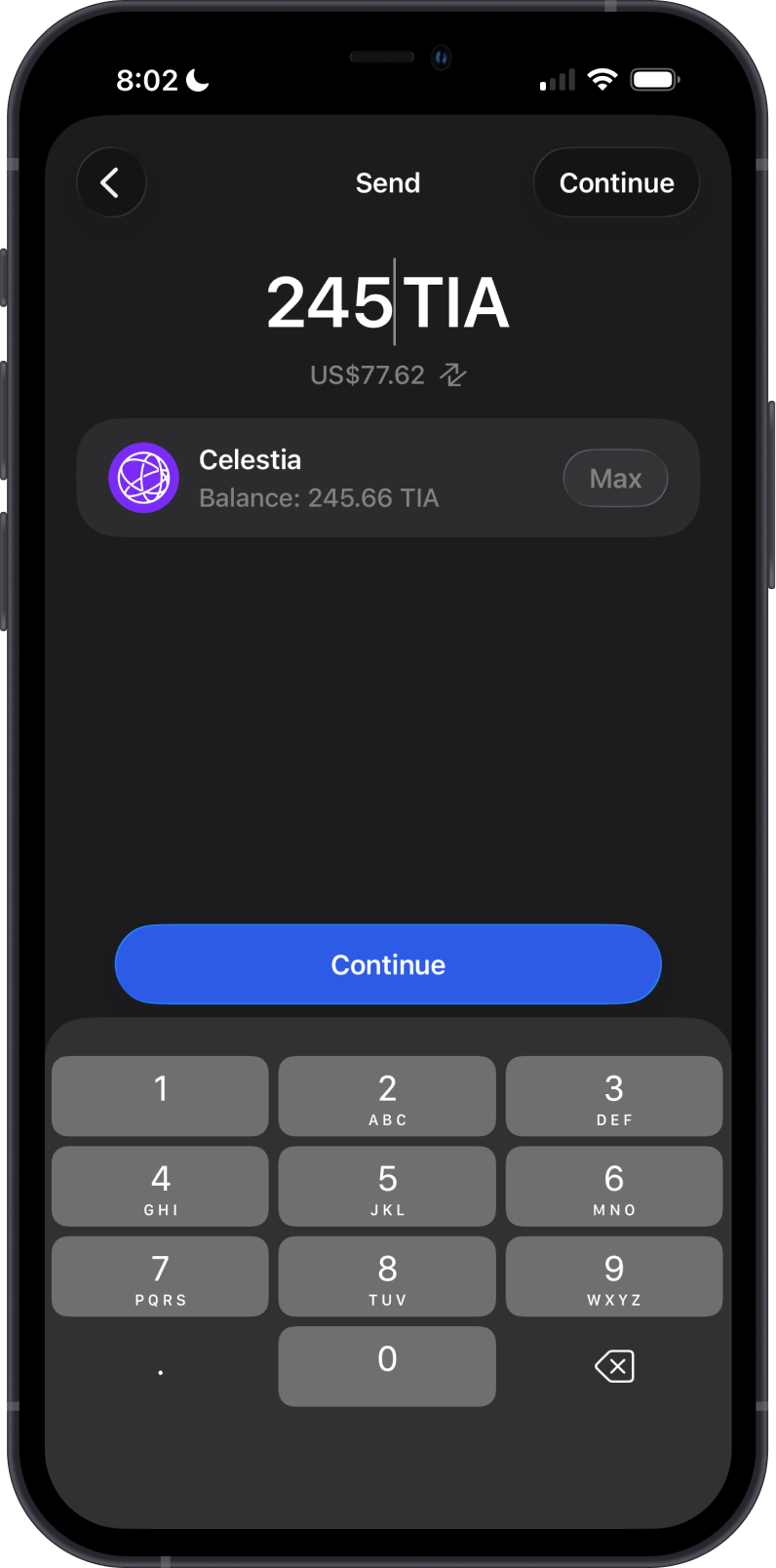
Keep enough TIA in your wallet to cover the amount sent and the network fee. Always verify the recipient address, network, and memo before confirming because blockchain transactions cannot be reversed.
Can I Swap Celestia on Gem Wallet?
Not at the moment. Gem Wallet used to swap TIA through Squid, which it no longer uses, so TIA swaps aren't available in the app. You can still hold, send, receive, and stake TIA. To trade TIA, send it to an exchange or another service that supports it on the Celestia network.
Can I Stake TIA on Gem Wallet?
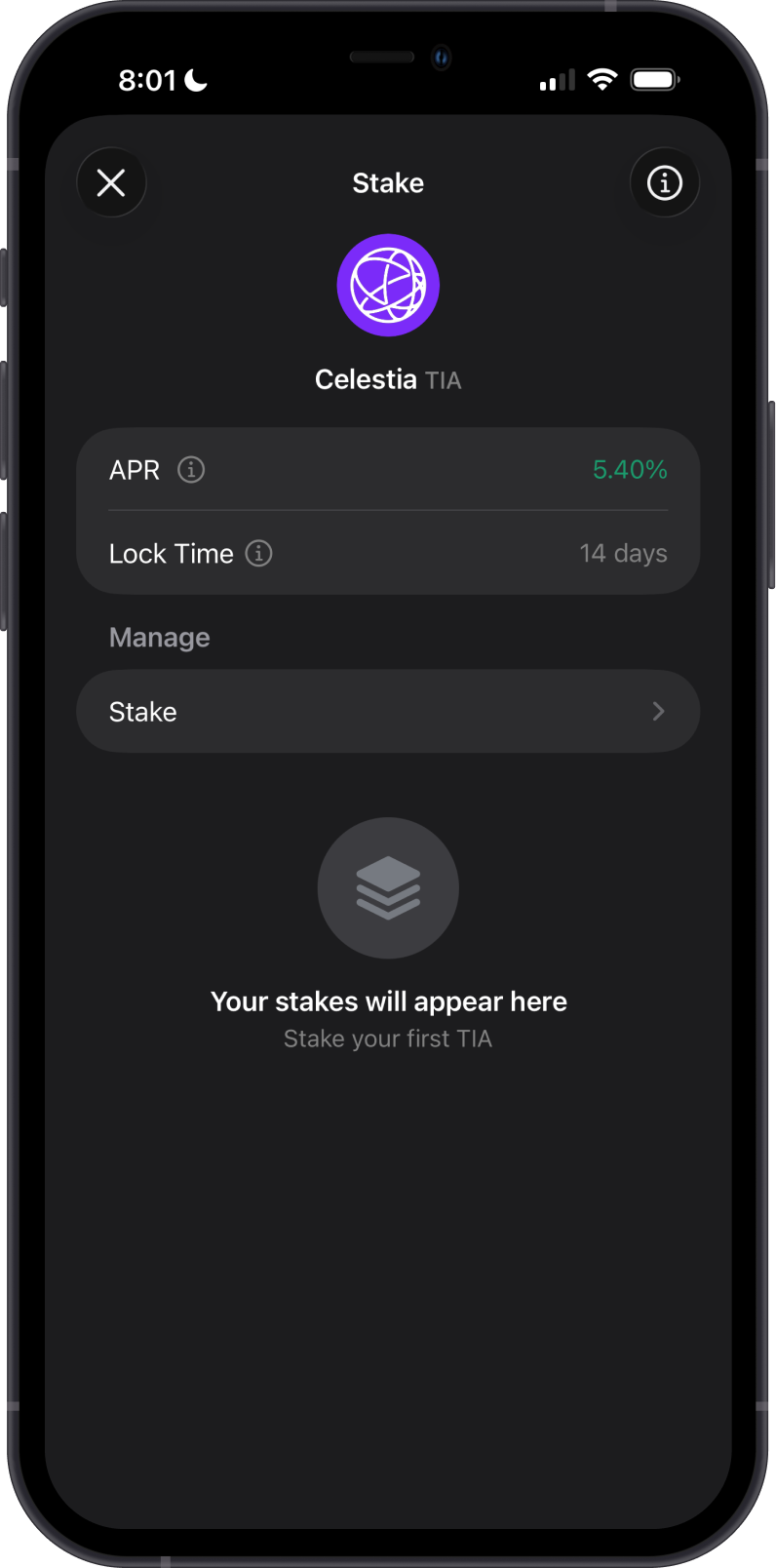
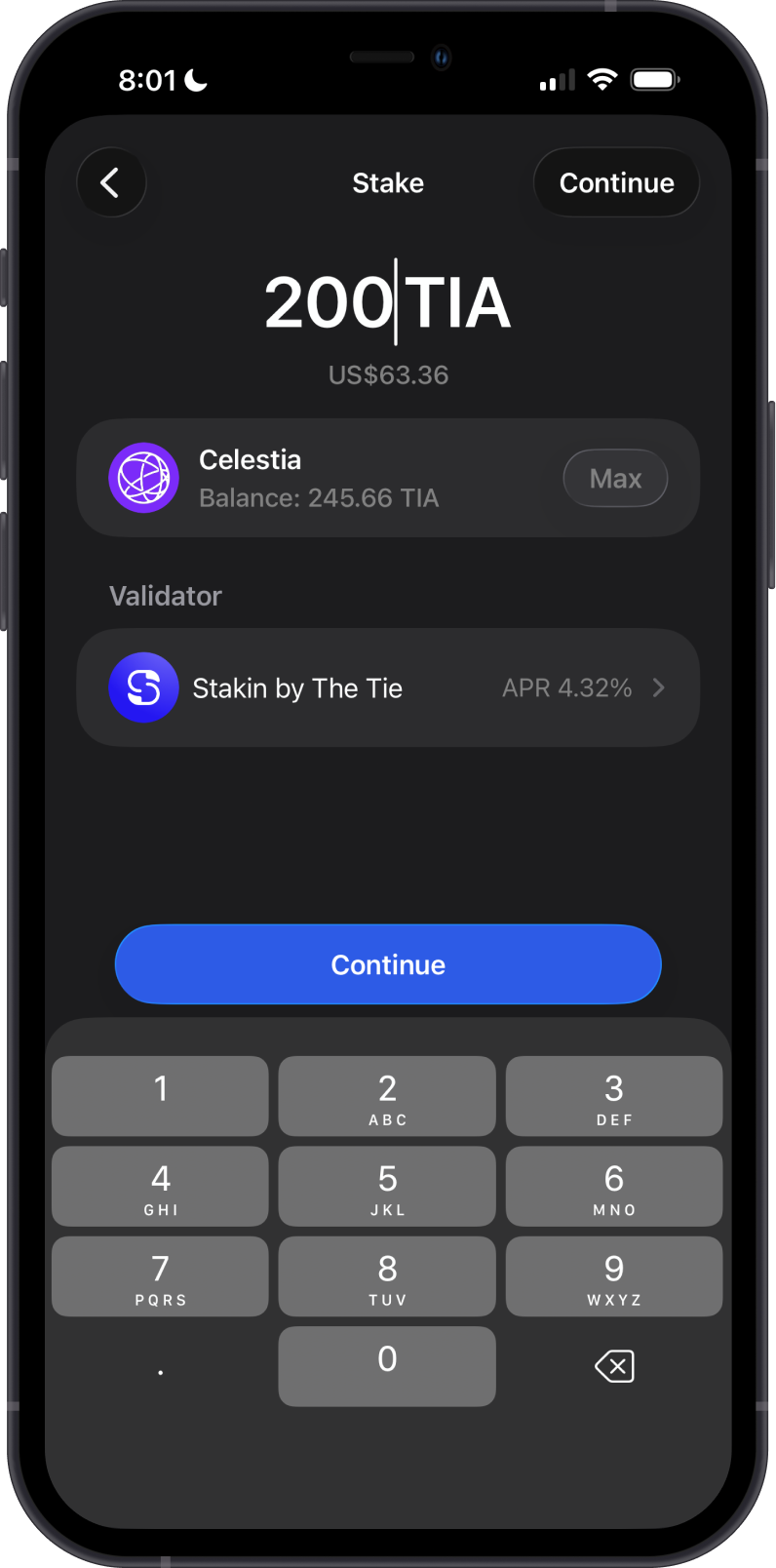
You can stake TIA from the Celestia asset screen by selecting Stake, choosing a validator, entering the amount, and confirming the delegation. The displayed APR is an estimate that can change and is reduced by the validator's commission.
Unstaking TIA starts the Celestia unbonding period, which lasts 14 days. During this period, unbonding TIA cannot be transferred, and delegated TIA can be subject to slashing if the validator misbehaves. Keep a small amount of TIA unstaked to pay for staking, unstaking, and reward-claiming transactions.
Rewards do not automatically claim when you modify a Celestia delegation. Claim accumulated rewards separately when needed.
Transaction Fees on the Celestia Blockchain
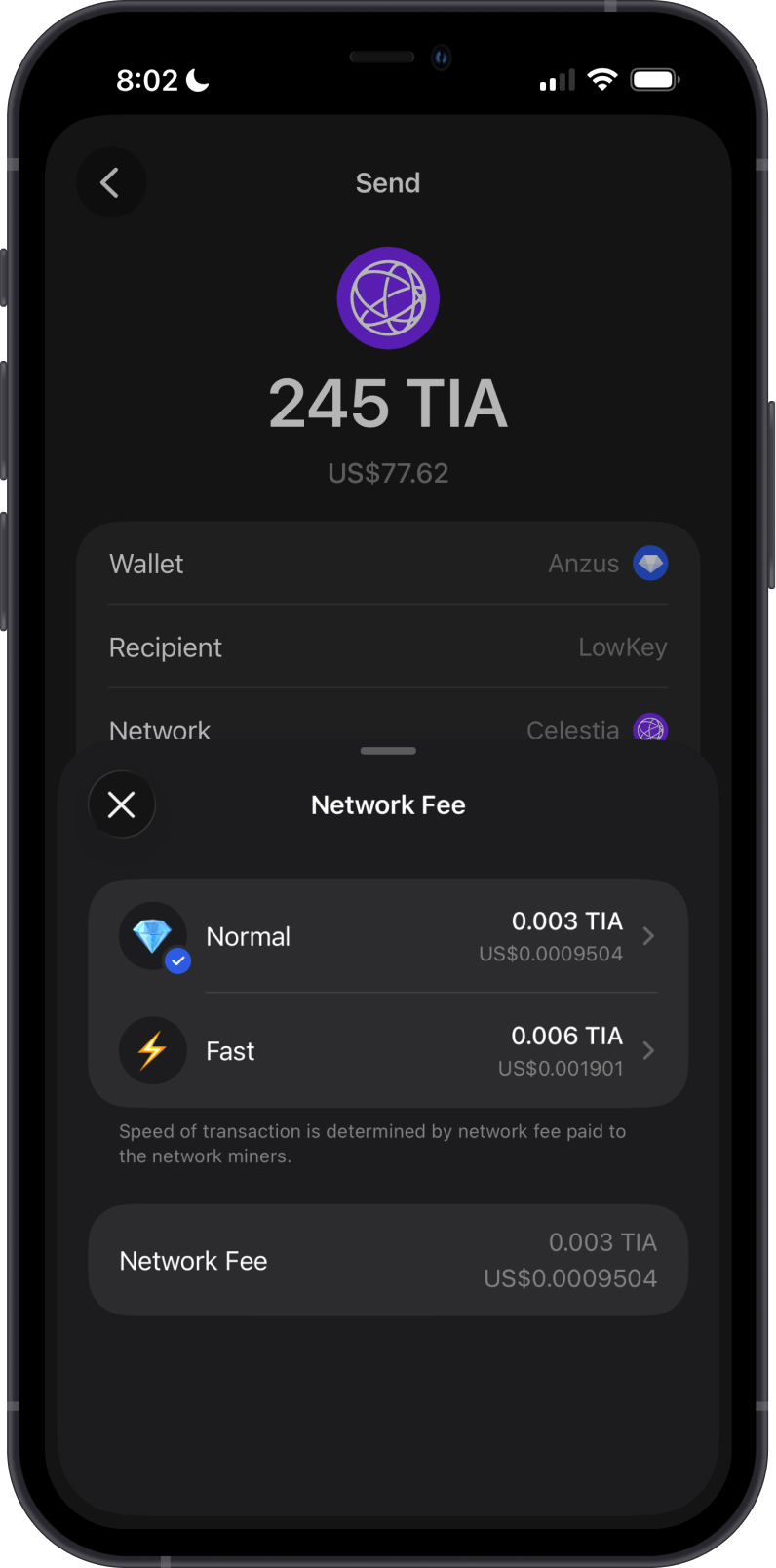
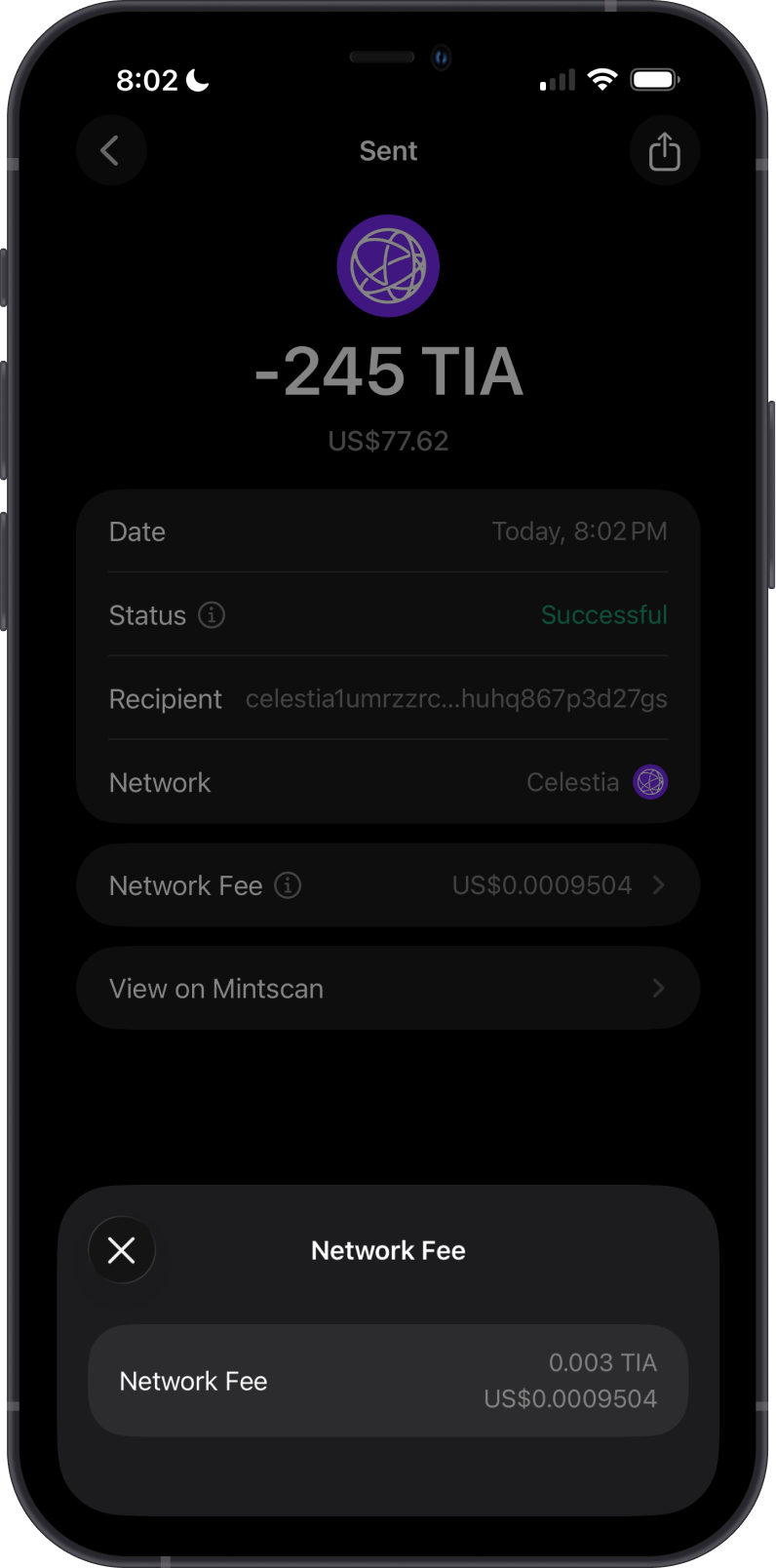
Celestia transaction fees pay for the gas required to process a transaction. The total fee depends on the transaction's gas limit and the selected gas price, so actions such as sending, staking, unstaking, and claiming rewards can have different fees.
Tap Network Fee before confirming to choose the available Normal or Fast option. A higher fee can improve the likelihood of prompt inclusion by validators, but it does not guarantee a specific confirmation time. Gem Wallet displays the total fee in TIA before you send.
How to Check Celestia Balance?
Gem Wallet connects to the Celestia blockchain to show your TIA balance, staking positions, and transaction history. Tap the three-dot menu and select View address on Mintscan to inspect the address on the blockchain explorer.
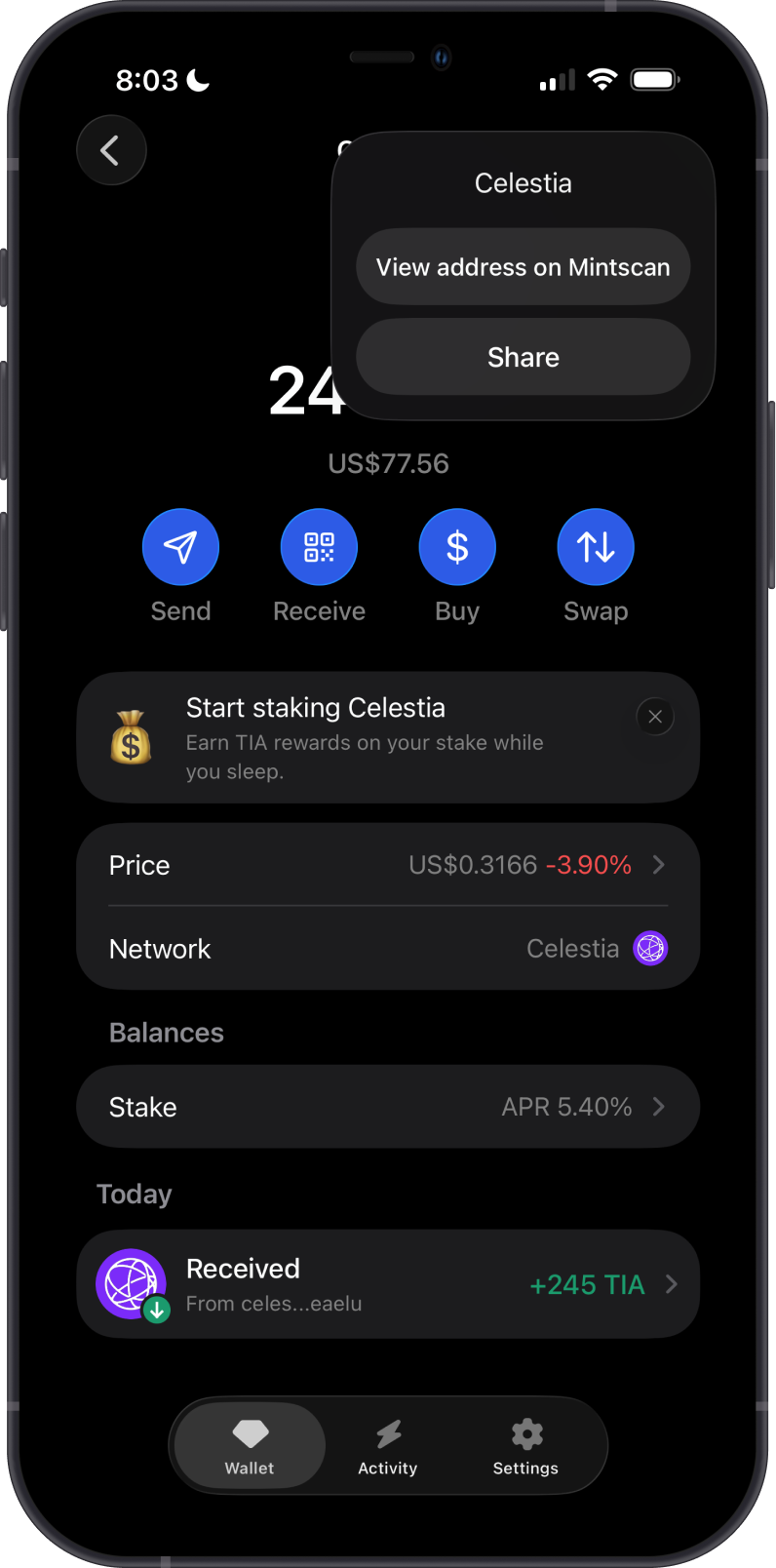
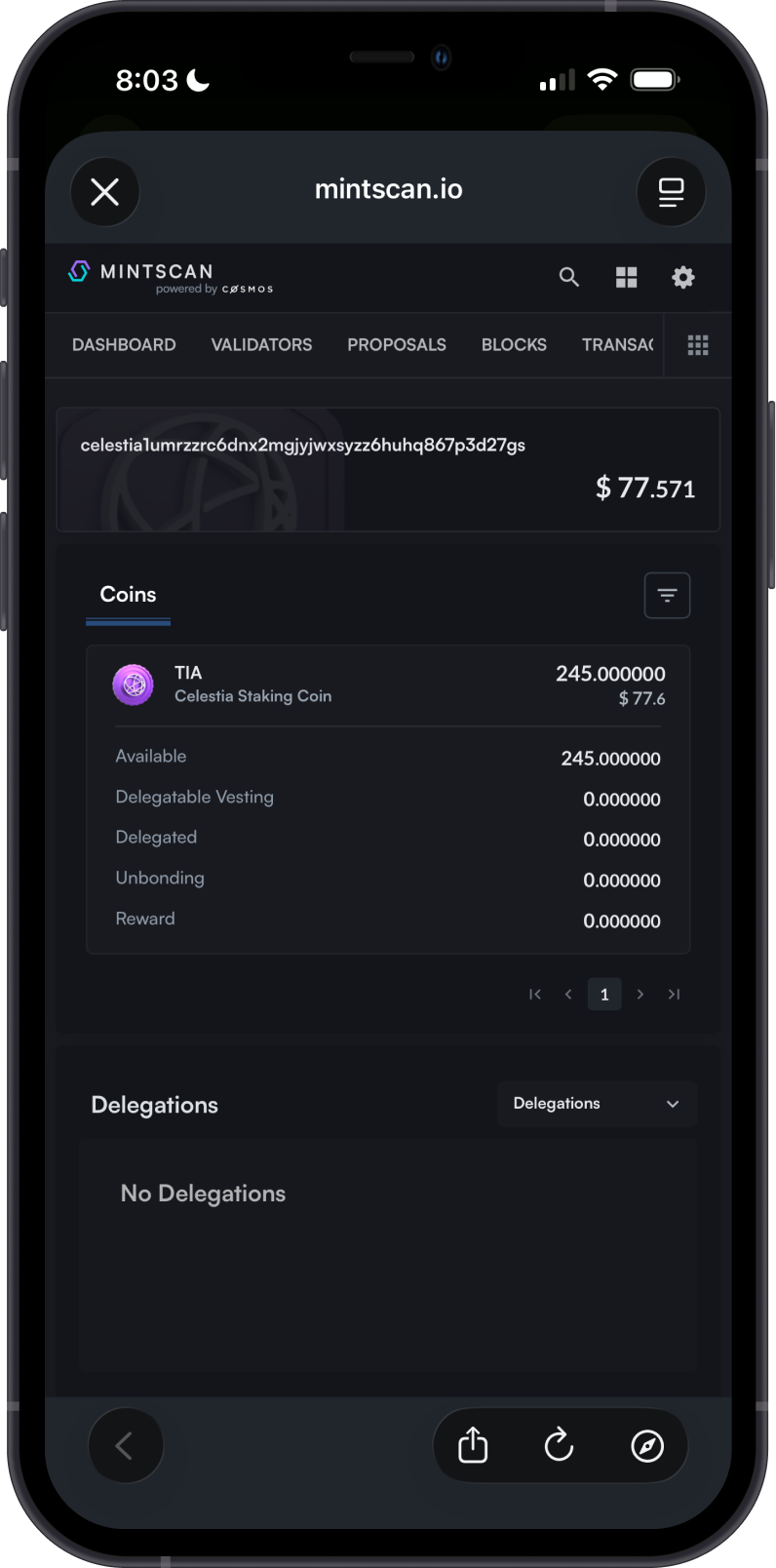
Mintscan is the default TIA explorer in Gem Wallet. Search for a Celestia address or transaction ID to review public balances, delegations, unbonding balances, rewards, transaction history, status, and fees.
You can also open a transaction from the Celestia transaction history and select View on Mintscan for more detailed information.
Why Choose Gem Wallet for Celestia?
- Self-Custody: You retain control of your TIA and private keys.
- Built-In Staking: Delegate TIA to a validator and manage your staking position in the same wallet.
- Cross-Chain Quotes: Review available routes for supported assets directly in the wallet.
- Multi-Currency Support: Manage Celestia and other cryptocurrencies in one wallet.
Conclusion
Celestia is a modular data availability network secured by Proof-of-Stake, where TIA supports transaction fees, staking, and governance. Gem Wallet lets you buy, hold, send, receive, stake, and explore native TIA while retaining control of your private keys.