Cardano (ADA)
What is Cardano (ADA)?
Here are 5 key points about Cardano:
-
Cardano uses the Ouroboros protocol, a secure and energy-efficient proof-of-stake mechanism that reduces environmental impact compared to proof-of-work systems.
-
Cardano is built with a two-layer architecture, namely Cardano Settlement Layer (CSL) and Cardano Computation Layer (CCL). CSL handles ADA transactions efficiently, while CCL powers smart contracts and decentralized applications (dApps).
-
Cardano supports high transaction throughput while maintaining low fees and fast confirmation times. It is also designed to interact seamlessly with other blockchains, enabling cross-chain communication and asset transfers.
-
With its proof-of-stake model and energy-efficient design, Cardano aligns with eco-friendly initiatives, making it a sustainable choice for blockchain technology. It also has a treasury system to fund future development and ensure longevity.
-
The ADA token is used for transaction fees, staking to secure the network and earn rewards, and participating in governance decisions on the Cardano blockchain. It also facilitates interactions with smart contracts, dApps, and serves as a store of value or payment method.
Learn more about ADA by reading the Gem Wallet Learn article:
What Is The Cardano Blockchain?
Cardano (ADA) on Gem Wallet
Gem Wallet can be used to:
- Buy Cardano (ADA) with fiat using available providers.
- Store Cardano (ADA) securely.
- Send and receive Cardano (ADA) natively.
- Swap Cardano (ADA) through supported cross-chain routes.
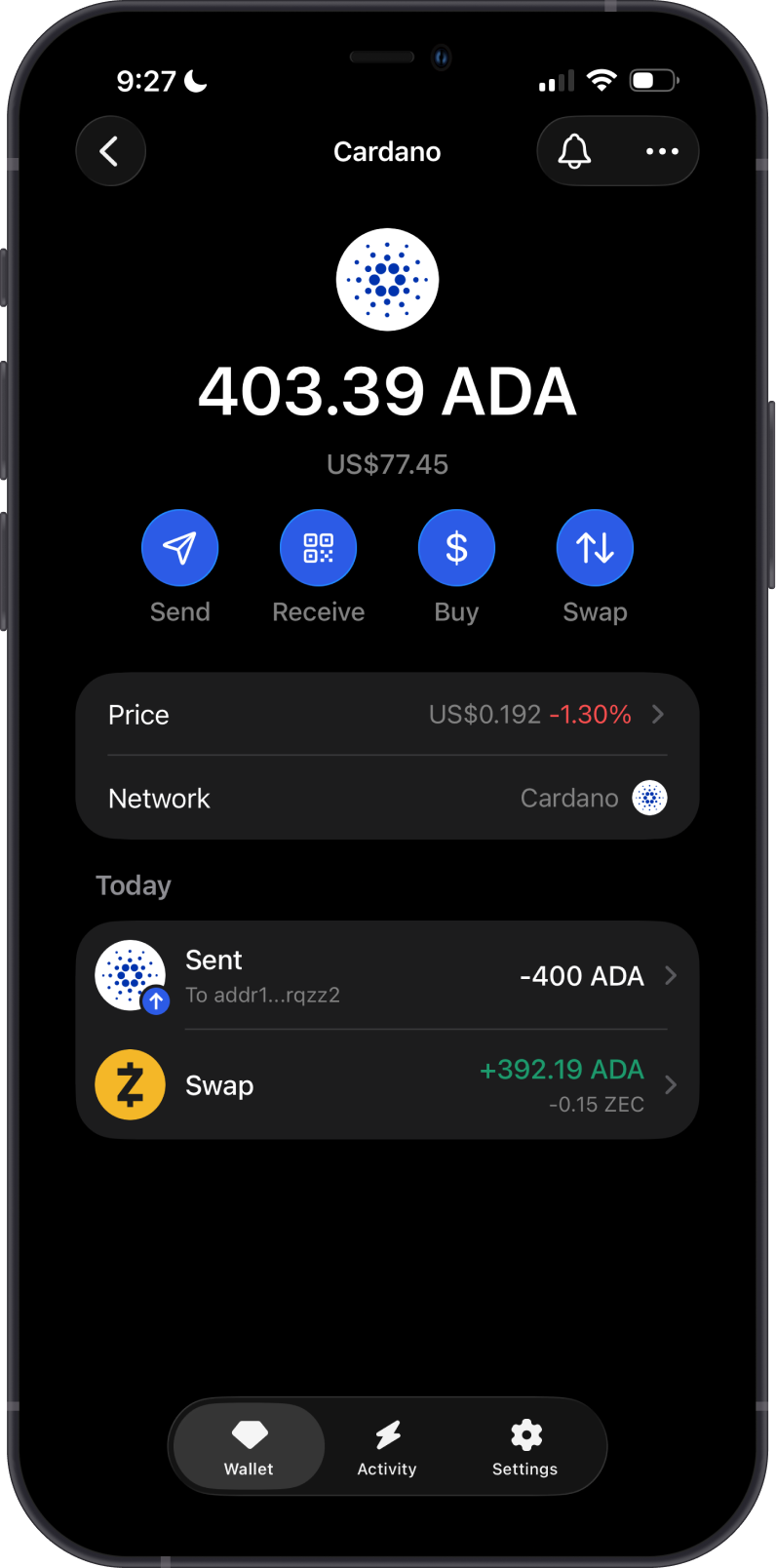
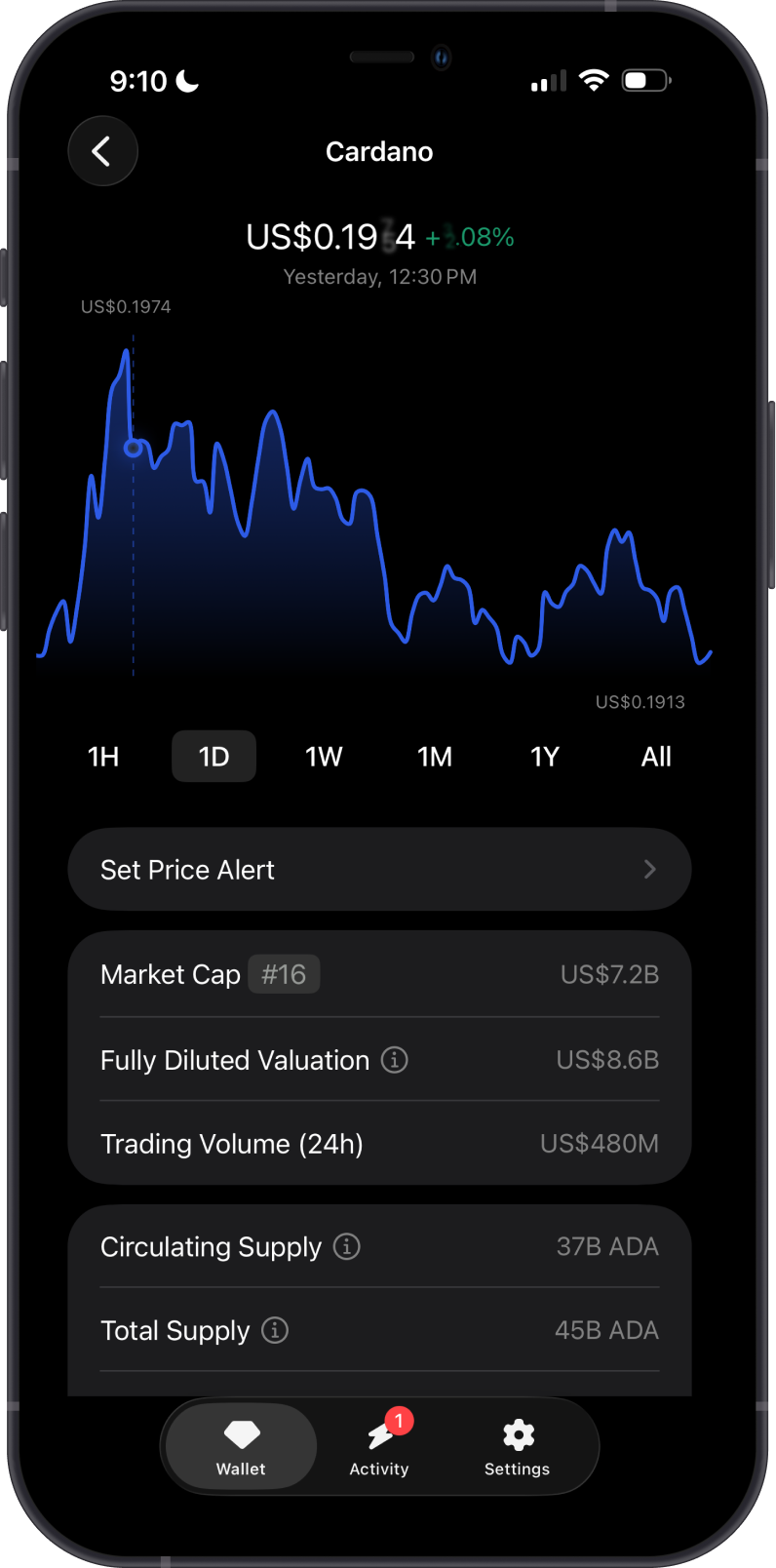
How to Add Cardano (ADA) to Gem Wallet?
To activate your Cardano wallet in Gem Wallet:
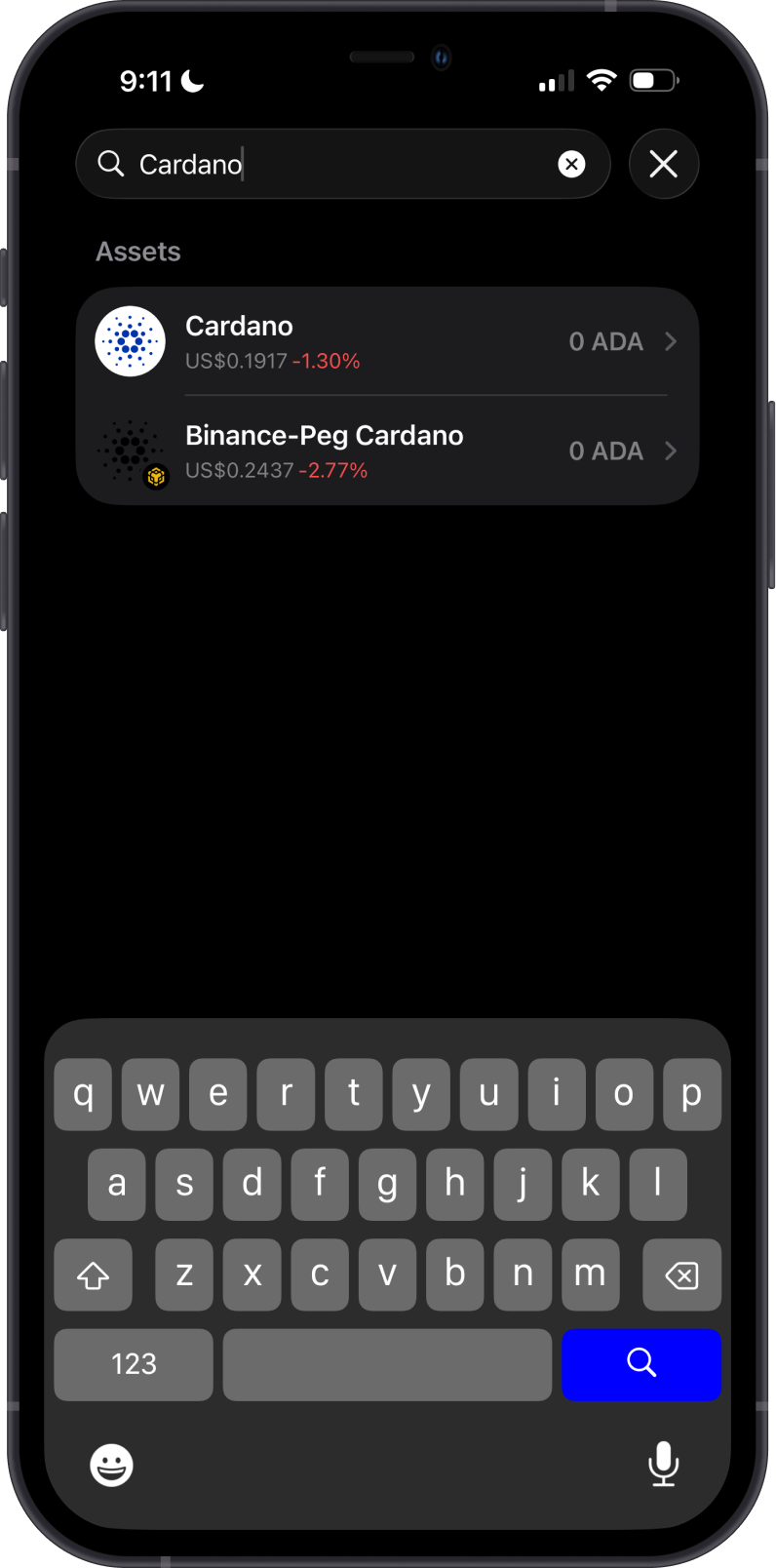
- Tap on the magnifying glass in the upper-right corner.
- Search for Cardano or ADA.
- Select the native Cardano asset, not a token on another network.
- Choose Pin to keep it easily accessible, or tap Add to wallet.
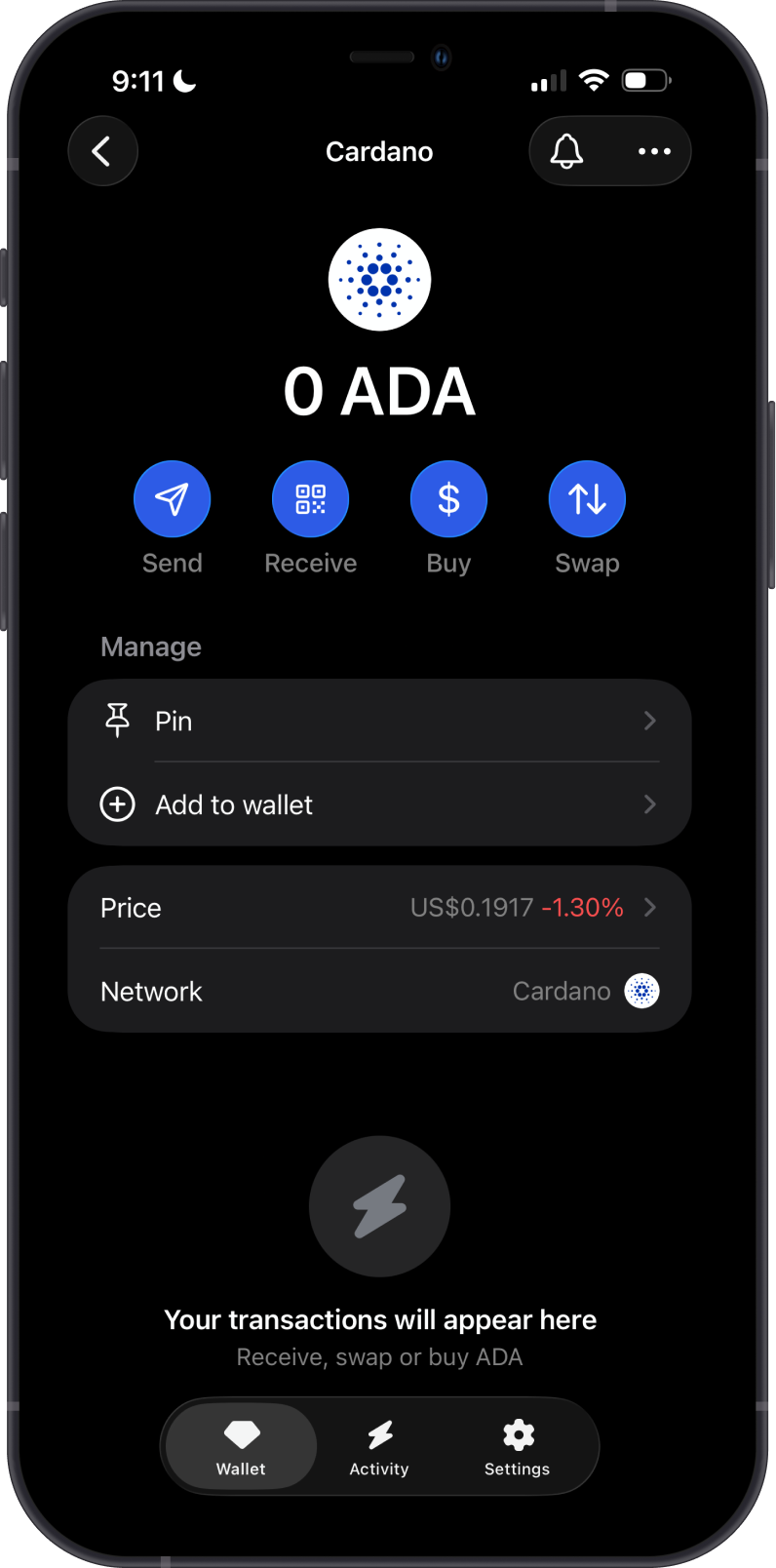
Your ADA wallet will now appear on the main wallet screen, ready for buying, sending, receiving, and swapping.
How to Buy and Receive Cardano (ADA) with Gem Wallet?
There are two ways to add ADA to Gem Wallet:
- Tap Buy and select an available fiat provider. Supported payment methods, limits, fees, and availability depend on the provider and your region. Purchased ADA is sent to your Cardano address in Gem Wallet.
- Tap Receive and use the Cardano address shown in Gem Wallet. You can copy the address, share it, or let the sender scan its QR code.
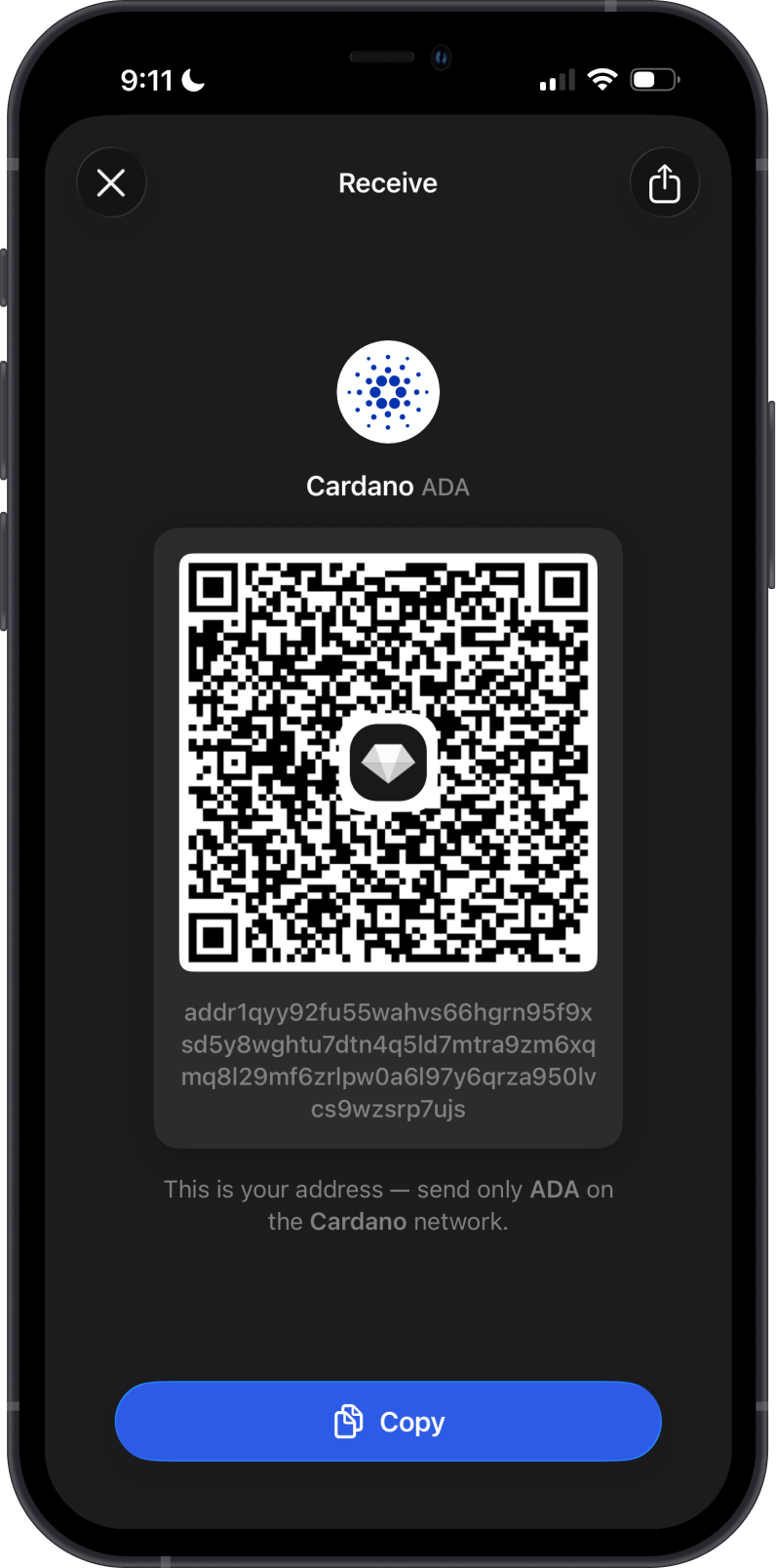
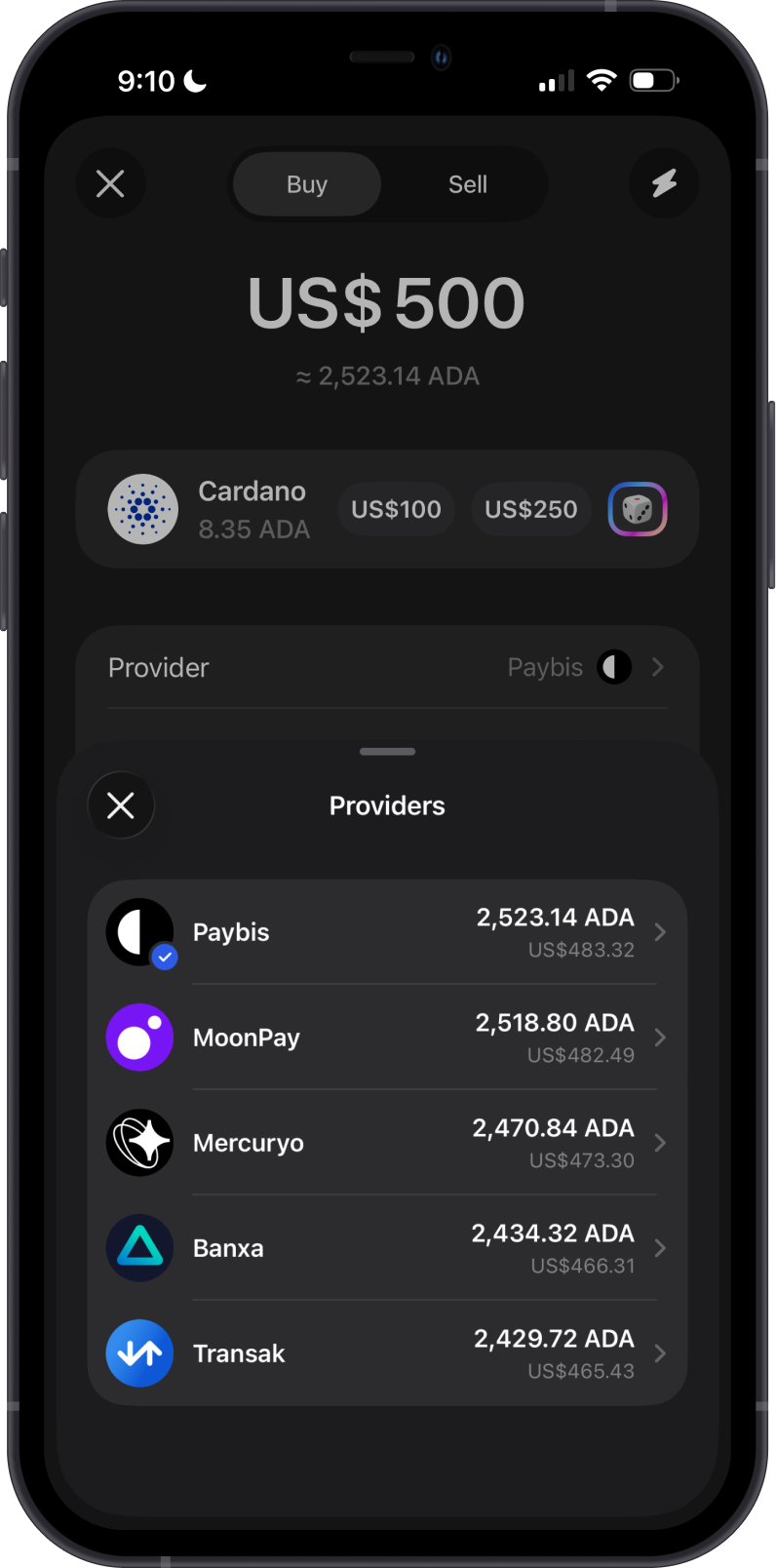
Only send ADA on the Cardano network to this address. Cardano transfers do not require a memo.
How to Send Cardano (ADA) from Gem Wallet?
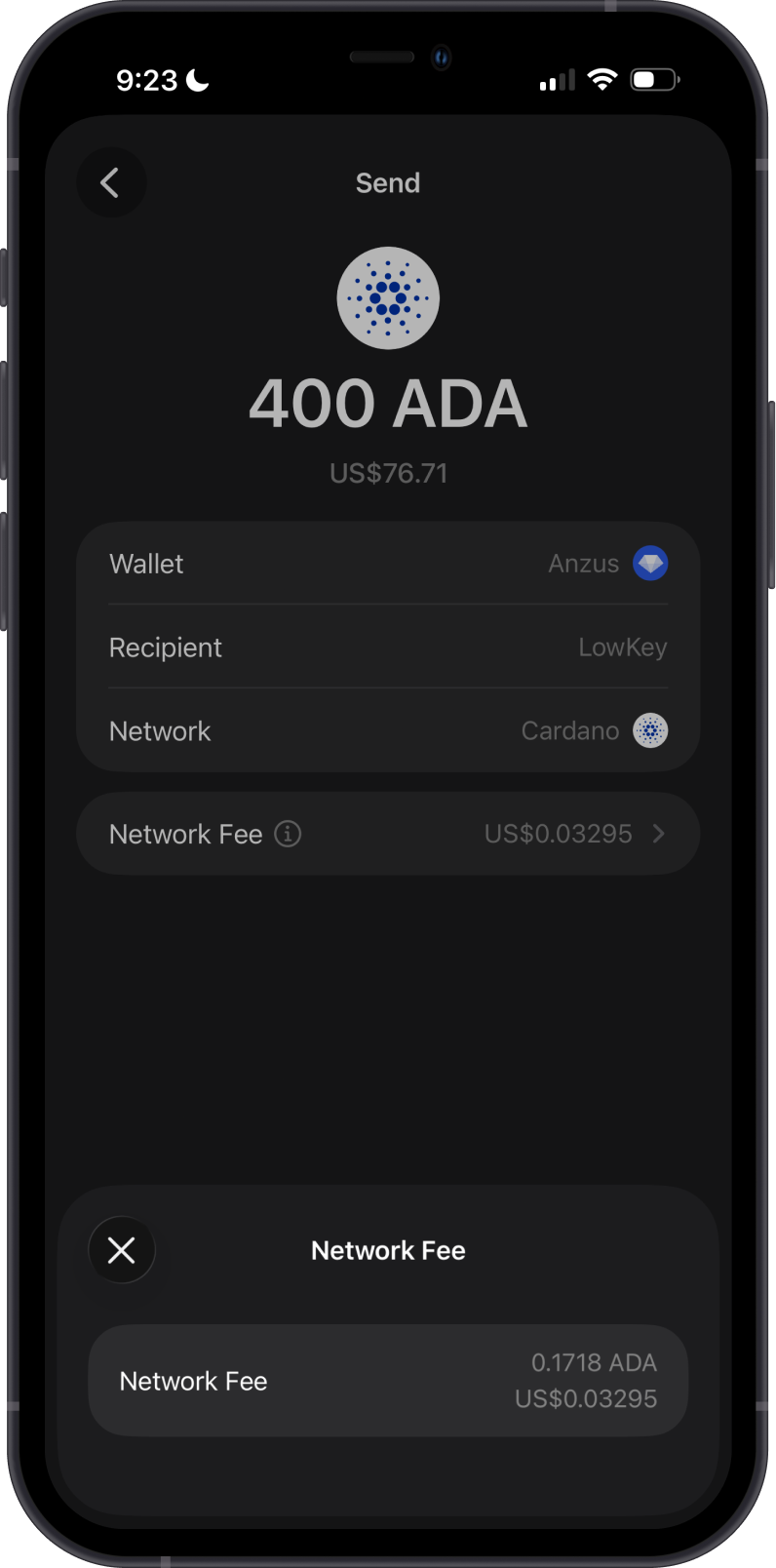
To send Cardano from Gem Wallet, simply tap on Send, then enter the recipient's address. You can manually copy and paste the address, or scan it with the built-in QR code scanner.
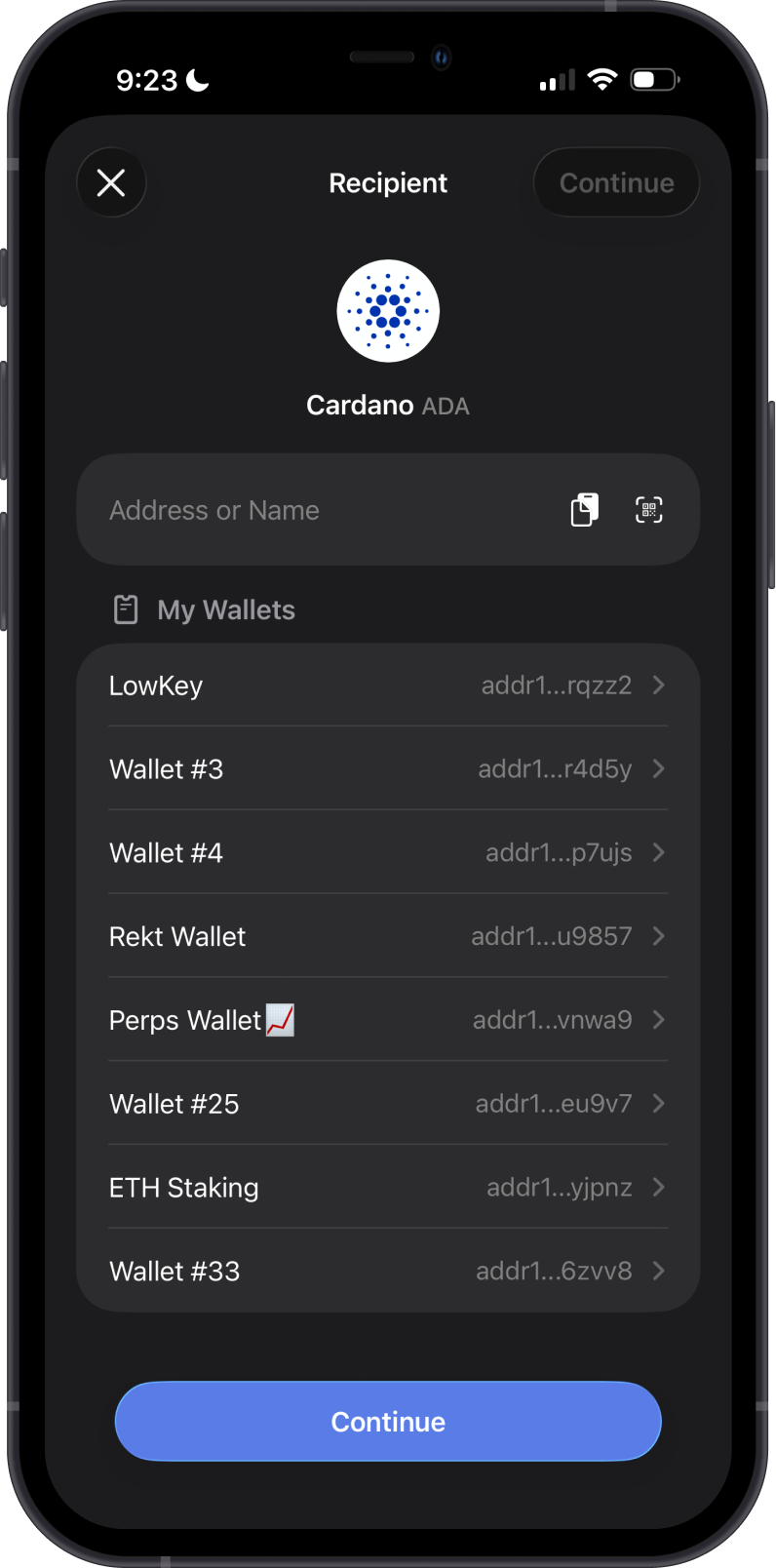
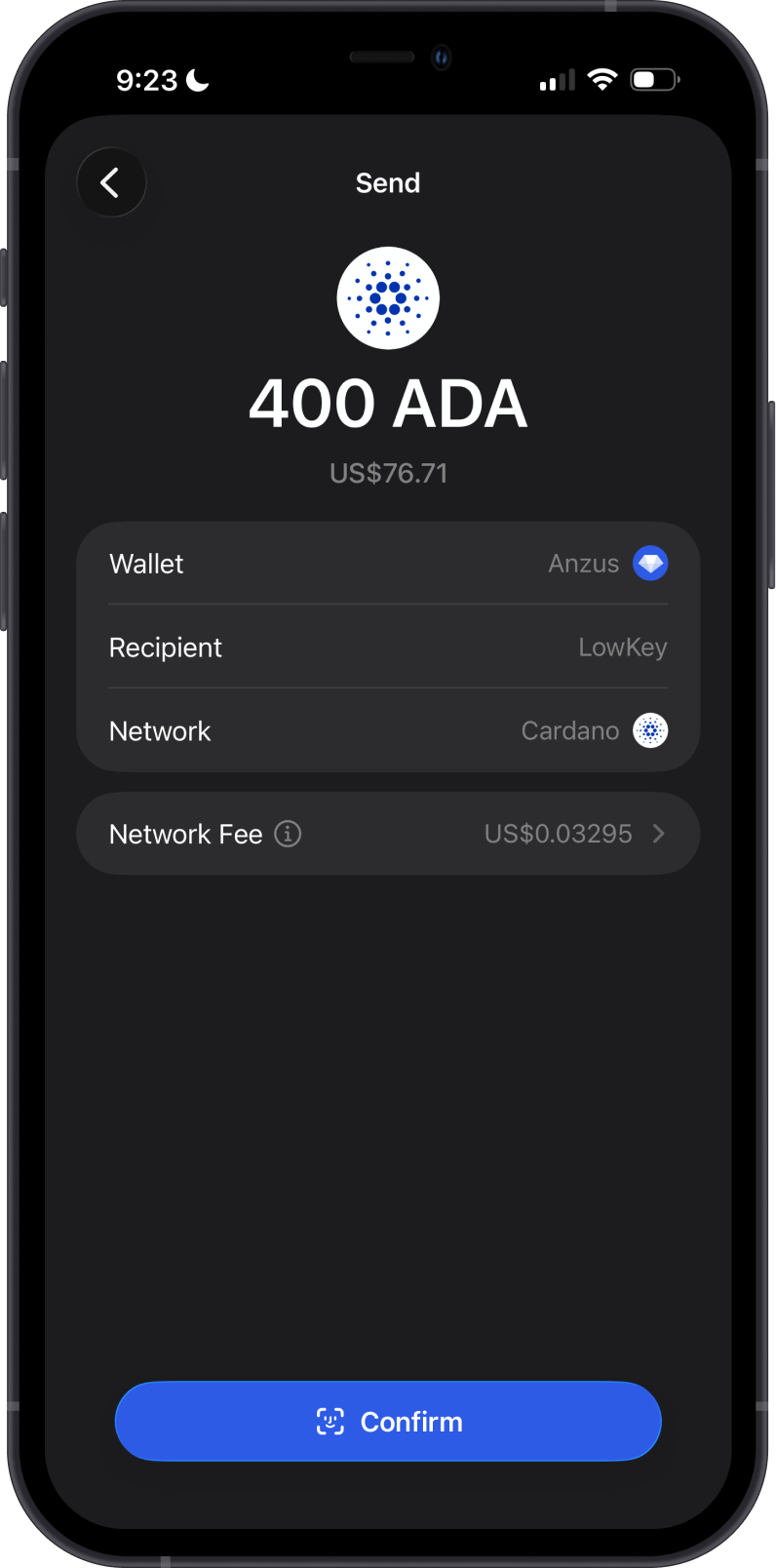
Enter the amount of ADA you want to send, review the recipient and network fee, then tap Confirm to broadcast the transaction on the Cardano blockchain.
Confirm that the recipient address is correct and keep enough ADA available to pay the network fee. Blockchain transactions cannot be reversed after they are confirmed.
Can I Swap Cardano (ADA) on Gem Wallet?
Gem Wallet supports cross-chain swaps between ADA and other compatible cryptocurrencies. Available routes depend on the selected assets, liquidity, network fees, and live quotes from integrated providers.
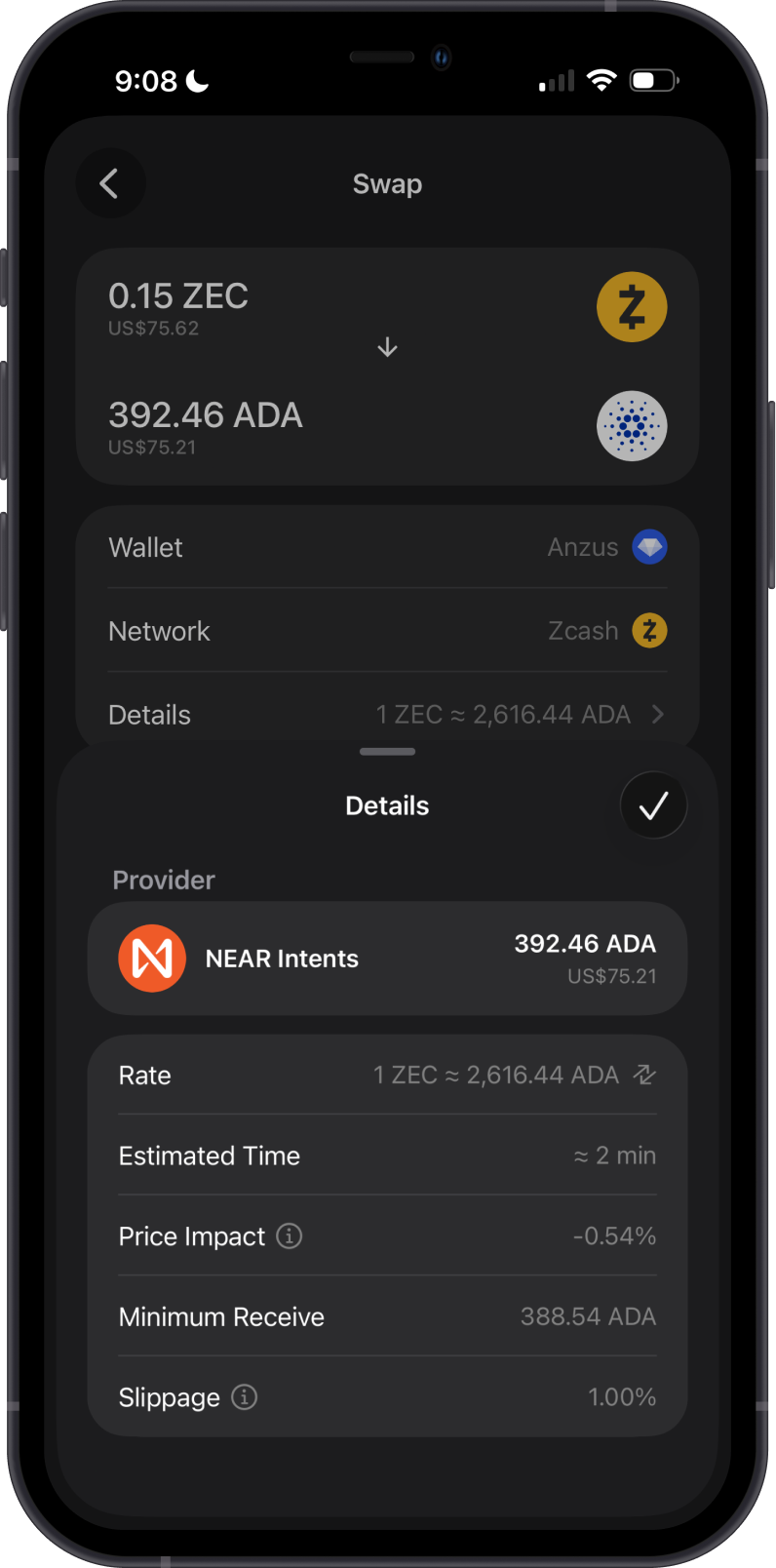
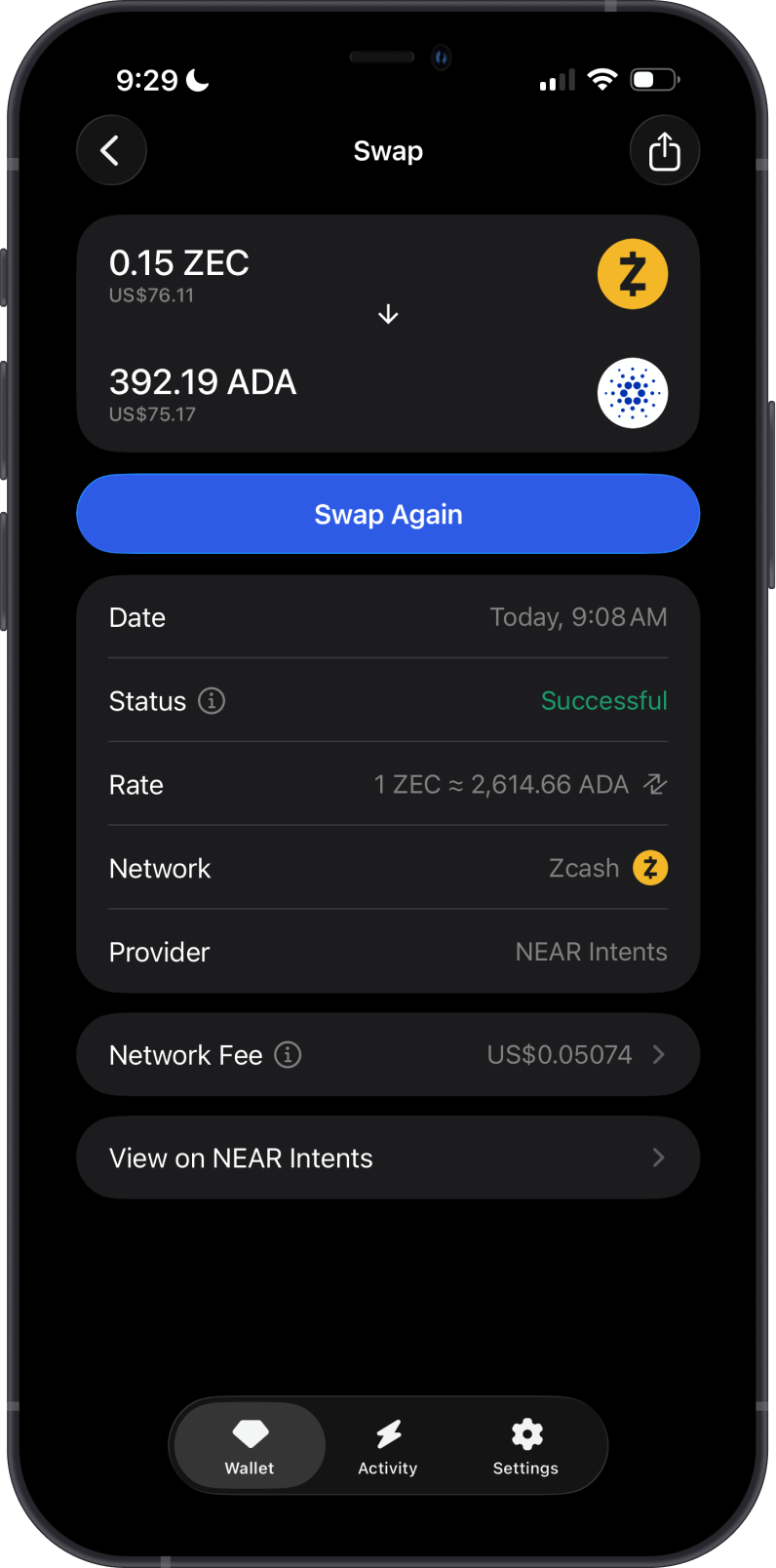
The first example shows a cross-chain swap from ZEC to ADA, including the provider, rate, estimated time, price impact, minimum received amount, and slippage.
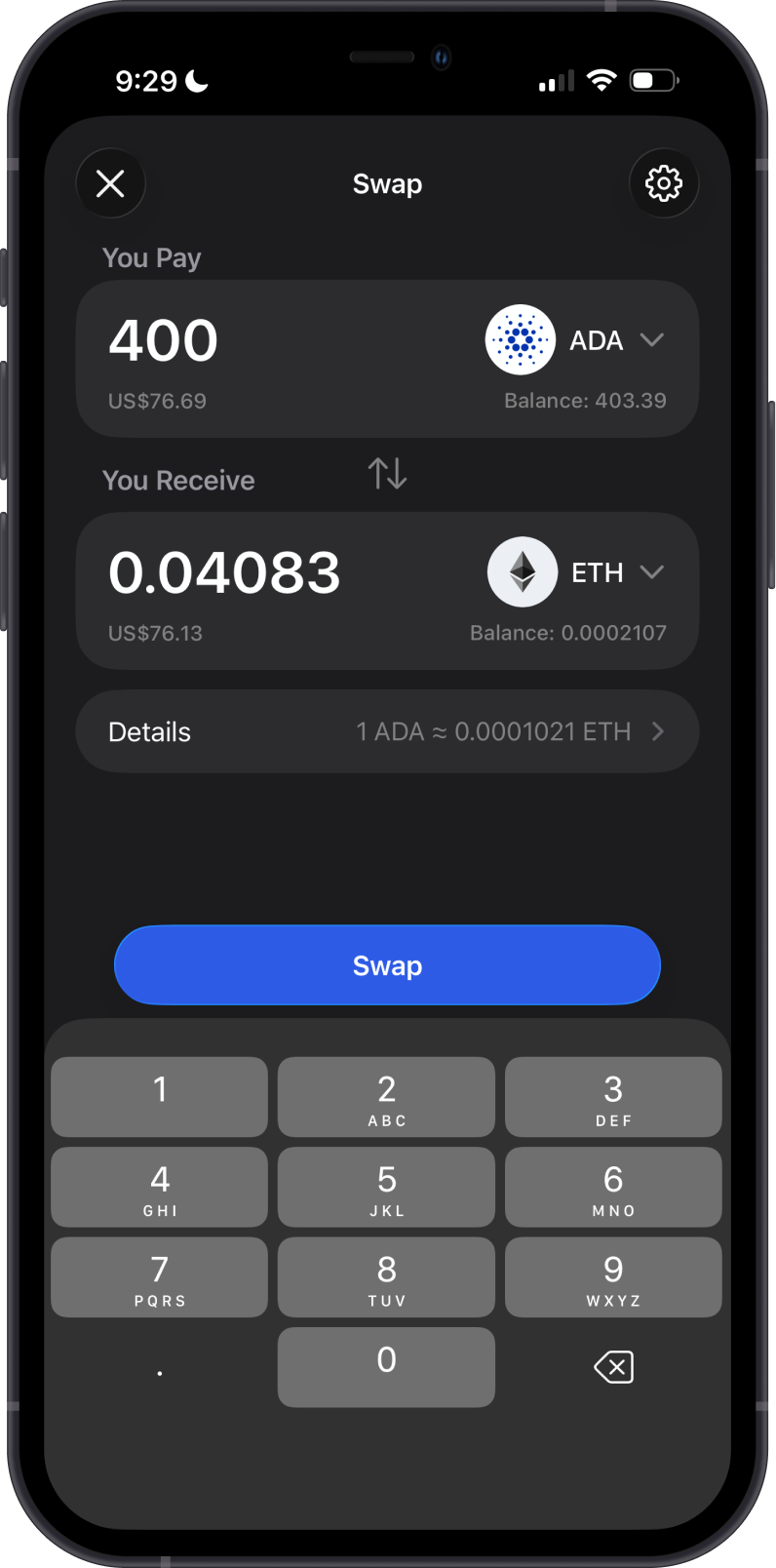
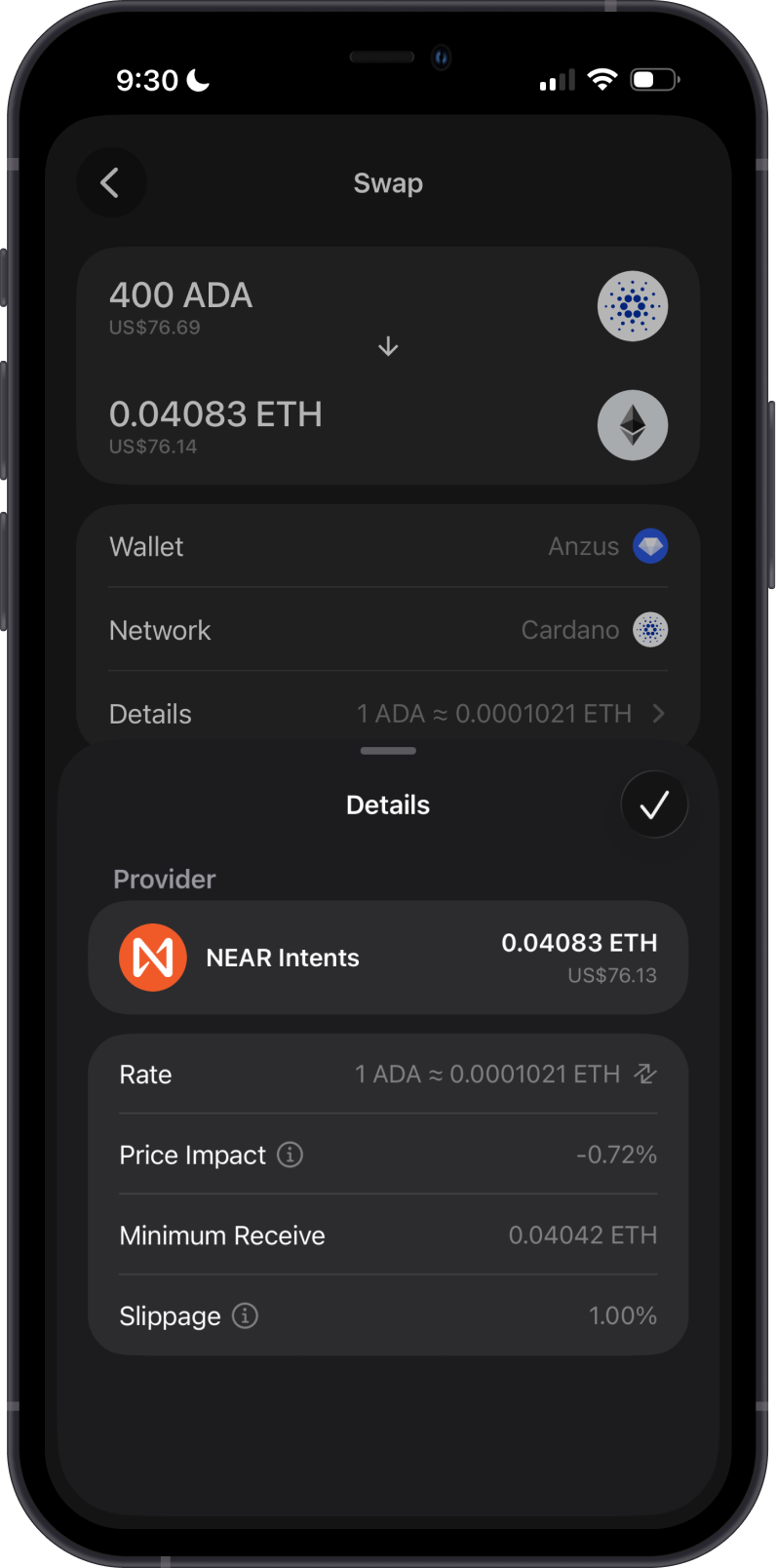
The second example shows a cross-chain swap from ADA to ETH and the quote details provided before confirming the swap.
Transaction Fees on the Cardano Network
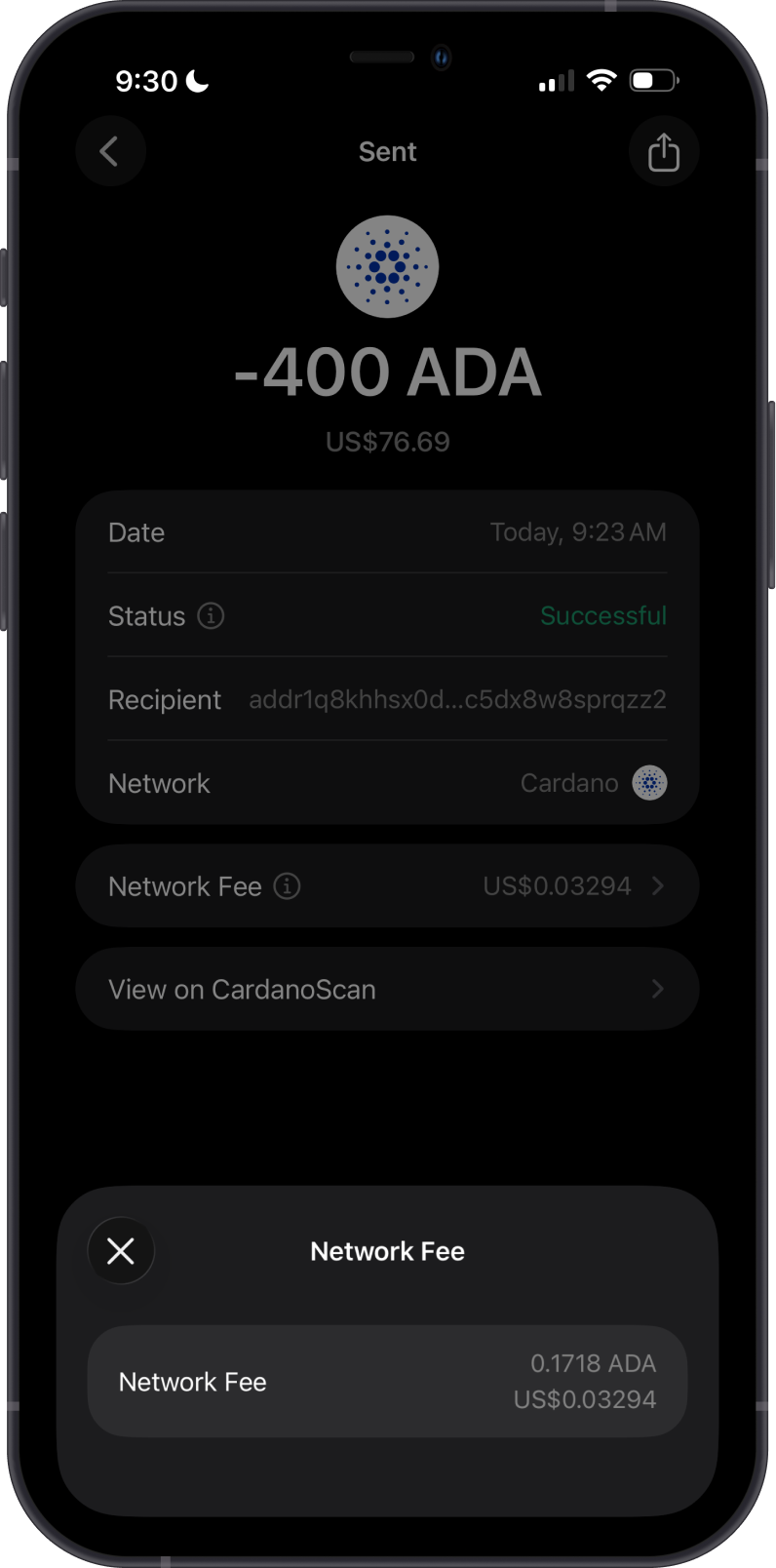
For a standard ADA transfer, Cardano calculates the minimum network fee using protocol parameters and the transaction size in bytes. Larger transactions, including those that use more inputs or outputs, can cost more. Smart-contract transactions can also include execution costs.
Unlike a demand-based gas auction, another user's higher fee does not automatically make your Cardano transaction slower. Gem Wallet calculates the required fee when constructing the transaction.
Tap Network Fee to review the fee before confirming the transaction. After it is broadcast, you can inspect the transaction and fee on CardanoScan.
How to Check ADA Balance?
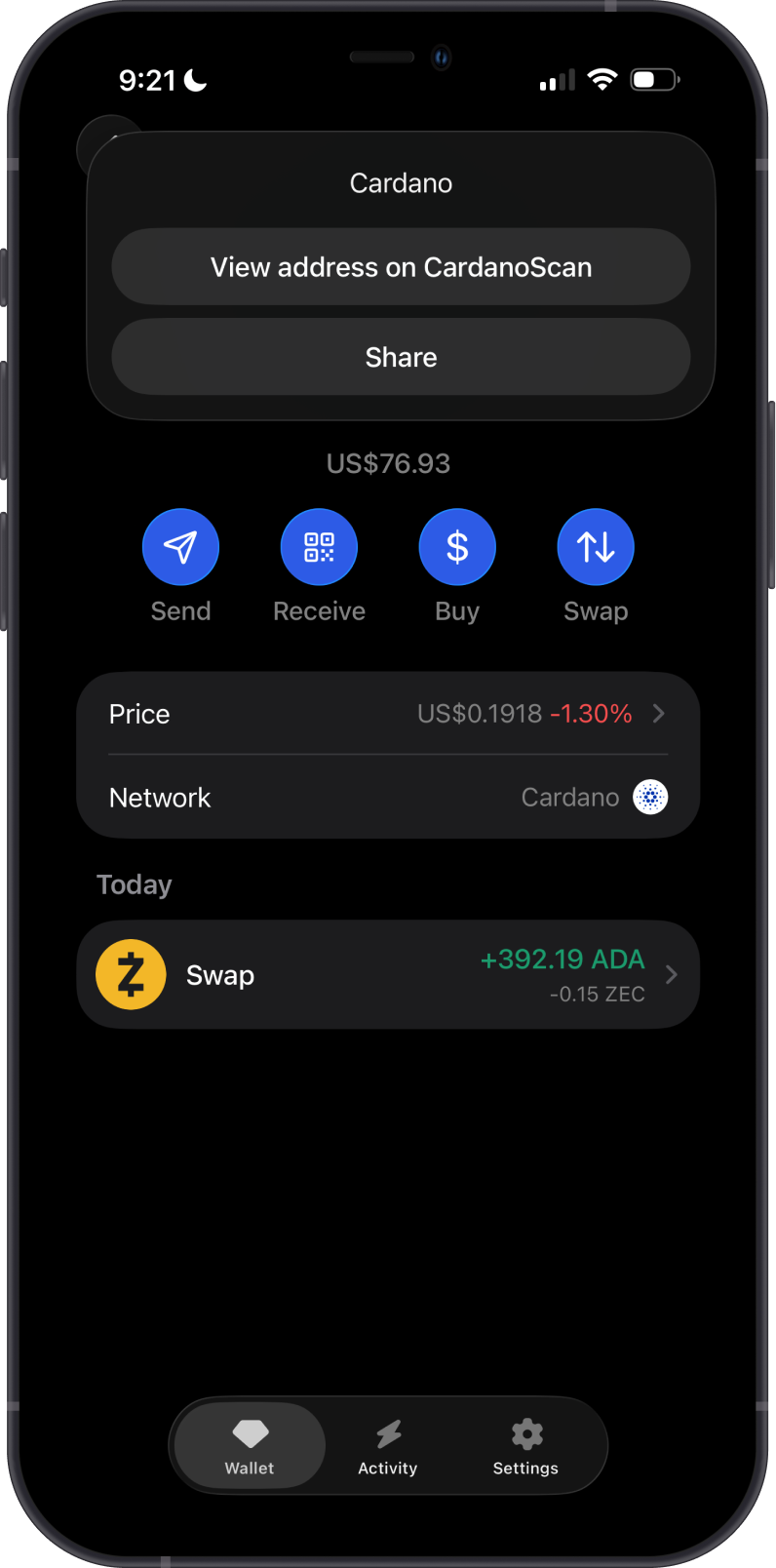
Gem Wallet connects to the Cardano blockchain to show your ADA balance. Tap the three dots in the upper-right corner, then tap View address on CardanoScan.
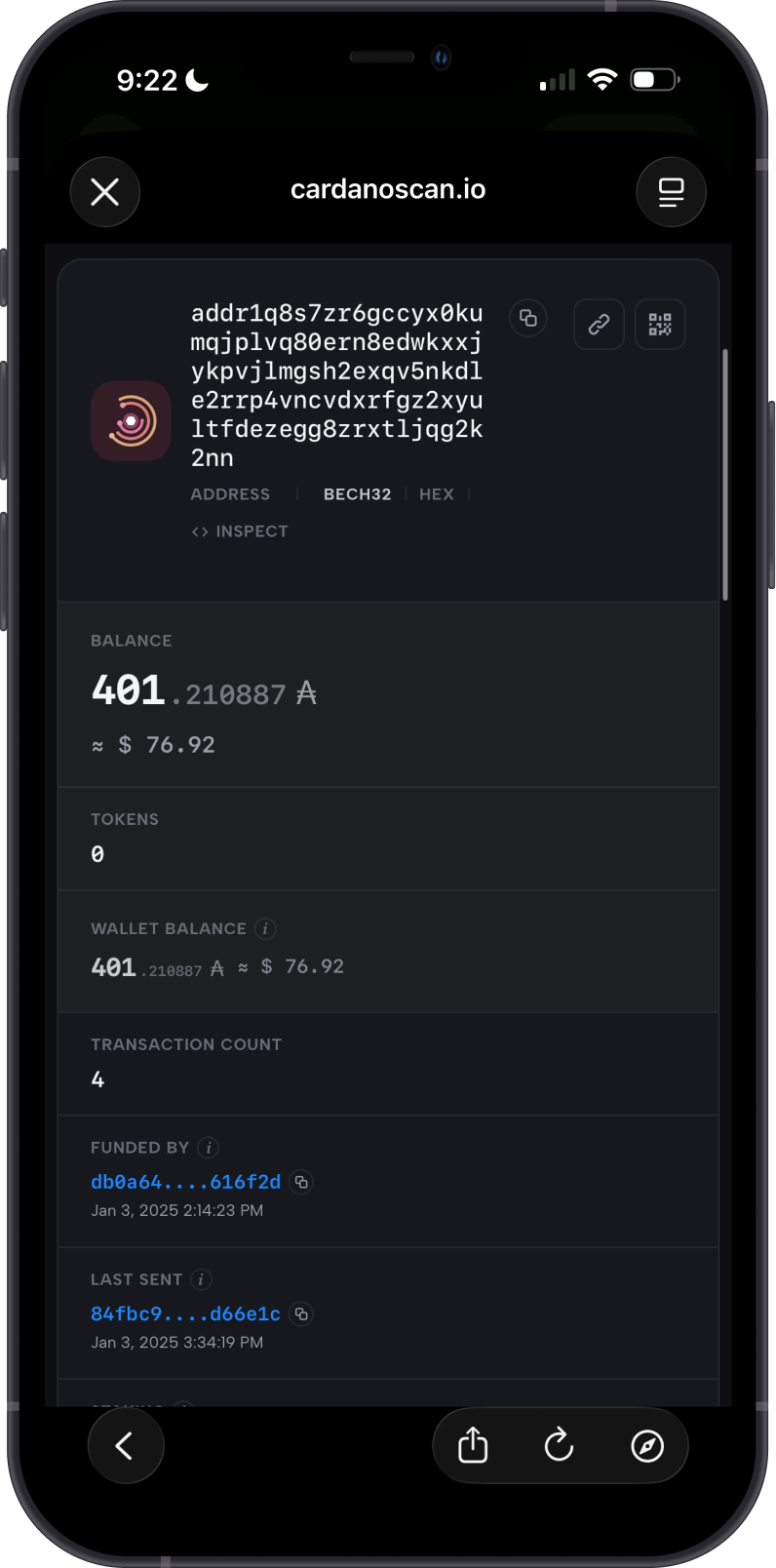
CardanoScan is the default Cardano explorer in Gem Wallet. Use it to inspect addresses, balances, transaction status, confirmations, and network fees.
You can also open an individual transaction from your Cardano transaction history and view it on CardanoScan for more details.
Why Choose Gem Wallet for Cardano?
Gem Wallet offers a combination of security, convenience, and functionality for managing ADA:
-
User-Friendly Interface: Designed for both beginners and experienced users, Gem Wallet makes managing ADA simple and intuitive.
-
Secure and Private: As a self-custody wallet, Gem Wallet ensures that you have full control over your private keys, prioritizing your security and privacy.
-
Cross-Chain Swaps: Exchange ADA through supported cross-chain routes without leaving the wallet.
Conclusion
Cardano combines proof-of-stake consensus, a UTXO-based ledger, smart contracts, and on-chain governance. Gem Wallet lets you buy, store, send, receive, and swap ADA while retaining control of your private keys.