Bitcoin Cash (BCH)
What is Bitcoin Cash?
Here are 5 key points about Bitcoin Cash (BCH):
- Bitcoin Cash was created in 2017 to support peer-to-peer electronic cash with greater transaction capacity than Bitcoin.
- Bitcoin Cash supports blocks up to 32 MB, enabling more transactions to be processed in each block.
- Designed for everyday transactions, Bitcoin Cash typically offers low fees, making it suitable for payments, microtransactions, and global remittances.
- Bitcoin Cash uses Proof-of-Work (PoW) with SHA-256 and targets an average block interval of approximately 10 minutes.
- Bitcoin Cash supports programmable transaction scripts and token protocols, broadening its use cases beyond peer-to-peer payments.
Learn more about Bitcoin Cash by reading the Gem Wallet Learn article:
What Is The Bitcoin Cash Blockchain?
Bitcoin Cash Support in Gem Wallet
When you set up a new Multi-coin wallet, Gem Wallet creates a native Bitcoin Cash address for you.
Gem Wallet can be used to:
- Buy Bitcoin Cash (BCH) with fiat through available third-party providers.
- Hold Bitcoin Cash securely in a self-custodial wallet.
- Send and receive Bitcoin Cash natively.
- Swap Bitcoin Cash to or from another supported cryptocurrency via Cross-Chain Swap.
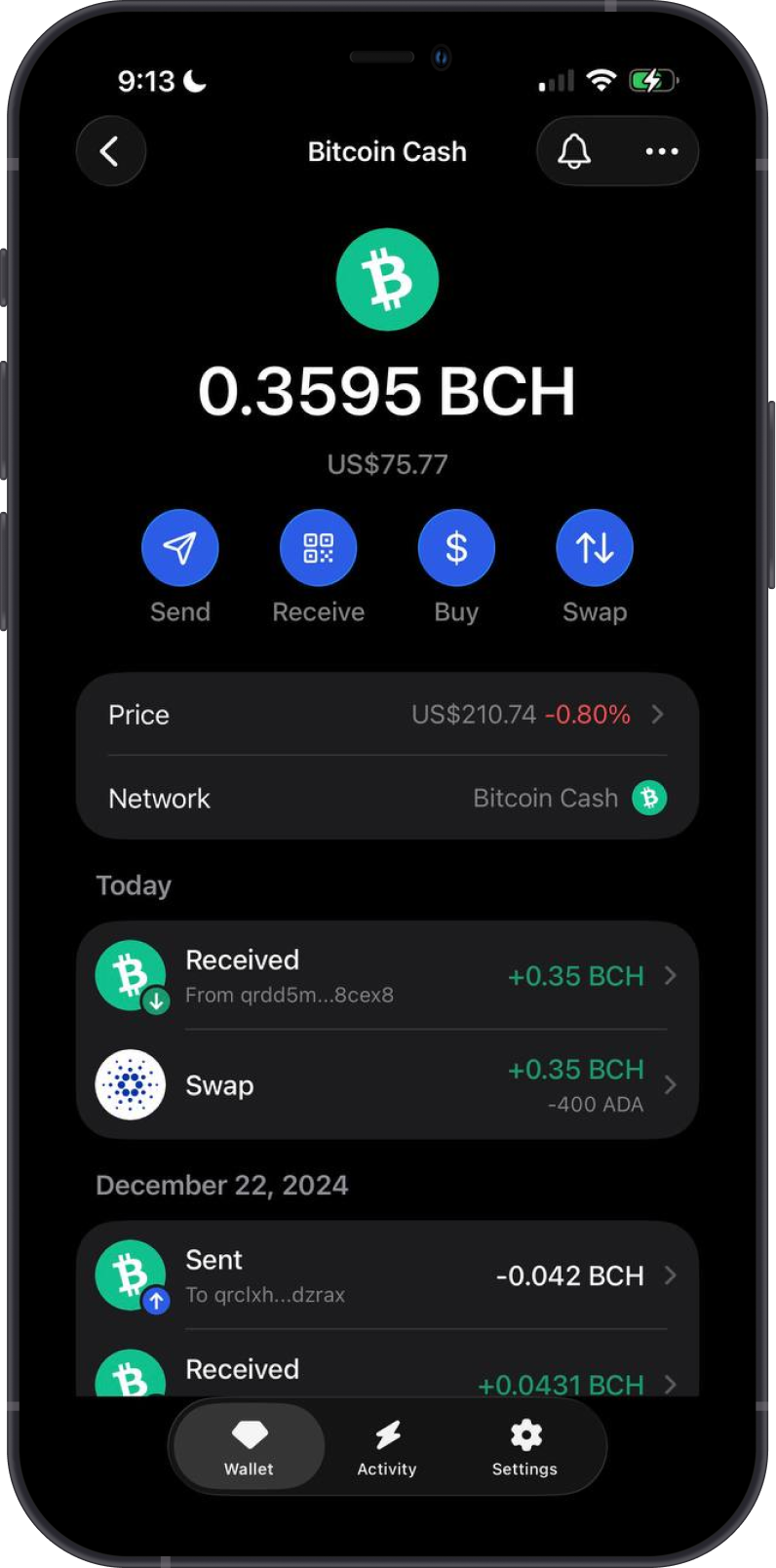
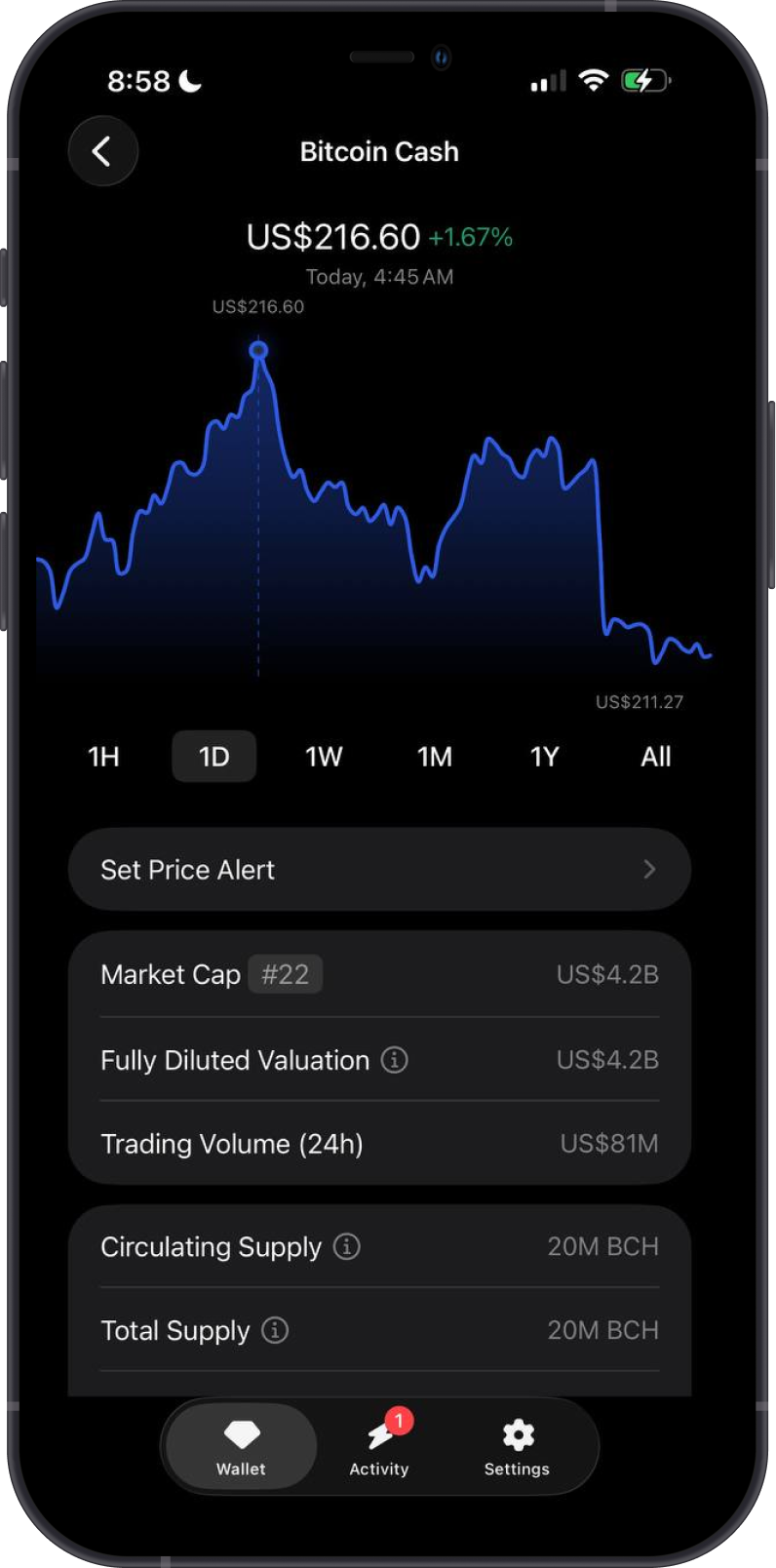
How to Add a Bitcoin Cash Wallet?
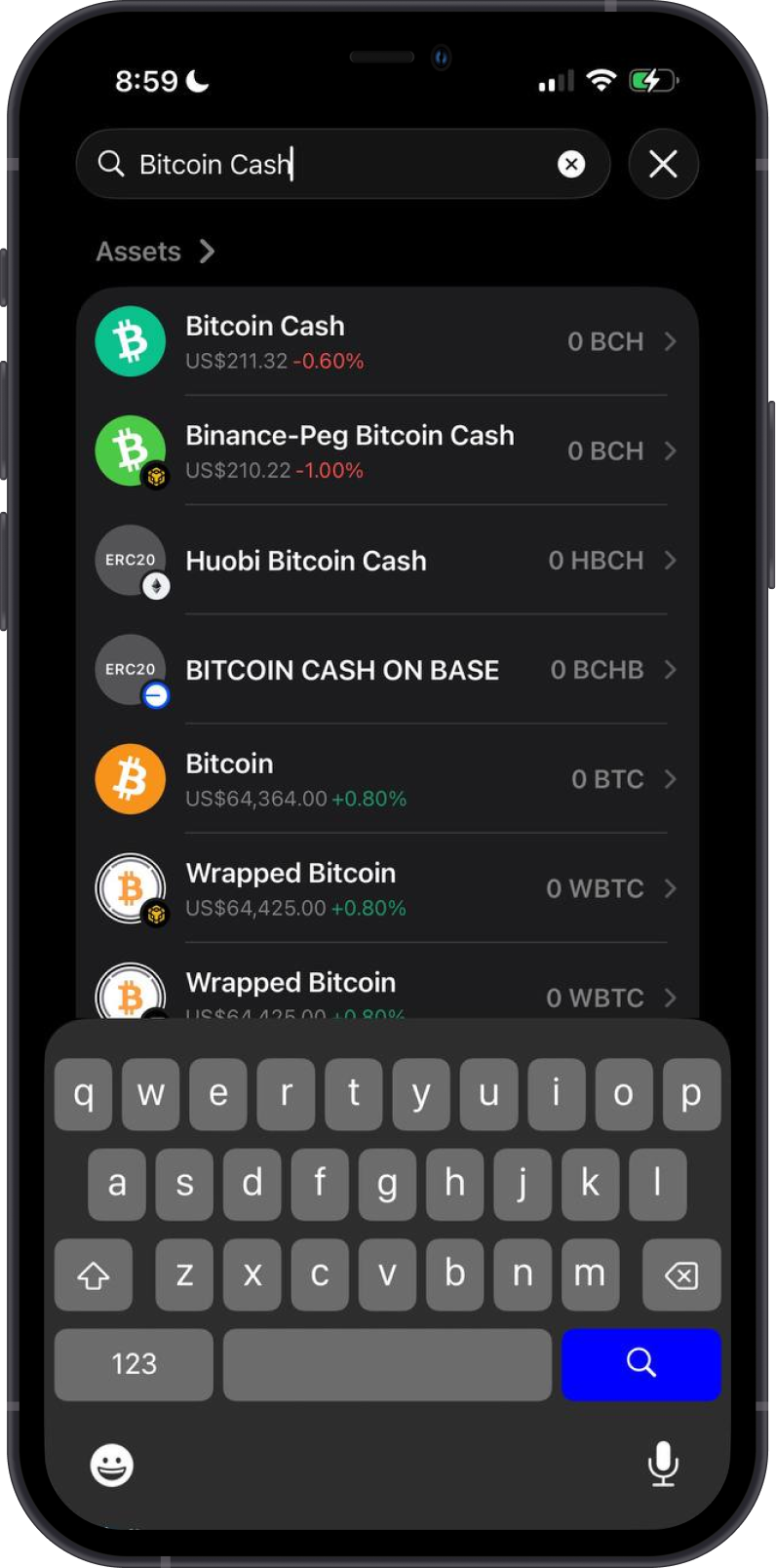
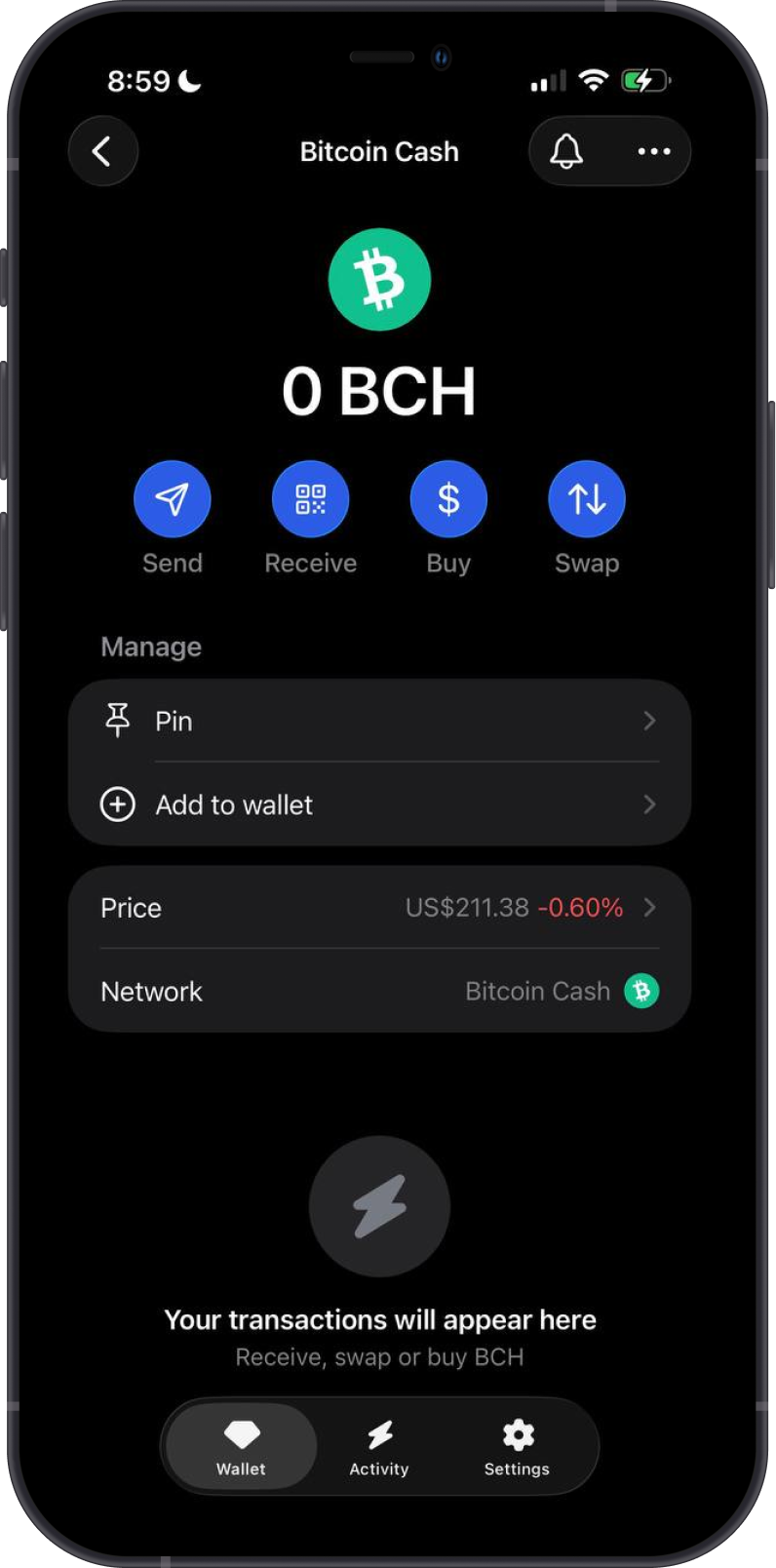
To activate your Bitcoin Cash wallet in Gem Wallet:
- Tap the magnifying glass in the upper-right corner.
- Search for “Bitcoin Cash” or “BCH”.
- Select the native Bitcoin Cash asset.
- Choose “Pin” to keep it easily accessible, or tap “Add to wallet” to enable it.
Your BCH wallet will appear on the main wallet screen, ready for buying, sending, receiving, and swapping.
How to Receive Bitcoin Cash with Gem Wallet?
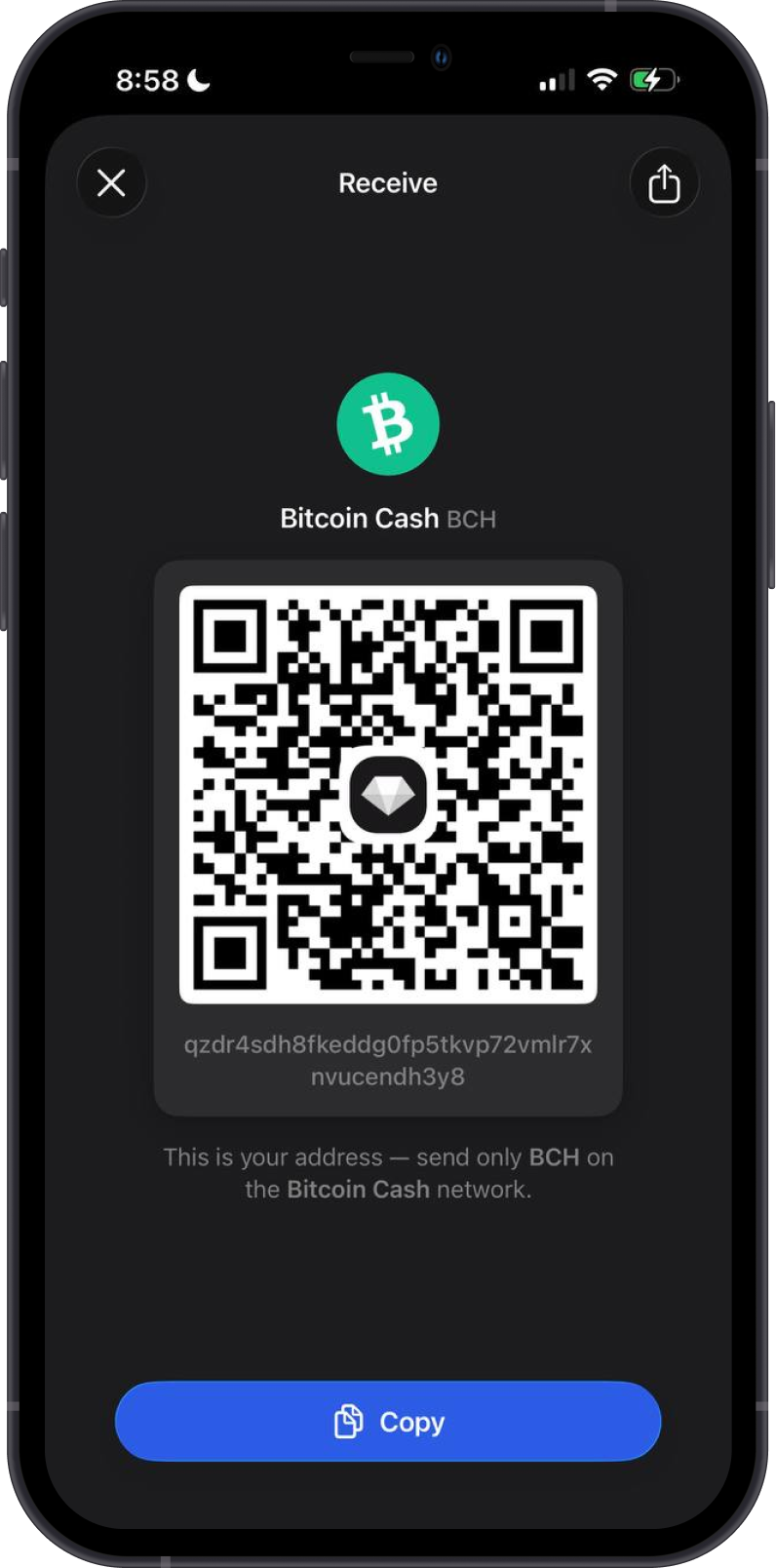
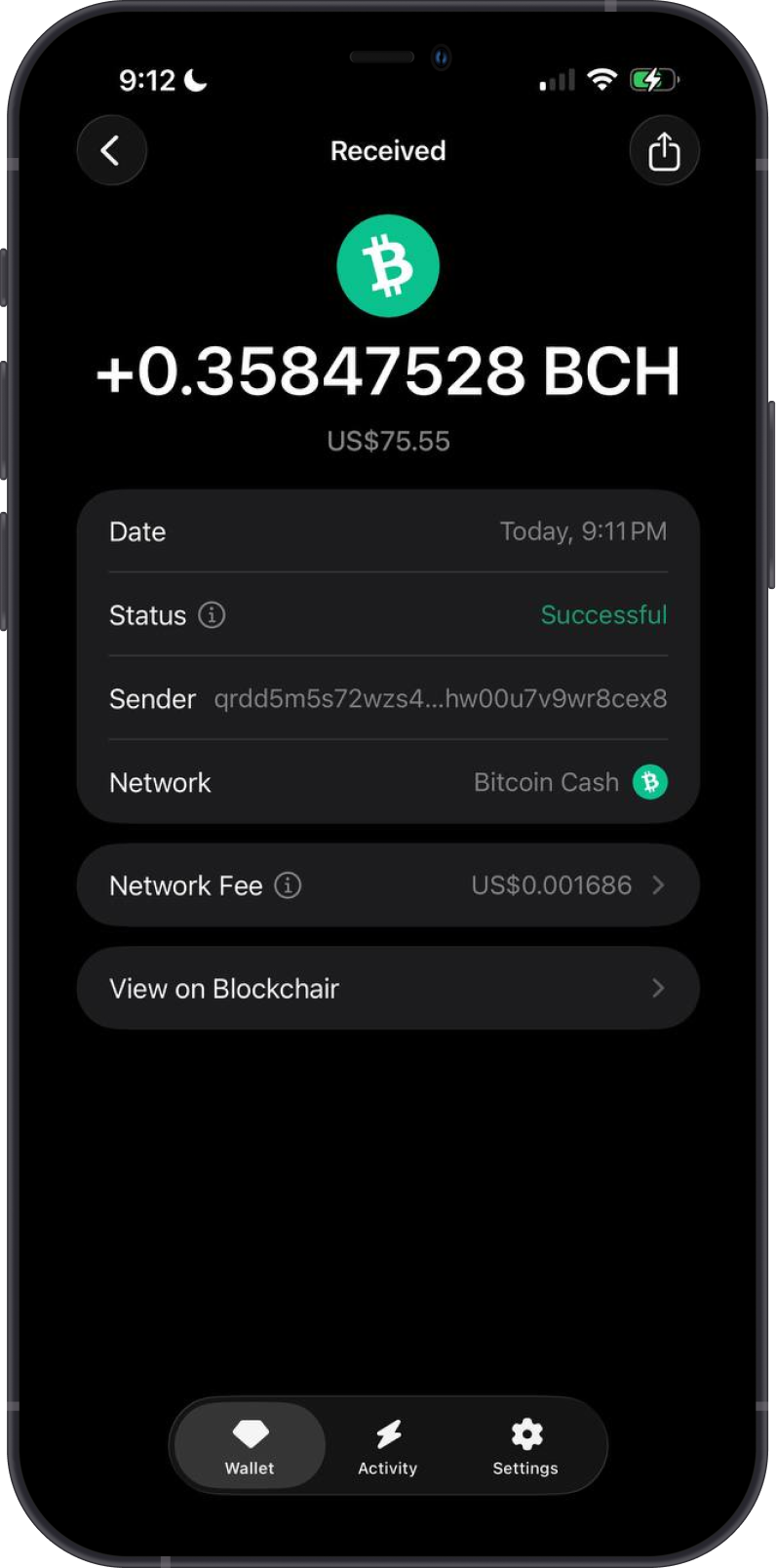
Tap Receive and select Bitcoin Cash. Copy or share the address shown in Gem Wallet, then use it as the destination when transferring BCH from another wallet or exchange. Gem Wallet displays a CashAddr address; the bitcoincash: prefix may be omitted when the address is shown.
Only send native BCH on the Bitcoin Cash network to this address. Assets on other networks, including Binance-Peg Bitcoin Cash and ERC-20 tokens with similar names, are not native BCH.
How to Send Bitcoin Cash with Gem Wallet?
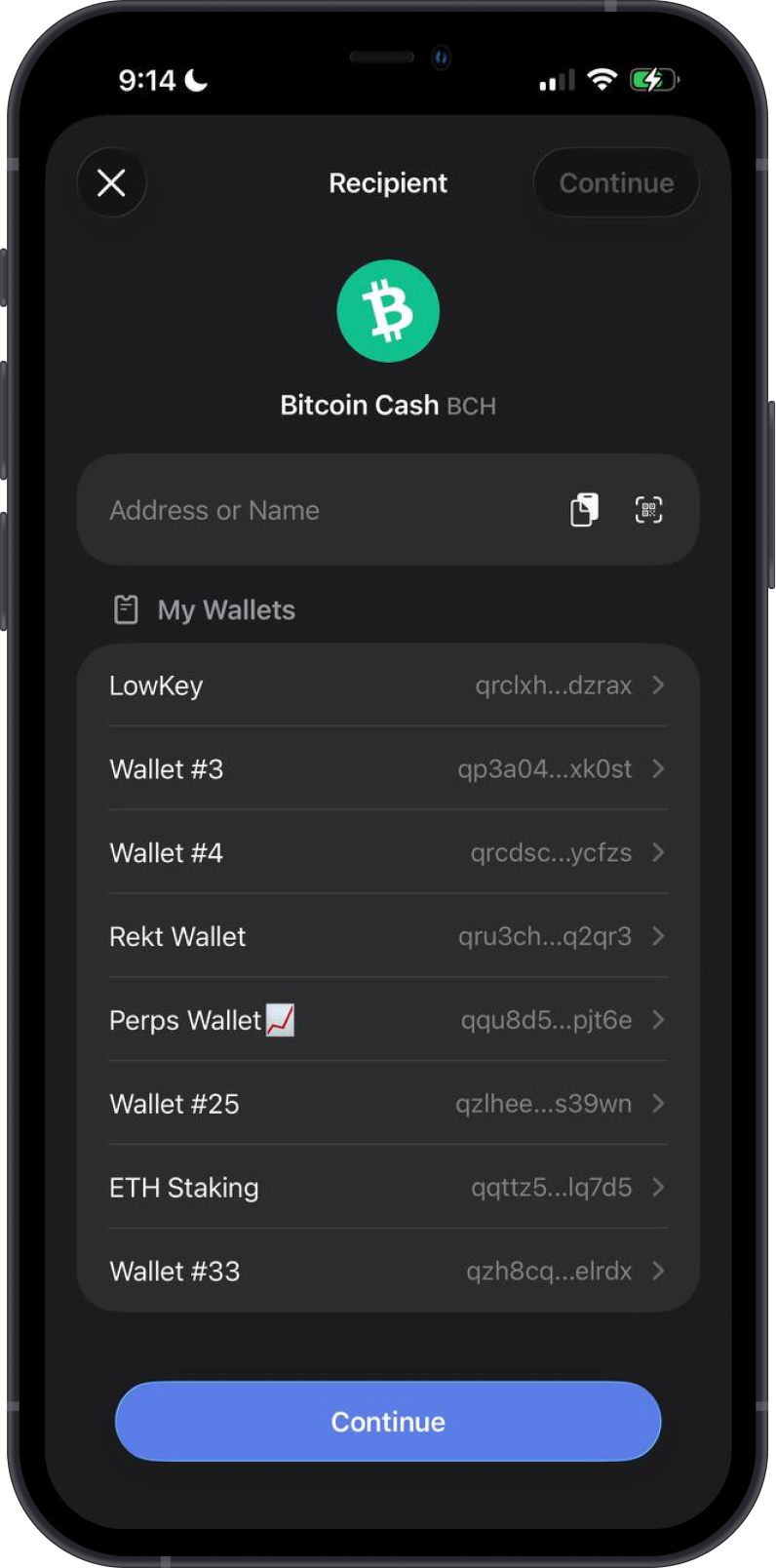
Tap Send, then enter the recipient's Bitcoin Cash address manually, paste it, scan its QR code, or select one of your wallets. Enter the amount of BCH, review the recipient, network, and network fee, then tap Confirm.
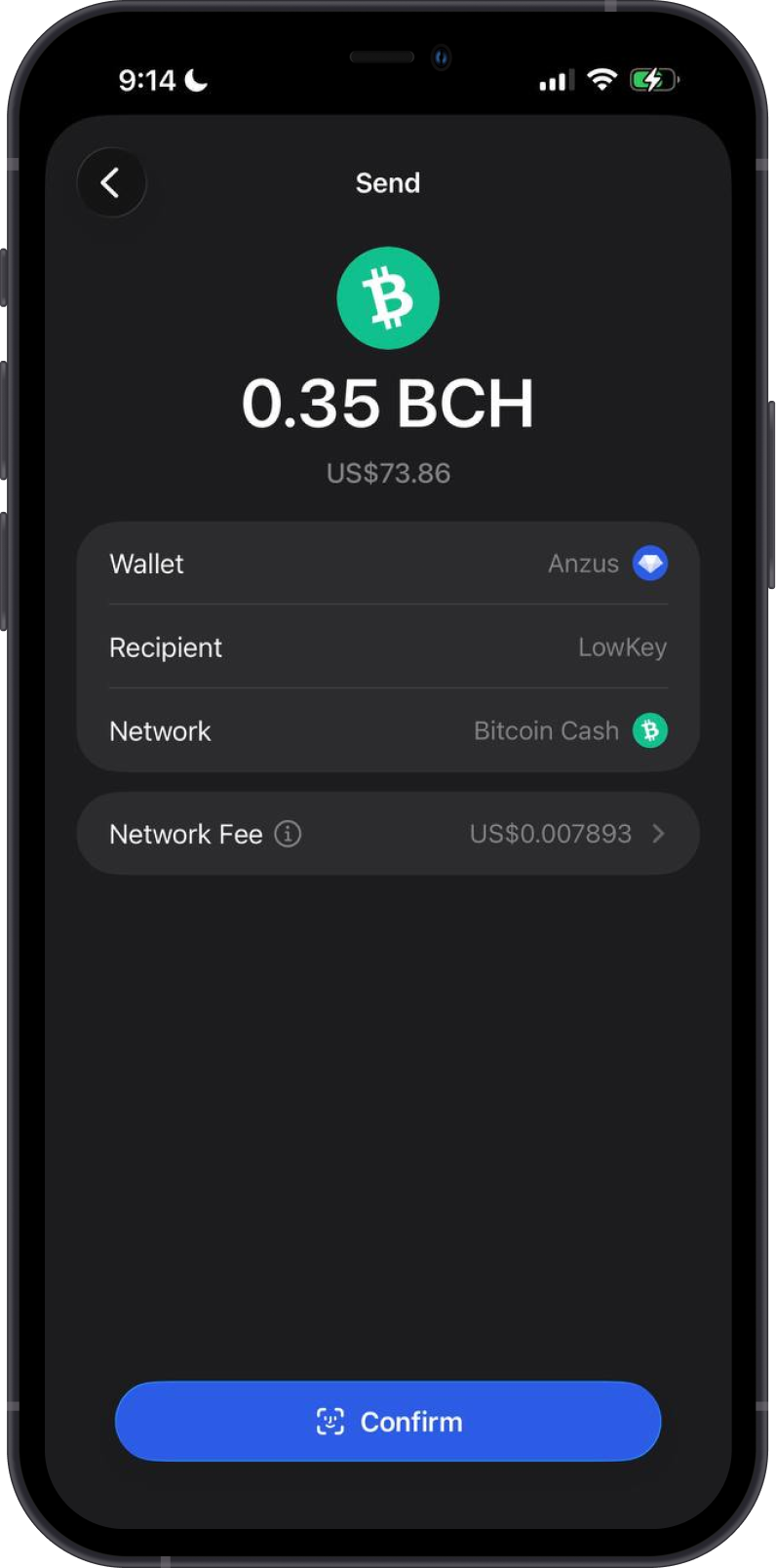
When sending Bitcoin Cash, ensure you have sufficient BCH to cover both the amount and the network fee. Always verify the recipient address before confirming because blockchain transactions cannot be reversed.
Can I Swap Bitcoin Cash on Gem Wallet?
You can swap Bitcoin Cash for cryptocurrencies supported by cross-chain swaps, and vice versa. Available routes and providers can vary by asset, amount, and market conditions.
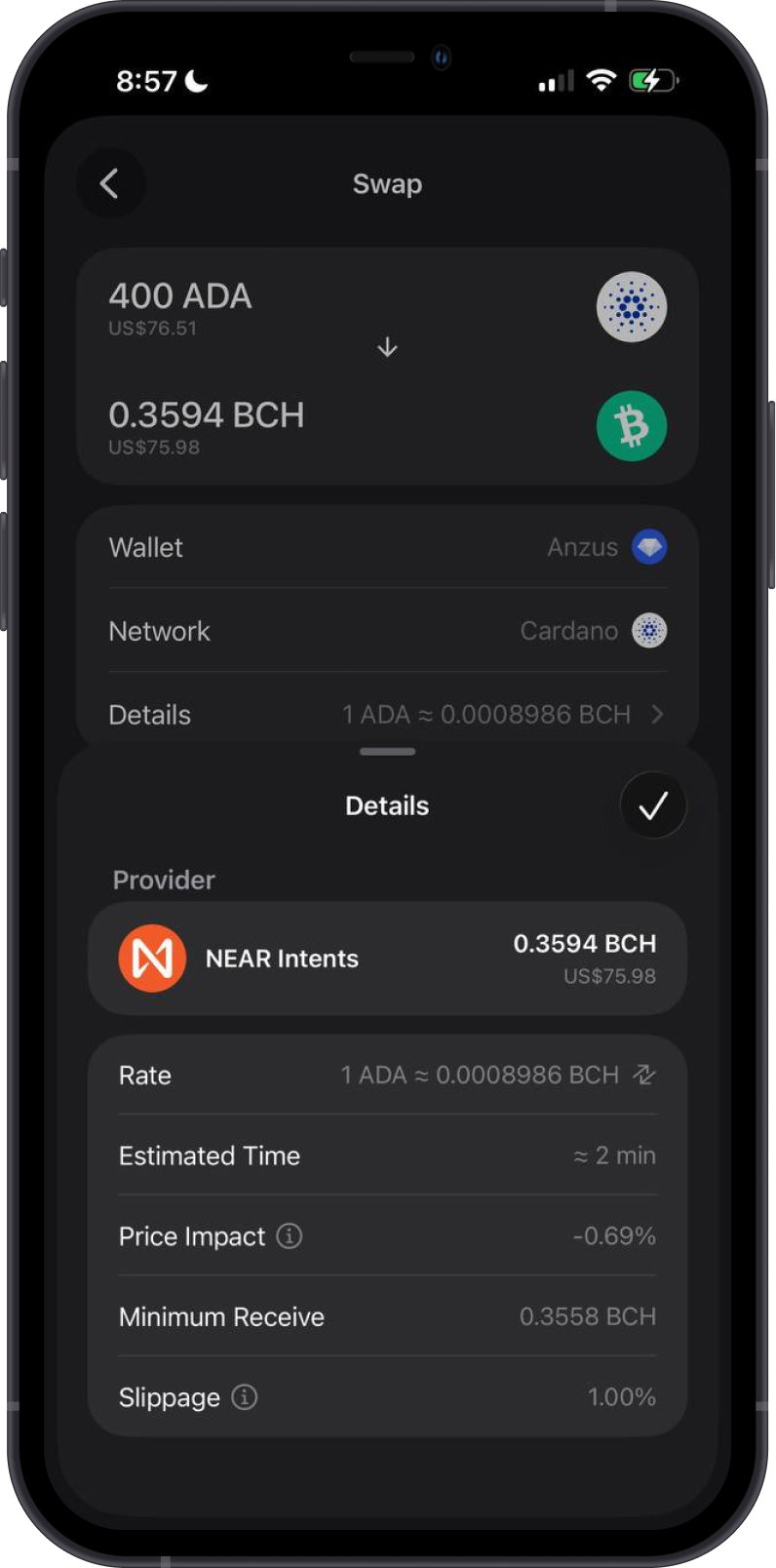
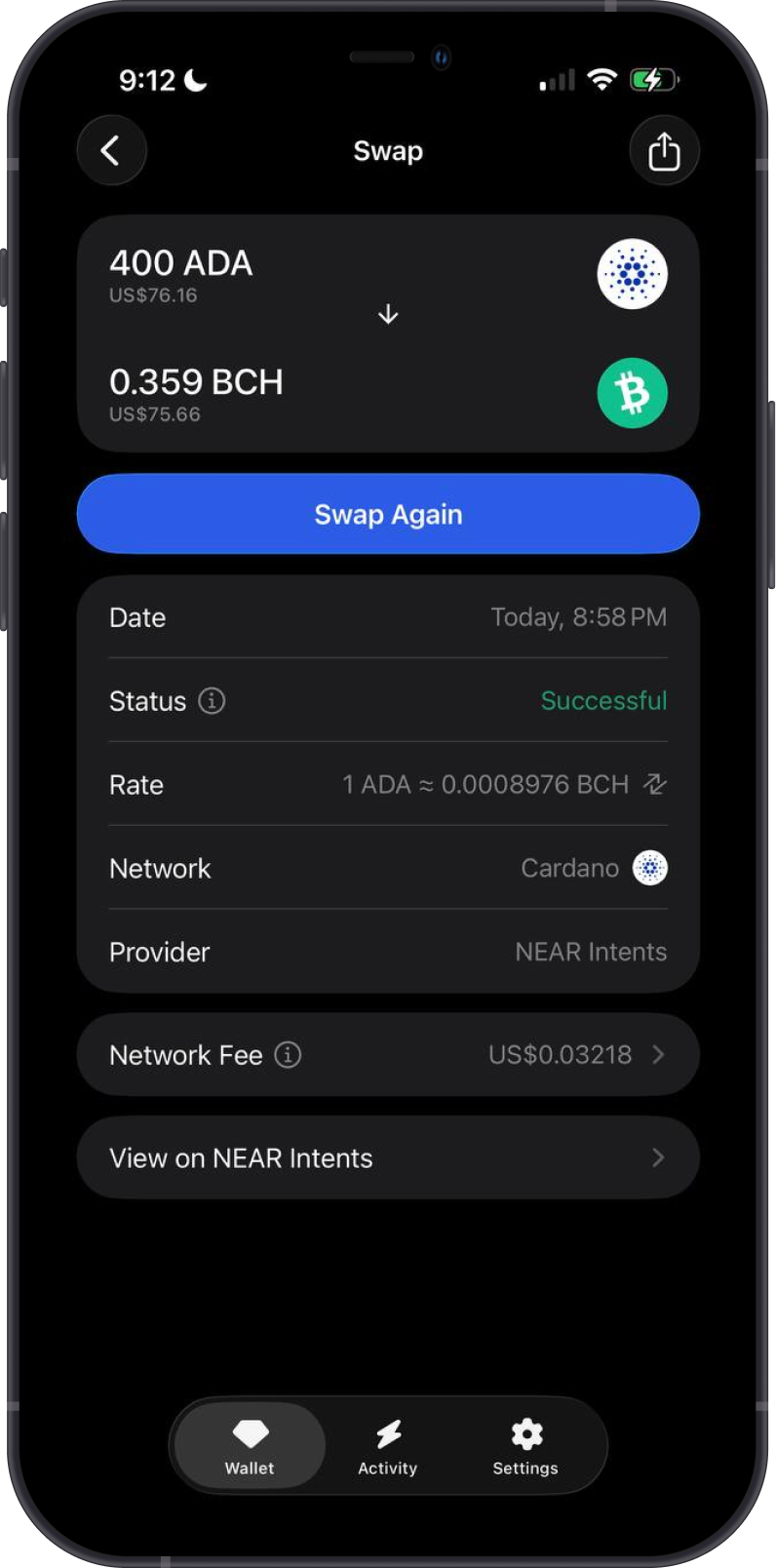
The first example shows a cross-chain swap from ADA to BCH, including the provider, rate, estimated time, price impact, minimum received amount, and slippage.
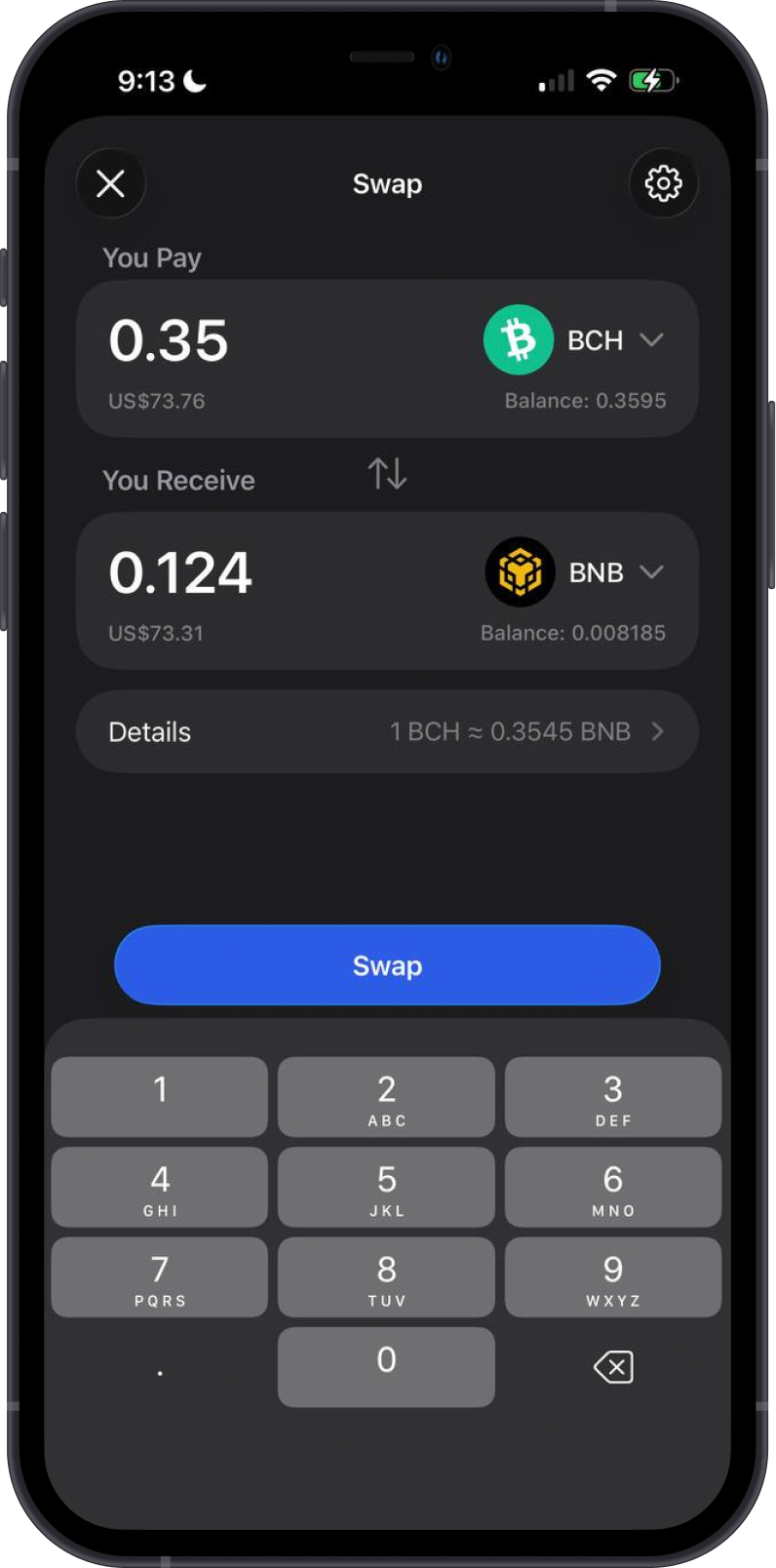
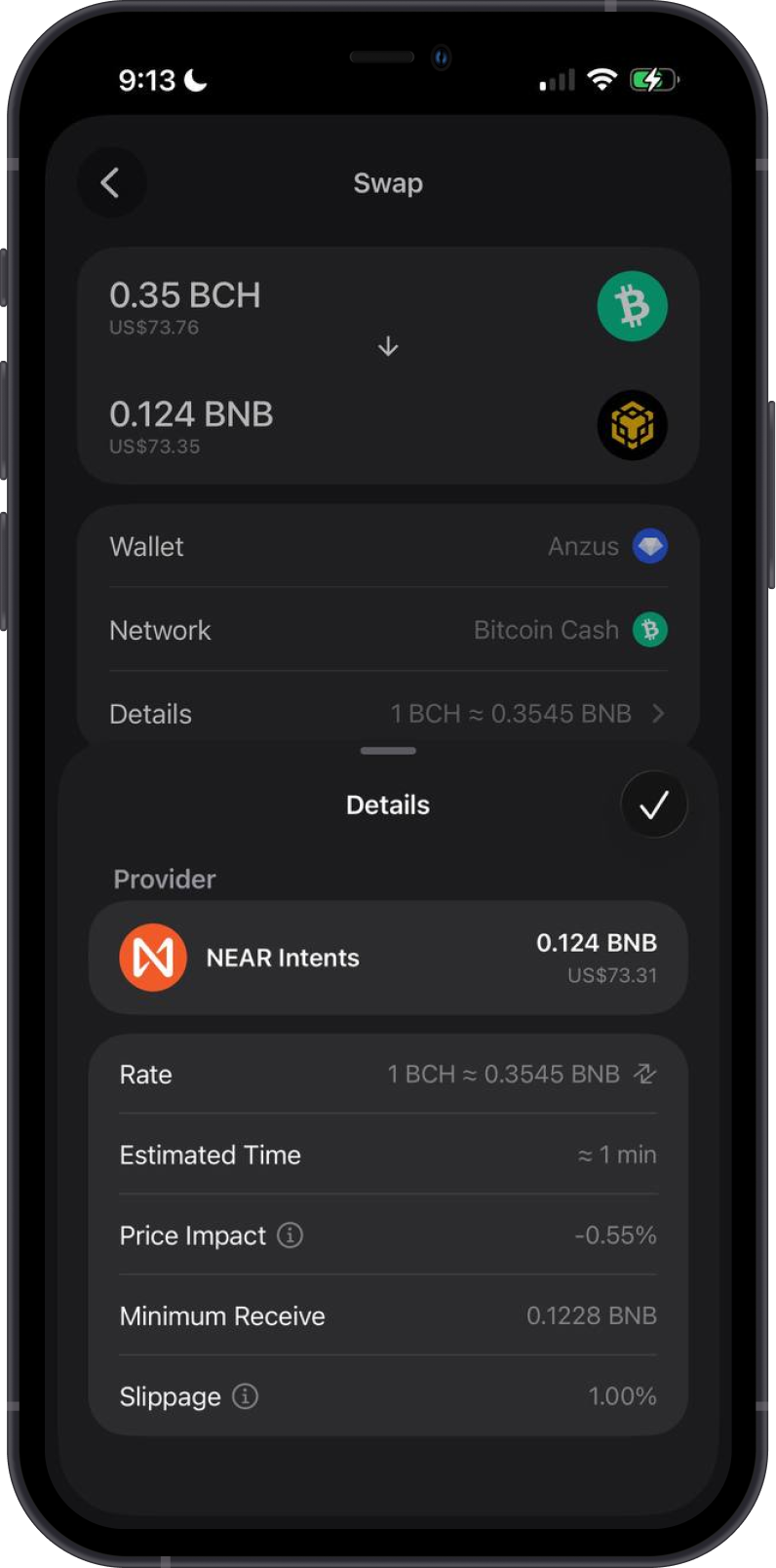
The second example shows a cross-chain swap from BCH to BNB and the quote details provided before confirming the swap.
Transaction Fees on the Bitcoin Cash Blockchain
Bitcoin Cash transaction fees are calculated from the transaction's size and the selected fee rate, shown in satoshis per virtual byte (sat/vB) in Gem Wallet. A transaction with more inputs or outputs is larger and can therefore cost more even when the amount sent is smaller.
Tap Network Fee before confirming to choose Normal, Fast, or a Custom fee rate. The available values are estimates and may change with current network conditions. A higher fee rate can improve a transaction's priority for inclusion, but it does not guarantee a specific confirmation time.
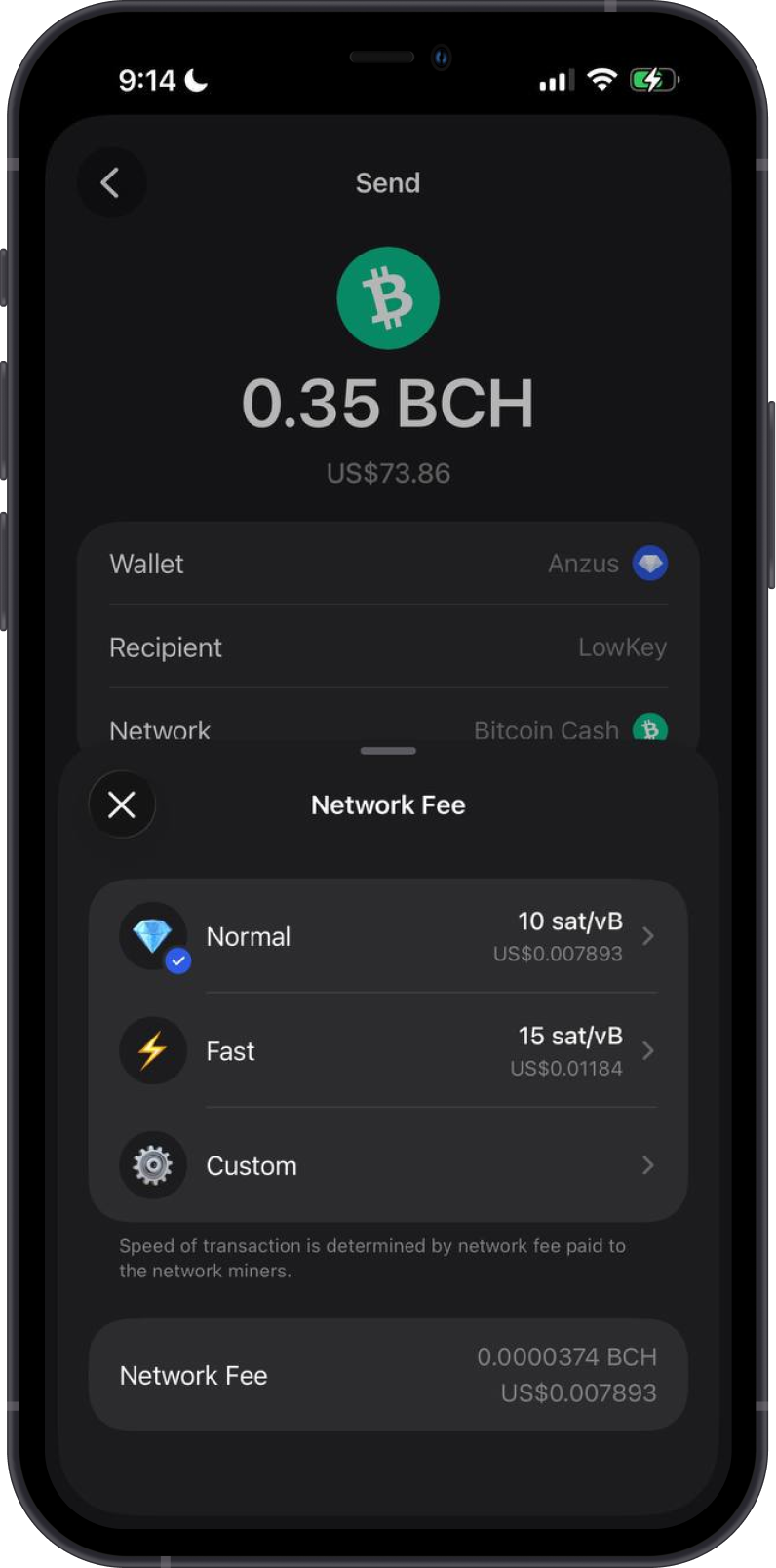
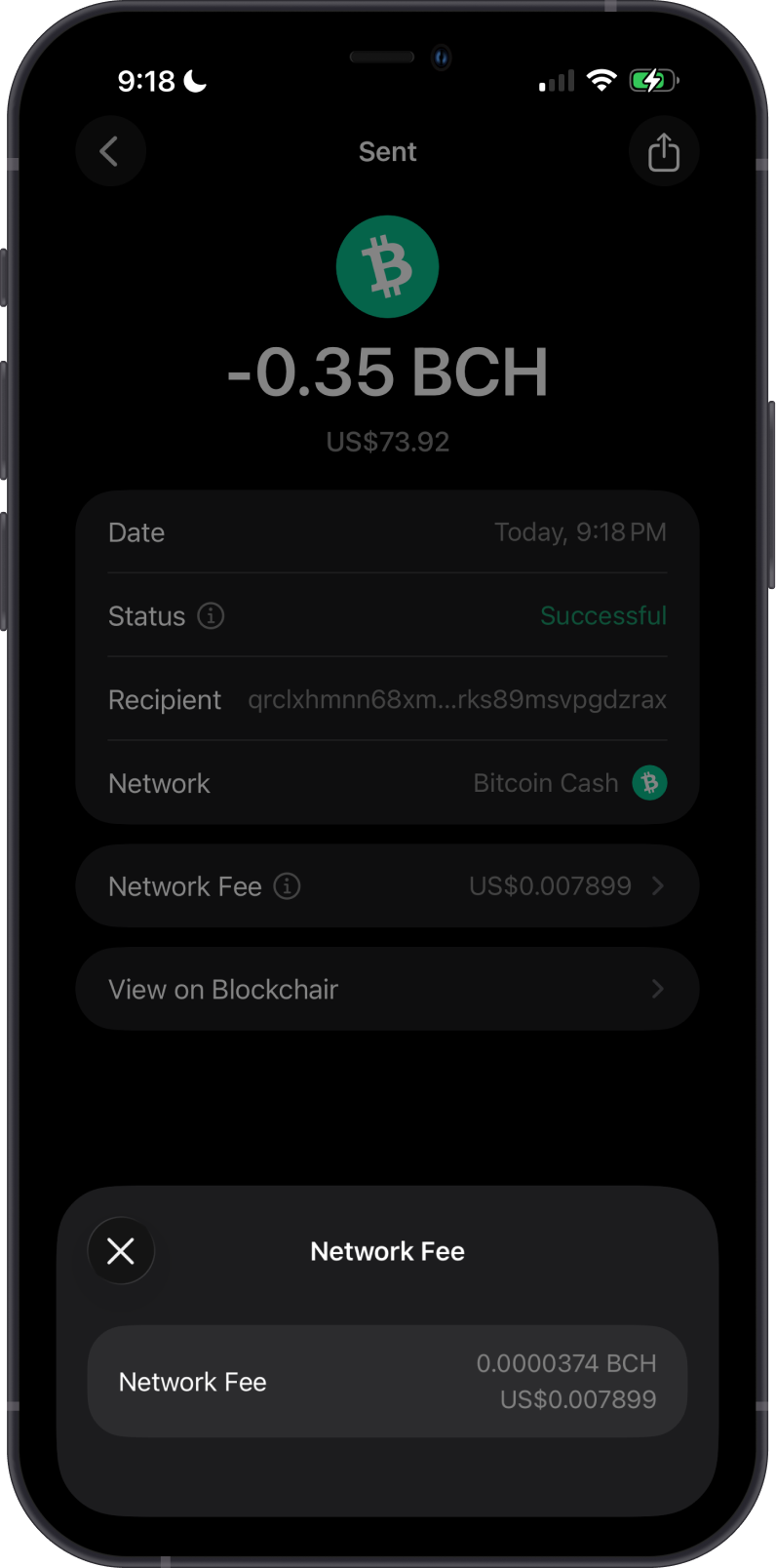
Gem Wallet calculates the total network fee before you send. After a transaction is broadcast, its details show the actual fee paid and provide a link to Blockchair.
How to Check Bitcoin Cash Balance?
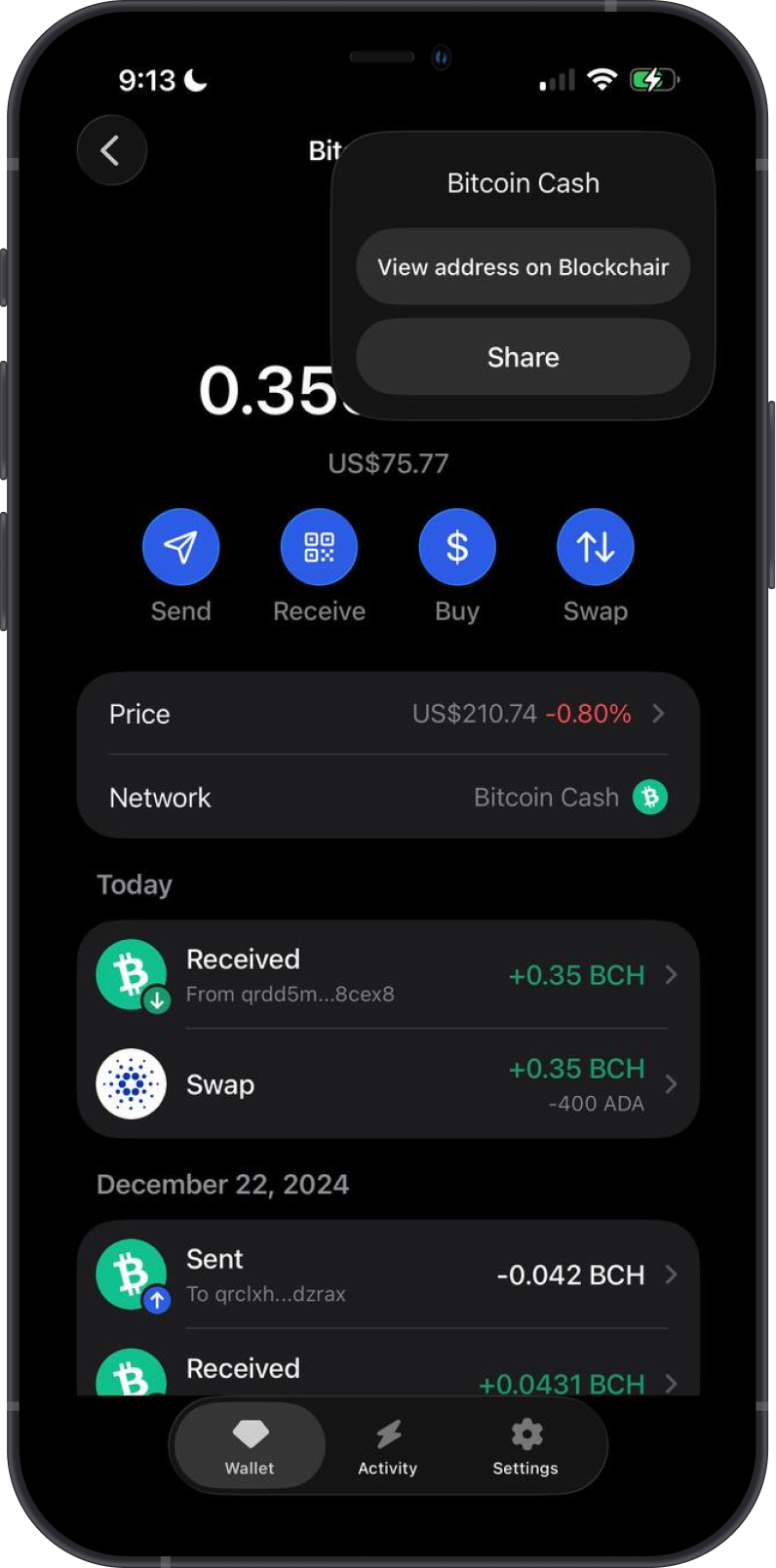
Gem Wallet connects to the Bitcoin Cash blockchain to show your BCH balance and transaction history. Tap the three-dot menu and select View address on Blockchair to inspect the address on the blockchain explorer.
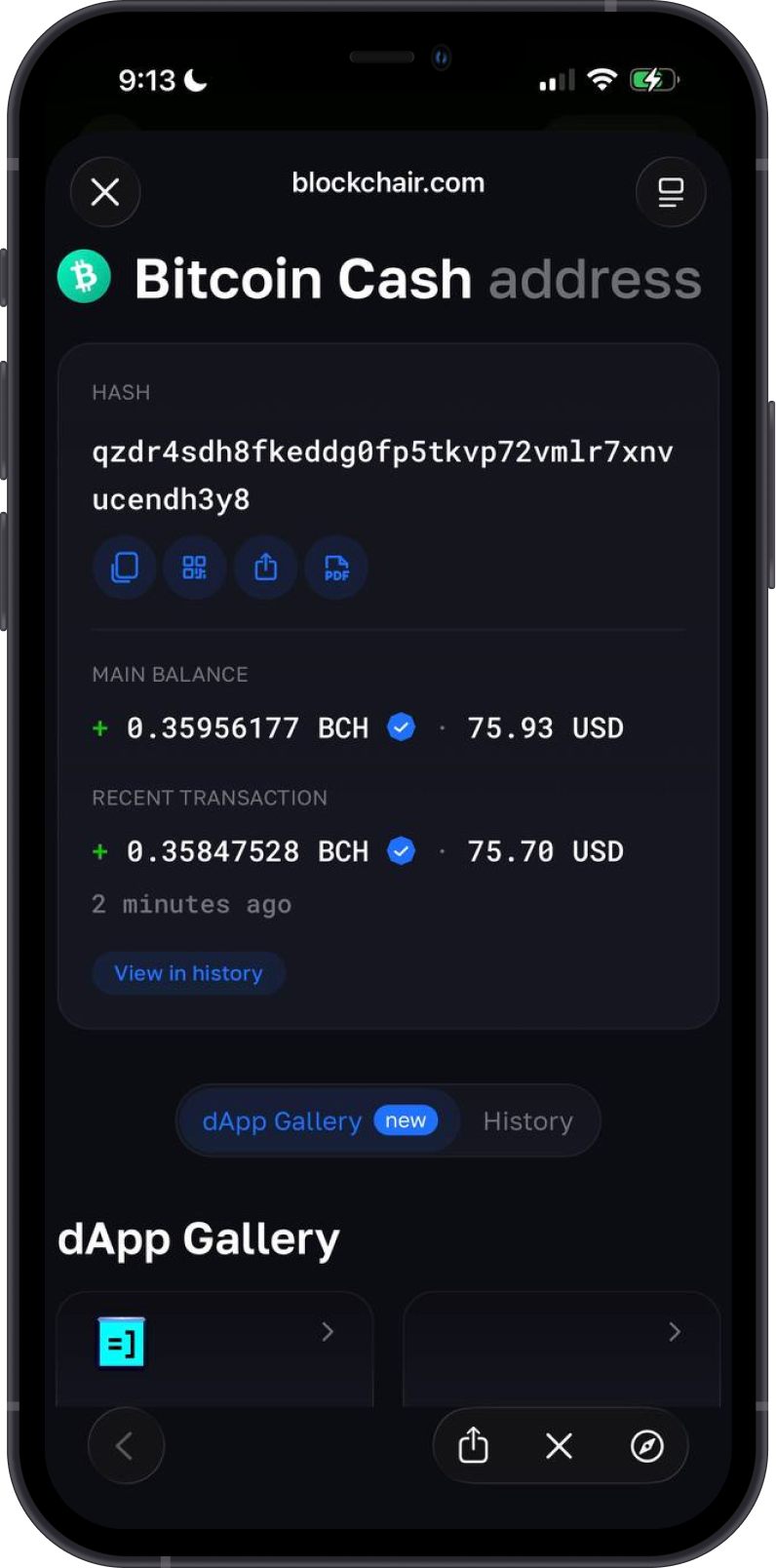
Blockchair is the default BCH explorer in Gem Wallet. You can search for a BCH address or transaction ID to review its public balance, transaction history, status, confirmations, and fees.
You can also open a transaction from the Bitcoin Cash transaction history and select View on Blockchair for more detailed information.
Why Choose Gem Wallet for Bitcoin Cash?
Gem Wallet provides a seamless and secure way to manage Bitcoin Cash with distinct advantages:
- User-Friendly Interface: Gem Wallet's intuitive design makes managing Bitcoin Cash simple for both beginners and experienced users.
- Enhanced Security: As a self-custodial wallet, Gem Wallet ensures you retain control of your Bitcoin Cash and private keys, with open-source code and biometric authentication for added protection.
- Cross-Chain Swaps: Swap Bitcoin Cash with supported assets across different blockchains without relying on a centralized exchange.
- Multi-Currency Support: Manage Bitcoin Cash and other cryptocurrencies within the same wallet.
- Continuous Innovation: Regular updates introduce new features and performance improvements.
Conclusion
Bitcoin Cash (BCH) is designed for peer-to-peer payments with high transaction capacity and generally low fees. Gem Wallet lets you buy, hold, send, receive, and cross-chain swap native BCH while retaining control of your private keys.