Staking Solana (SOL) with Gem Wallet
Staking Solana (SOL) is a process that allows you to earn SOL by participating in the network's consensus mechanism. This guide will take you through the steps needed to stake your SOL using Gem Wallet, ensuring you can maximize your returns securely and efficiently.
- Your Solana (SOL) will be locked when you stake them.
- It will take 3 days to completely unstake.
- The minimum staking amount is 1 SOL.
- Always have some extra amount of SOL that will be needed for transaction fees.
- Each stake creates a stake account, which needs a rent deposit of 0.00166624 SOL. Gem Wallet adds it on top of the amount you stake and includes it in the Network Fee, so the full amount you enter is staked. You get the rent back when you withdraw the stake.
- Solana requires at least 1 SOL staked after rent, so a 1 SOL stake needs a little over 1 SOL plus the network fee in your wallet.
Always check that you are using the latest version of the app for optimal performance and security.
How to Stake Solana (SOL) on Gem Wallet
Step 1 - Fund Your Solana Wallet
Before you can start staking, you need to ensure that your Solana wallet is funded with SOL tokens. The easiest way to get Solana is to buy it directly with Gem Wallet. Tap on Buy and then select the amount of SOL that you want to purchase.
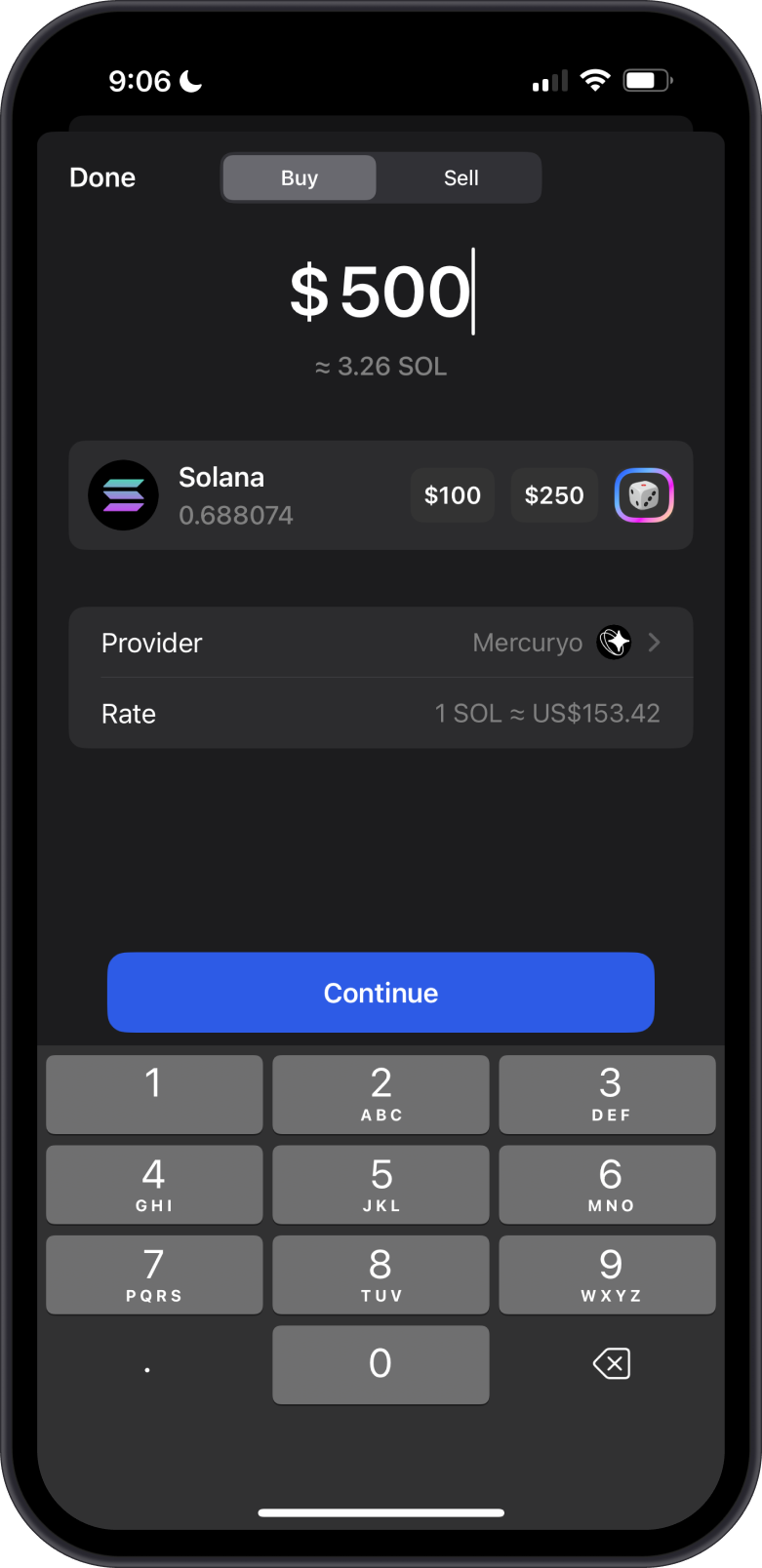
Alternatively, you can buy SOL tokens from various cryptocurrency exchanges such as Binance, Coinbase, or Kraken. Make sure you have a verified account on one of these platforms to purchase the tokens. Once you have purchased SOL, transfer the tokens to your Gem Wallet.
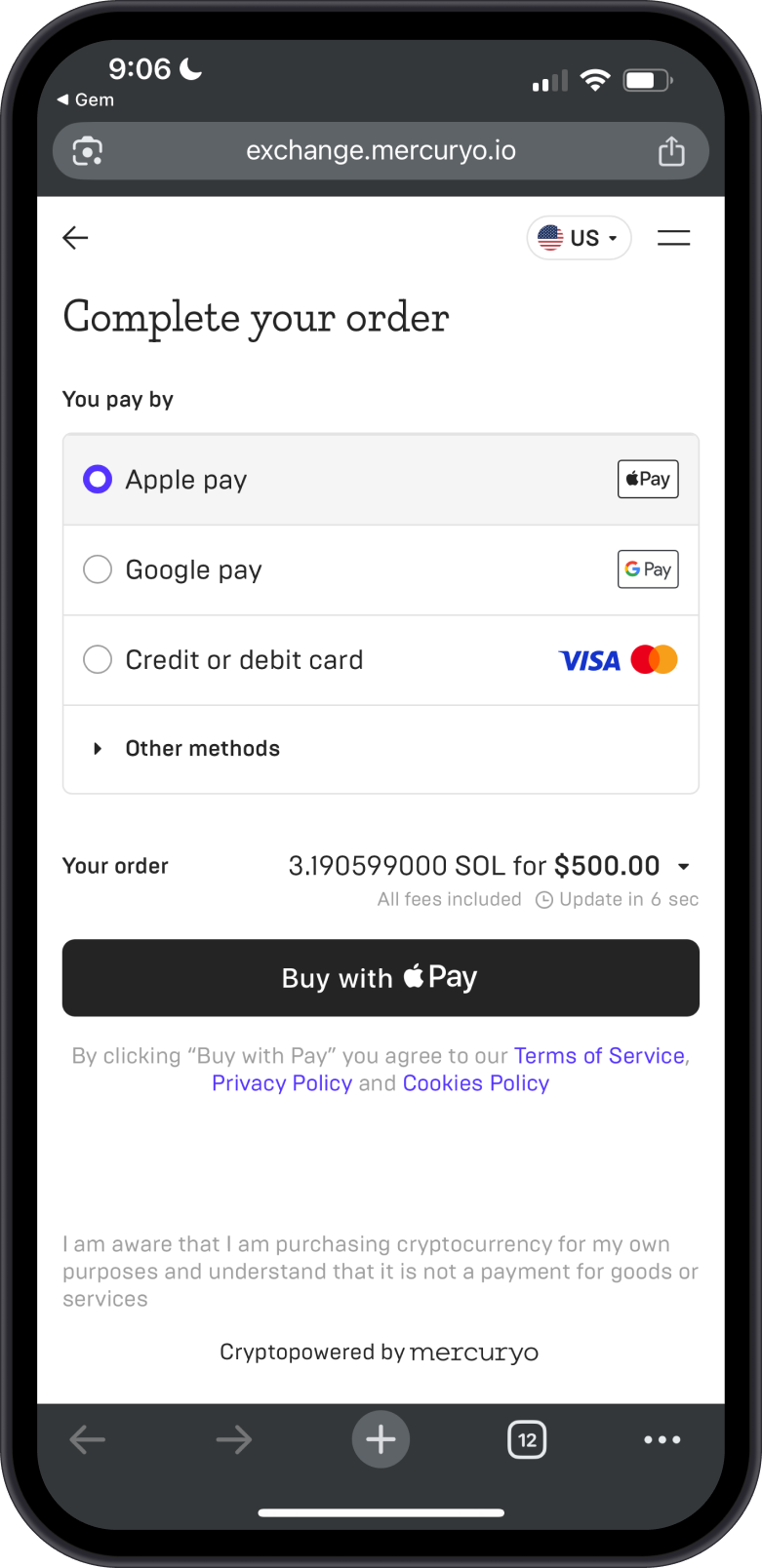
Make sure that you copy the Solana wallet address correctly when sending SOL from another wallet to avoid any loss of funds.
Step 2 - Navigate to the Stake Screen
Open your Solana Wallet and navigate to the Stake screen by tapping on Stake. Now on the Stake screen, you will see some details about the APR and the Lock Time when you stake your Solana. Tap on Stake to proceed.


Step 3 - Choose Validator
Staking involves delegating your tokens to a validator who participates in the network’s consensus. Gem Wallet provides a list of validators you can delegate your SOL to. Review the list carefully.

Look for validators with high uptime, low commission rates, and a good reputation in the community. You can find more detailed information about Solana validators here.
Step 4 - Input Stake Amount
After selecting a validator, you need to decide how much SOL you want to stake. Make sure to leave a small amount of SOL in your wallet to cover transaction fees. If you tap Max, Gem Wallet leaves 0.005 SOL for network fees. Tap on Continue.

The minimum staking amount for Solana is 1 SOL, for every validator.
Step 5 - Confirm the Stake Transaction
Double-check all details of your staking transaction, including the validator and the amount of SOL you are staking. Once you are satisfied with the details, Confirm the transaction. The transaction will now be submitted to the Solana Network.


The transaction will just take a few seconds to be confirmed on the Solana Network. Congratulations, you have successfully staked Solana with Gem Wallet.
Solana Staking Rewards
Solana pays staking rewards at the end of each epoch (about every 2 days) and adds them to your stake automatically, so there's nothing to claim. The rate isn't fixed: Gem Wallet shows the current estimated APR, and what you earn depends on the validator you choose and its commission. See What is Staking APR?.


Staking Solana (SOL) on Gem Wallet will reward you with SOL tokens.
Unstaking Your SOL
Your Solana tokens are locked until you unstake them. Unstaking will take 3 days before you can get your Solana tokens back. To unstake your SOL, tap the stake under Delegations, then under Manage, tap Unstake and confirm. Unstaking always removes the whole stake (you can't unstake part of it). Make sure to leave a small amount of SOL in your wallet to cover transaction fees.
The stake then shows as Deactivating until the epoch ends. When it shows Awaiting Withdrawal, open it and tap Withdraw to move the SOL, including the stake account rent, back to your available balance. Withdrawing is a separate transaction with its own network fee.
Is Staking Solana on Gem Wallet Secure?
Yes, Gem Wallet is a secure and open-source wallet for staking Solana. Here are some reasons why you need to stake your SOL with Gem Wallet:
- Transparency: Open-source wallets have publicly available code that can be reviewed and audited by anyone.
- Community Trust and Collaboration: Being open-source fosters a collaborative environment where developers and security experts continuously improve the wallet.
- No Hidden Backdoors: Open-source wallets are less likely to have hidden backdoors or malicious code, as the open nature of the code allows for thorough scrutiny by the community, minimizing the risk of unauthorized access.
Staking Solana (SOL) using Gem Wallet is a great way to earn passive income while supporting the network. By following these steps and tips, you can ensure a smooth and secure staking experience.
Stake Solana on Gem Wallet Video Guide
Learn more about Solana Staking.