Staking Ethereum (ETH) with Gem Wallet
Staking Ethereum (ETH) is a process that allows you to earn ETH by participating in the network's consensus mechanism. This guide will take you through the steps needed to stake your ETH using Gem Wallet, ensuring you can maximize your returns securely and efficiently.
- Your Ethereum (ETH) will be locked when you stake it.
- A confirmed staking transaction does not mean your stake is active immediately. Activation can take time, and rewards begin only after activation.
- Gem Wallet currently shows a 3-day lock time. Ethereum exits and withdrawals remain protocol-controlled, so final availability can also depend on the validator exit queue and withdrawal processing.
- The minimum staking amount in Gem Wallet is 0.1 ETH. Native Ethereum validators require 32 ETH, so smaller deposits use a pooled or provider staking flow.
- Always have some extra amount of ETH that will be needed for transaction fees.
Always check that you are using the latest version of the app for optimal performance and security.
How to Stake Ethereum on Gem Wallet
Step 1 - Fund Your Ethereum Wallet
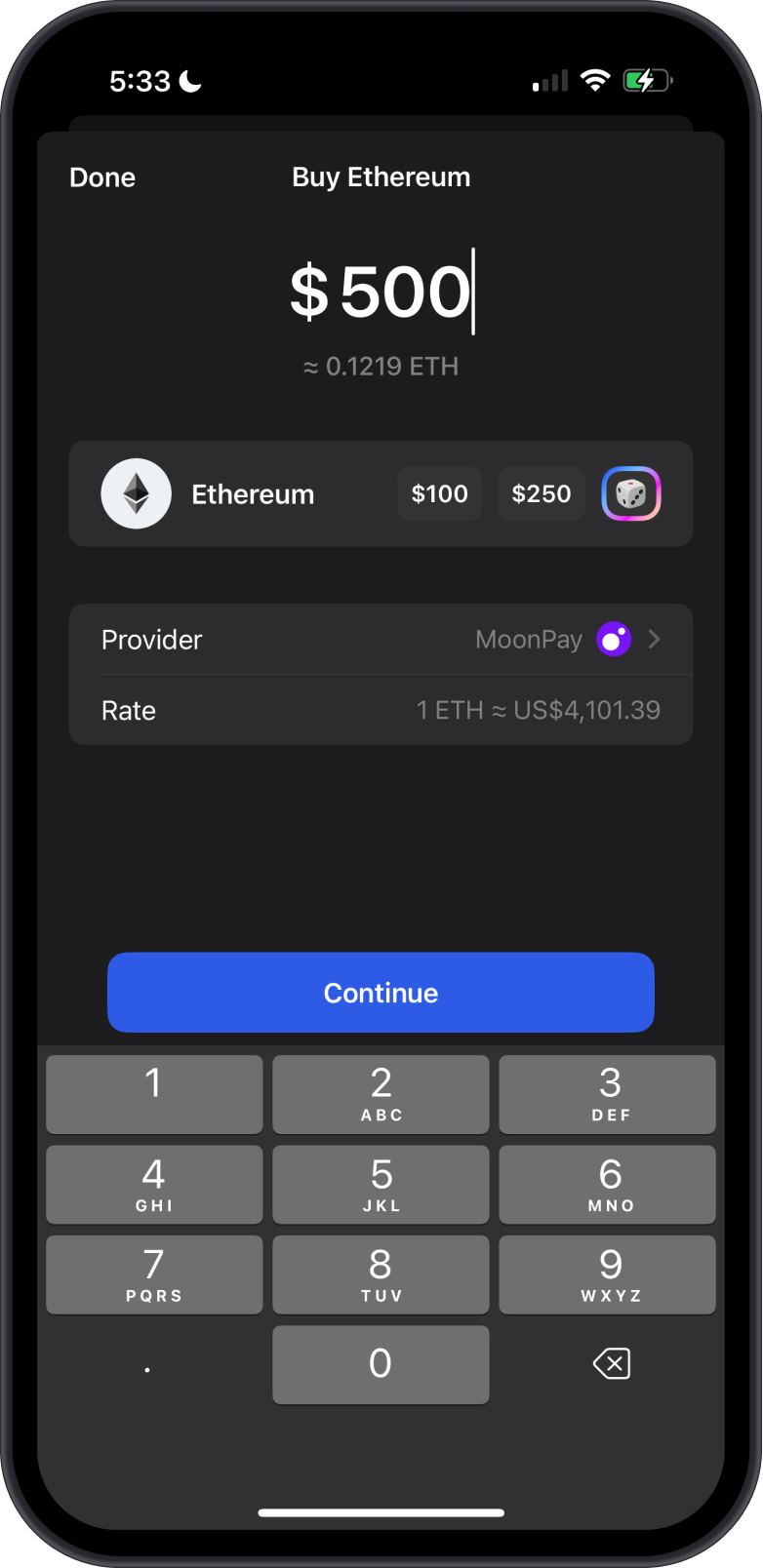
Before you can start staking, you need to ensure that your Ethereum wallet is funded with ETH tokens. The easiest way to get ETH is to buy it directly with Gem Wallet. Tap on Buy and then select the amount of ETH that you want to purchase.
Alternatively, you can buy ETH tokens from various cryptocurrency exchanges such as Binance, Coinbase, or Kraken. Make sure you have a verified account on one of these platforms to purchase the tokens. Once you have purchased ETH, transfer the tokens to your Gem Wallet.
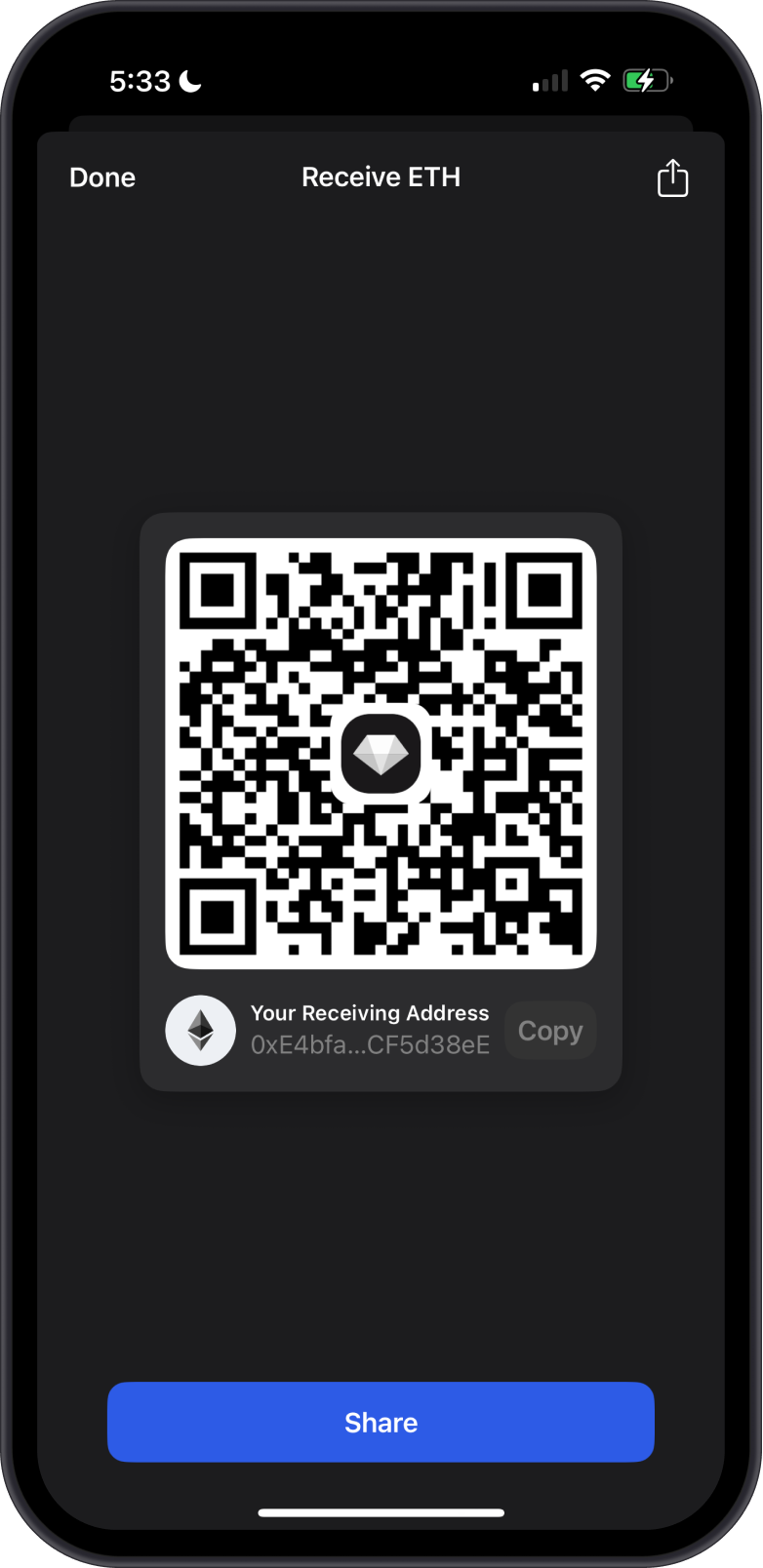
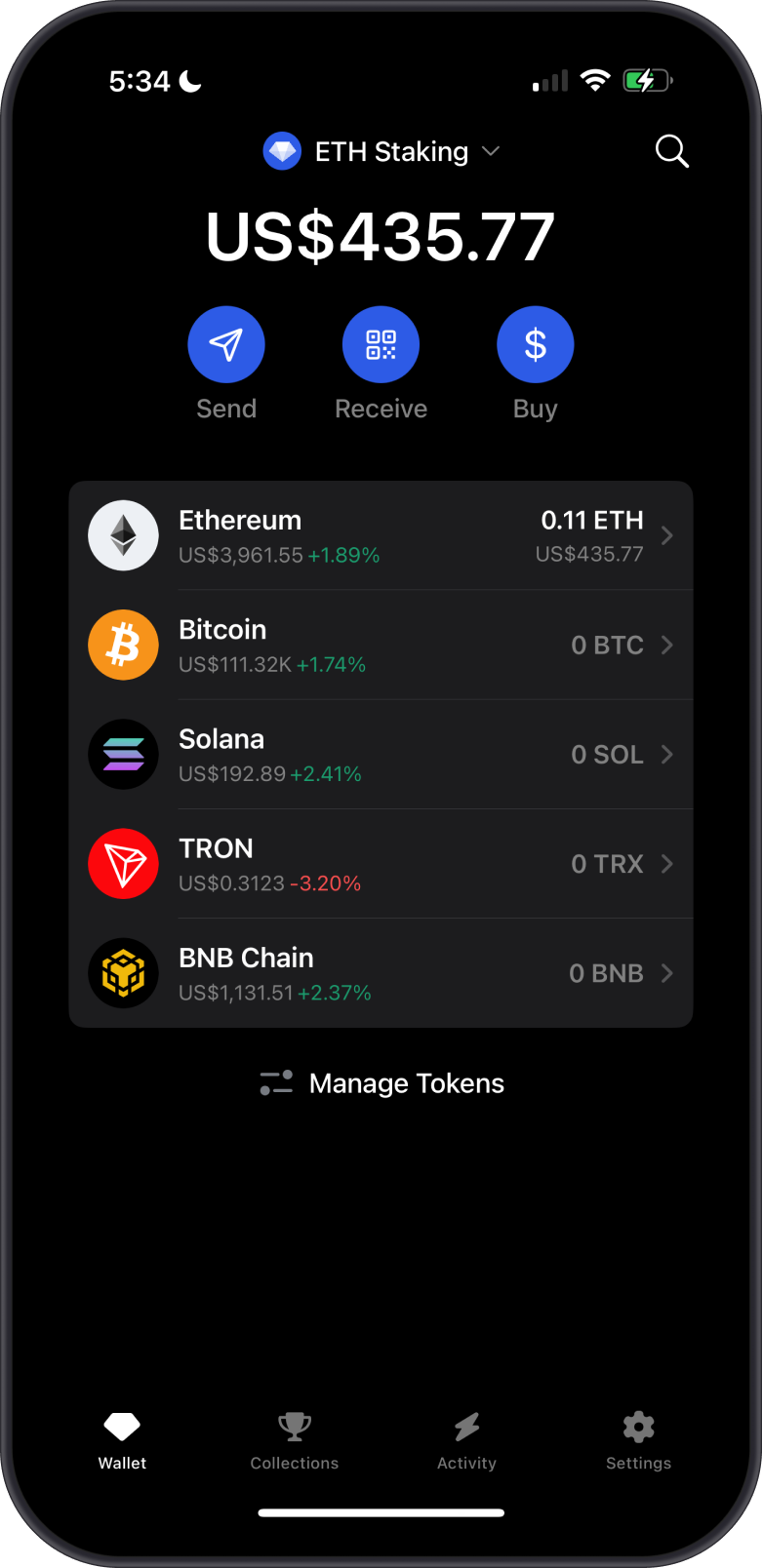
Make sure that you copy the Ethereum wallet address correctly when sending ETH from another wallet to avoid any loss of funds.
Step 2 - Navigate to the Stake Screen
Open your Ethereum Wallet and navigate to the Stake screen by tapping on Stake. Now on the Stake screen, you will see some details about the APR and the estimated lock or unstaking time when you stake your Ethereum tokens. Tap on Stake to proceed.
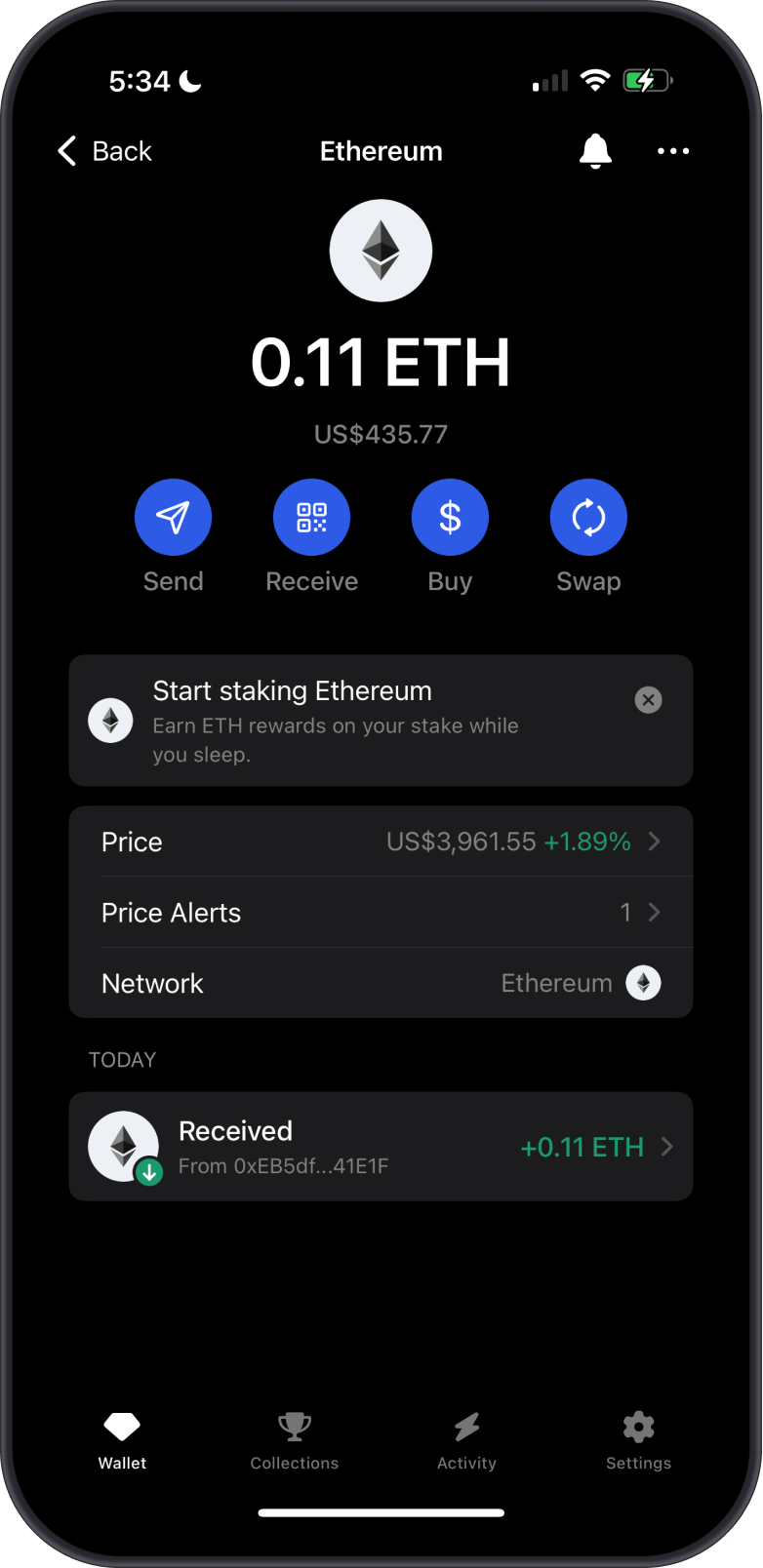
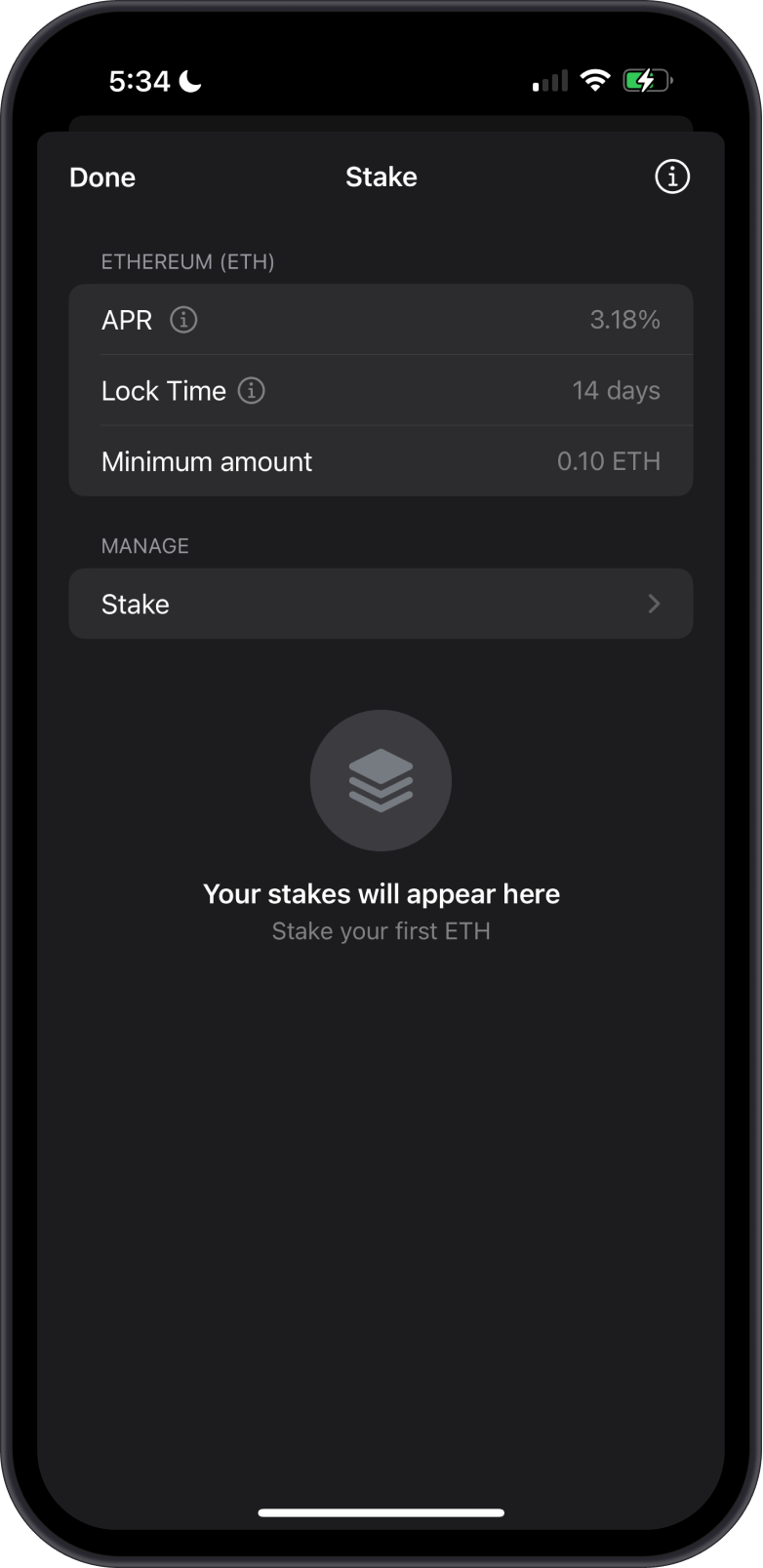
Gem Wallet currently shows a 3-day lock time for ETH staking. Ethereum withdrawal processing can still vary with the validator exit queue and protocol withdrawal sweep.
Step 3 - Input Stake Amount
The minimum amount of ETH that can be staked in Gem Wallet is at least 0.1 ETH. This is lower than the 32 ETH required to activate a native Ethereum validator because Gem Wallet uses a pooled or provider staking flow.
Input the amount of ETH that you want to stake. Make sure to leave a small amount of ETH in your wallet to cover transaction fees.
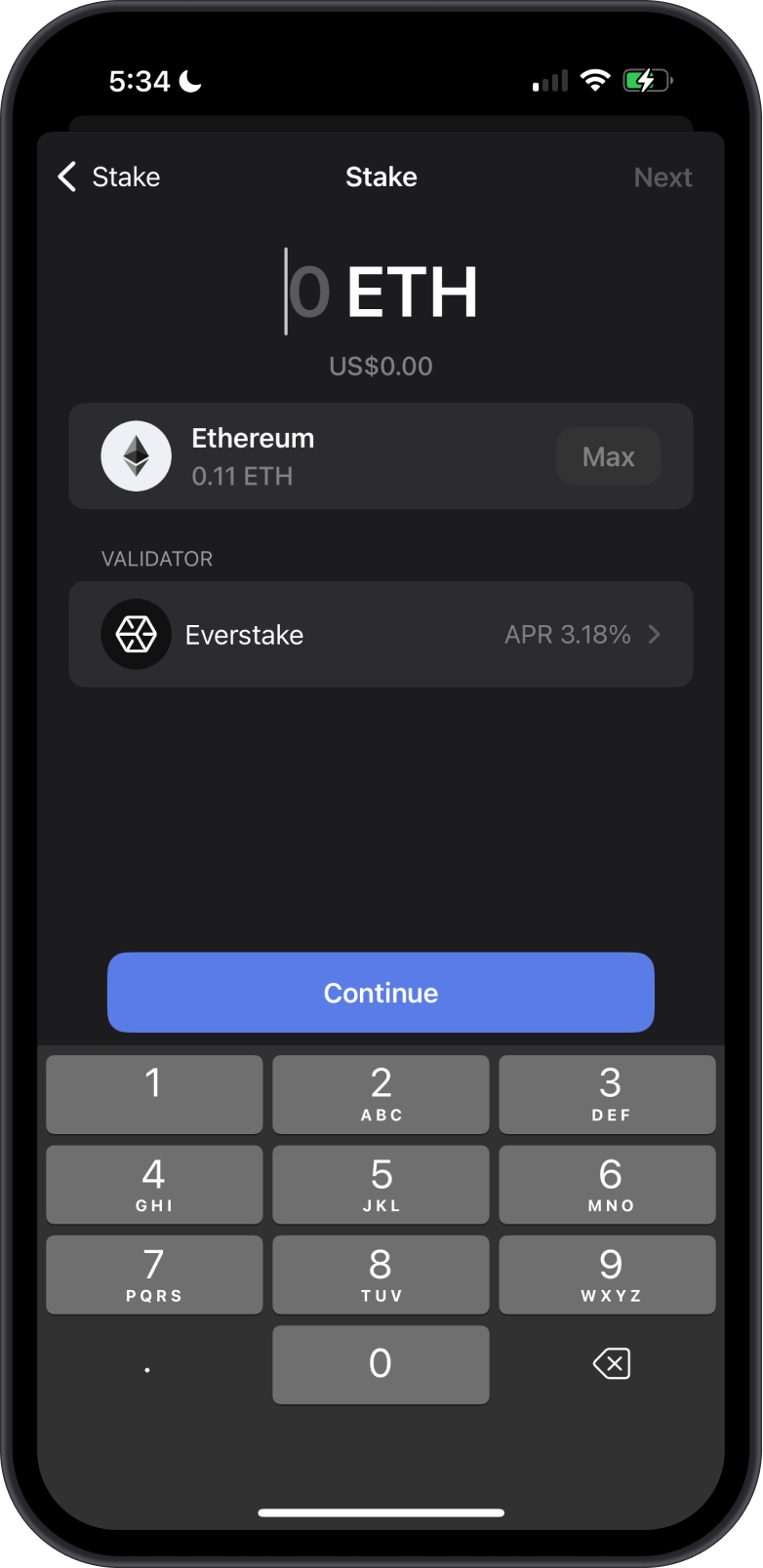
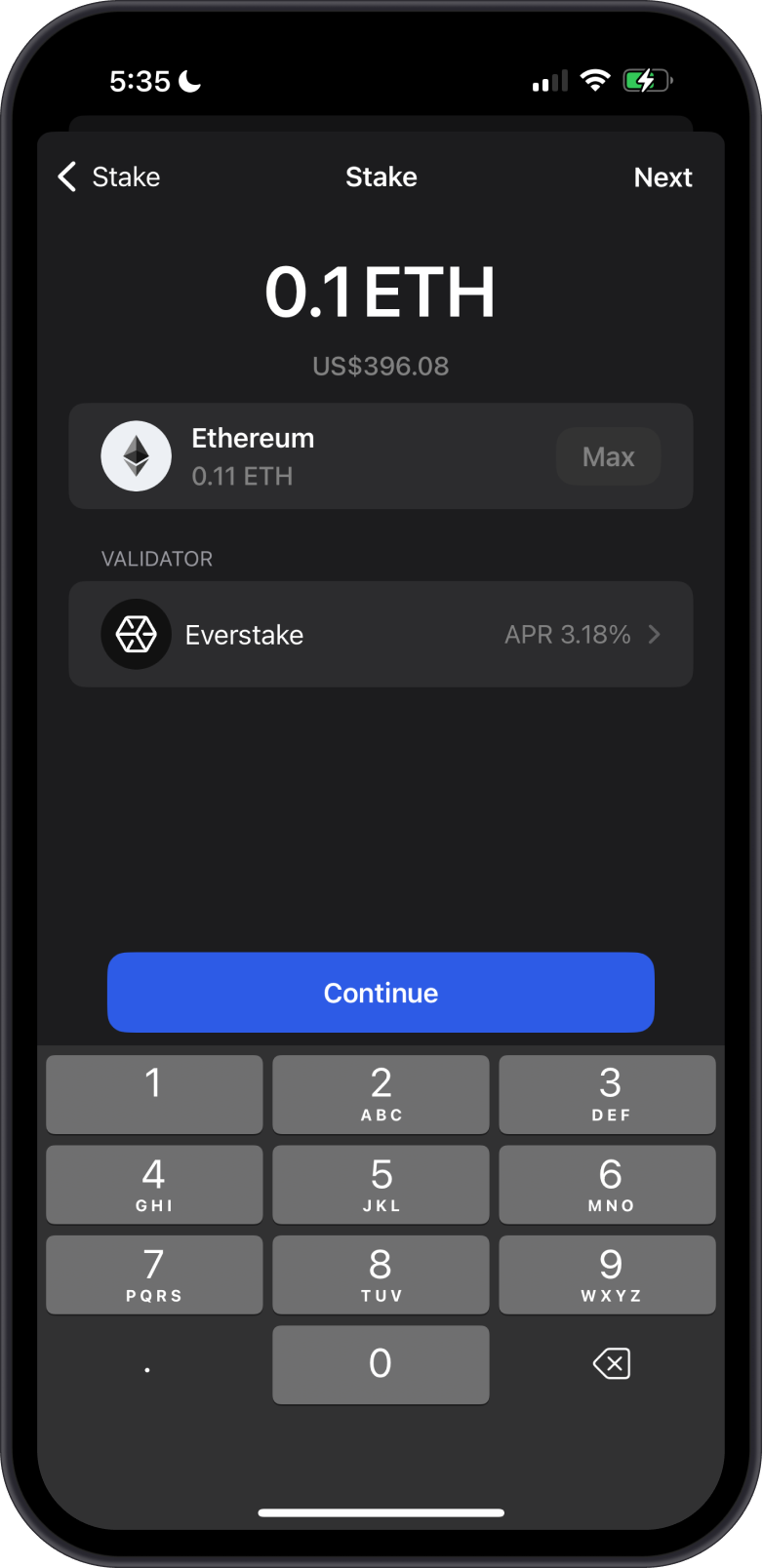
Step 4 - Choose a Validator
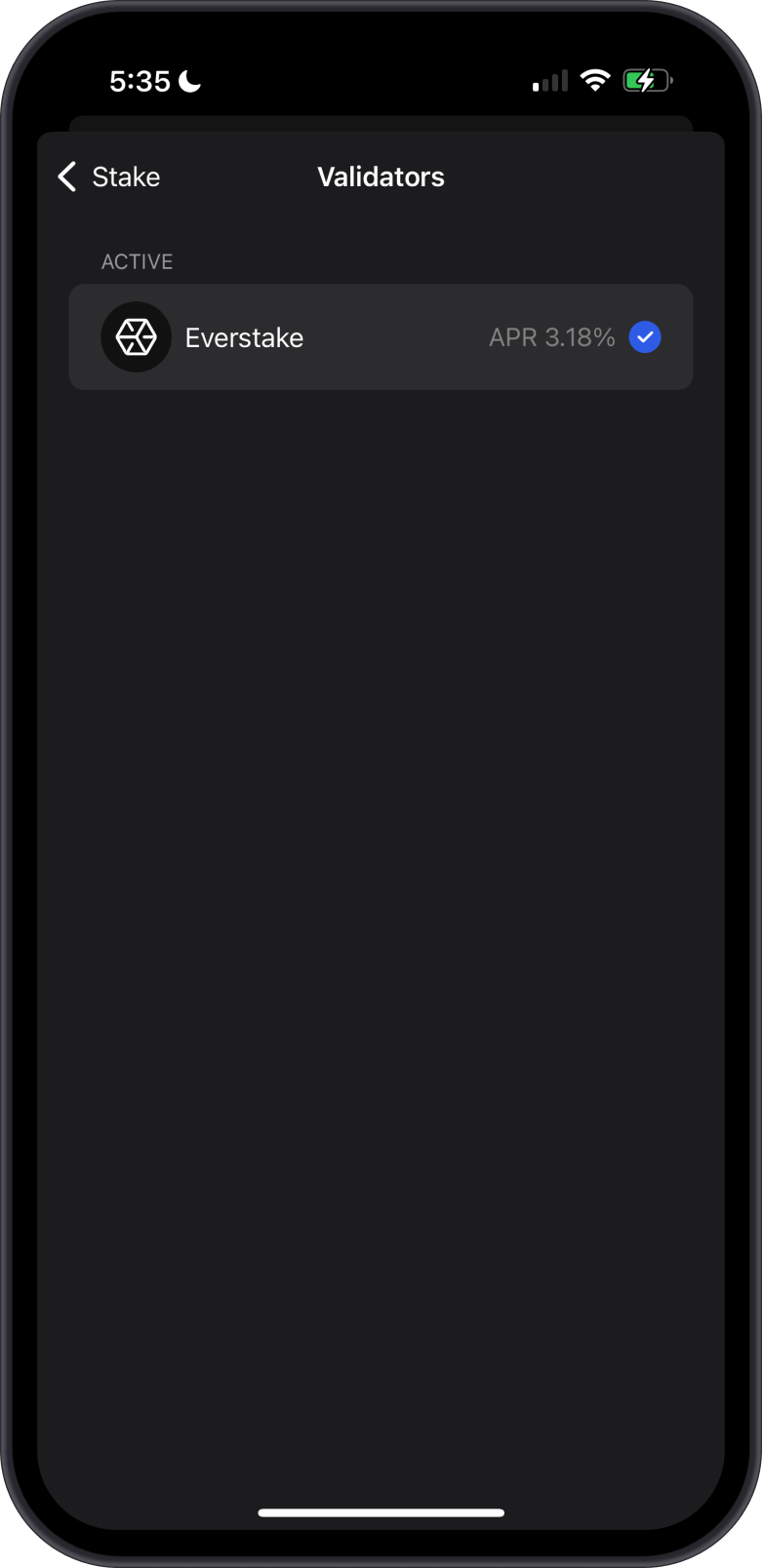
Ethereum staking rewards come from validators that participate in Ethereum's consensus mechanism. In Gem Wallet, you select an available validator or staking provider for your ETH. Tap on the Validator name to see a list of available options for Ethereum Staking. After choosing a Validator, tap on Continue.
Gem Wallet provides a list of validator or provider options for staking your ETH, with plans to add more to enhance network decentralization.
Step 5 - Confirm the Stake Transaction
Double-check all details of your staking transaction, including the validator and the amount of ETH you are staking. Once you are satisfied with the details, Confirm the transaction. The transaction will now be submitted to the Ethereum Network.
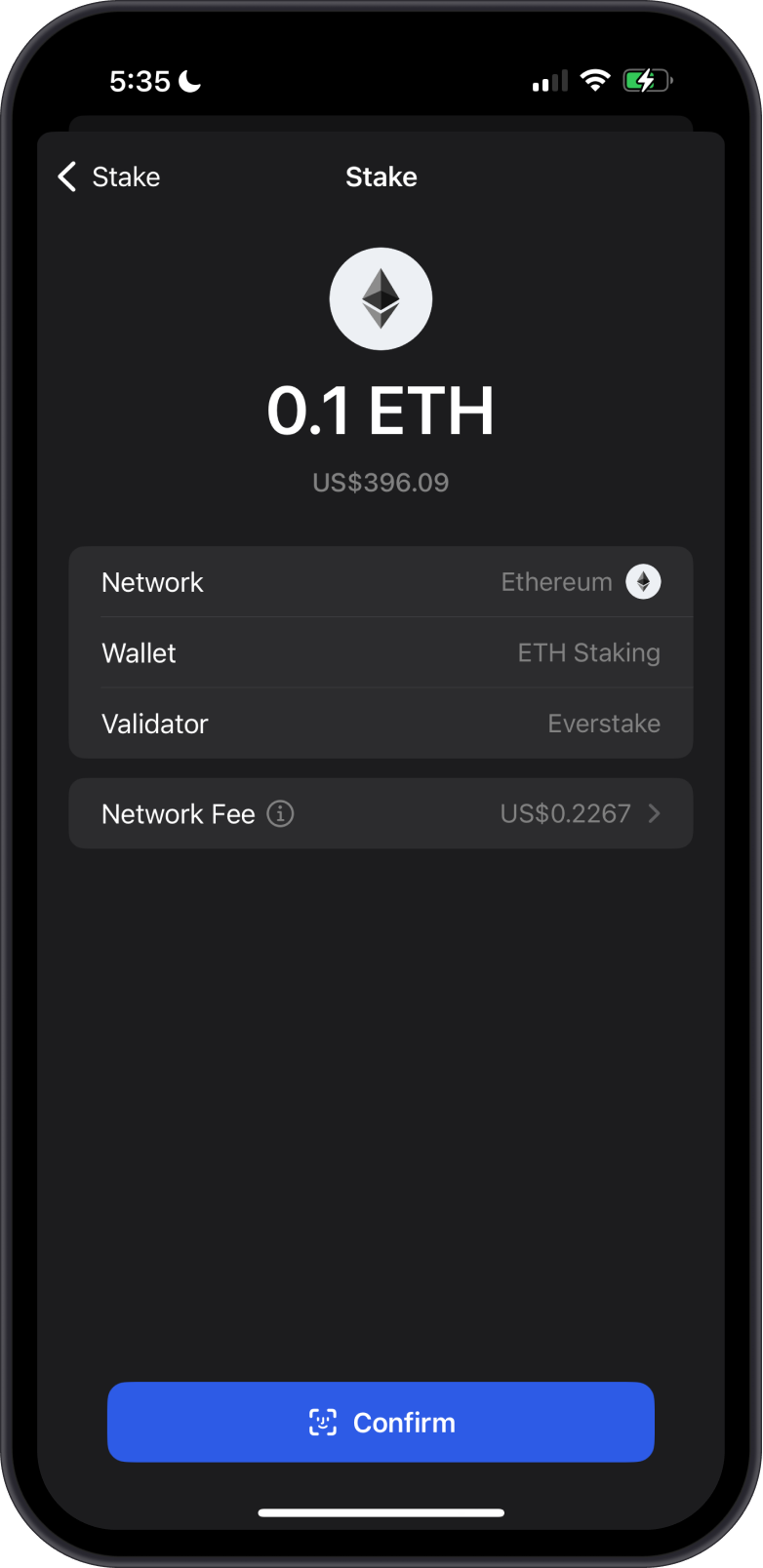
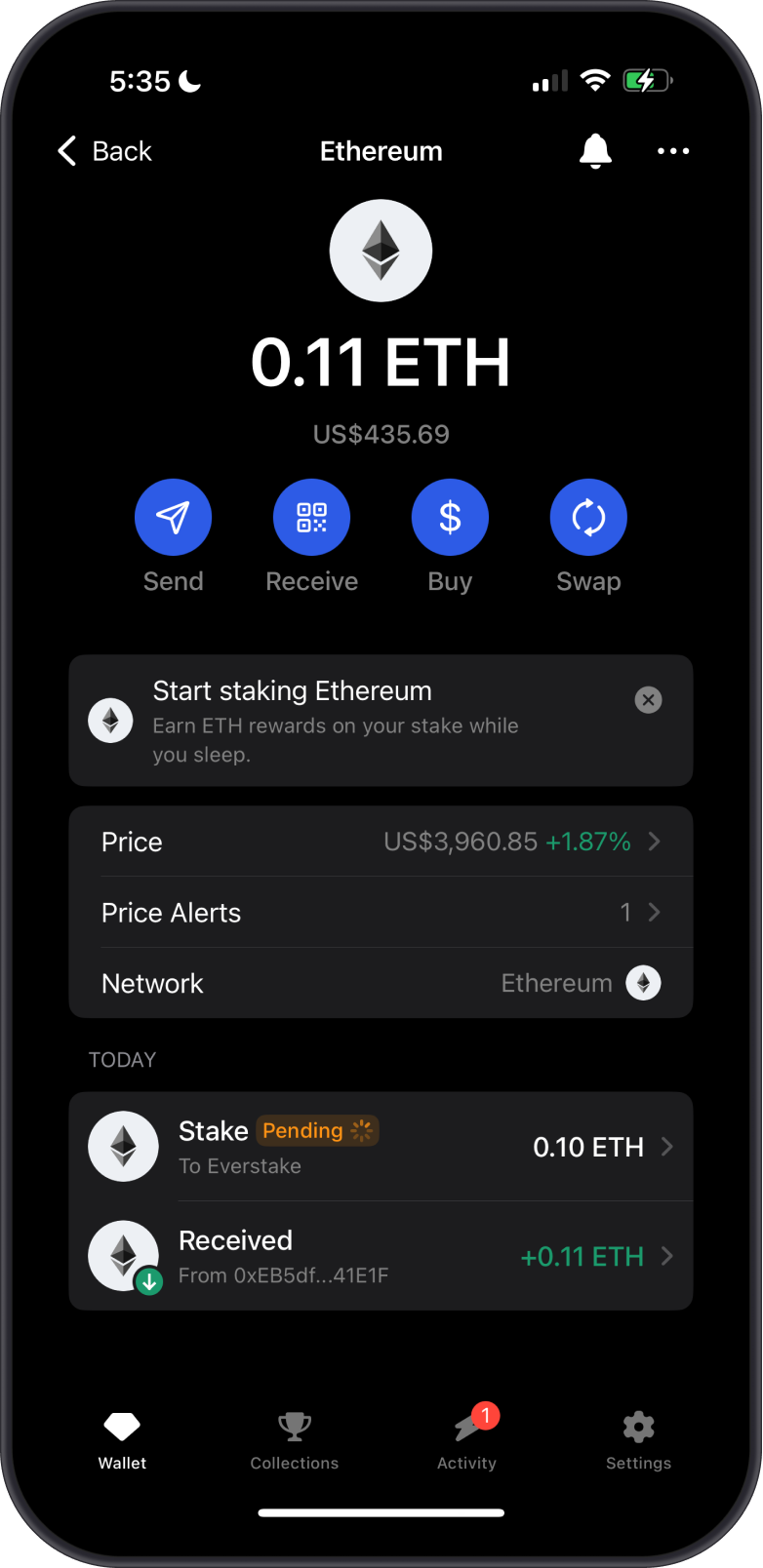
The transaction will usually be confirmed on the Ethereum Network within a few minutes. Congratulations, you have successfully submitted your Ethereum stake with Gem Wallet.
Why Is My ETH Stake Not Active Yet?
Your staking transaction can be confirmed while your stake still shows as Pending or Activating. These are two separate steps:
- Transaction confirmation records your staking deposit on the Ethereum network.
- Stake activation prepares and activates the validator or pooled staking position that will earn rewards.
Activation is not always immediate. Ethereum may have an activation queue when many people are staking, and the selected staking provider may need additional time to process pooled deposits. The waiting time can change with network demand and provider processing, so there is no guaranteed activation time.
On the Stake screen, an orange Activating label means the delegation has been submitted but is not earning rewards yet. A green Active label means activation is complete and the delegation is eligible to earn rewards. It is normal to see both statuses when a newer delegation is still being activated.
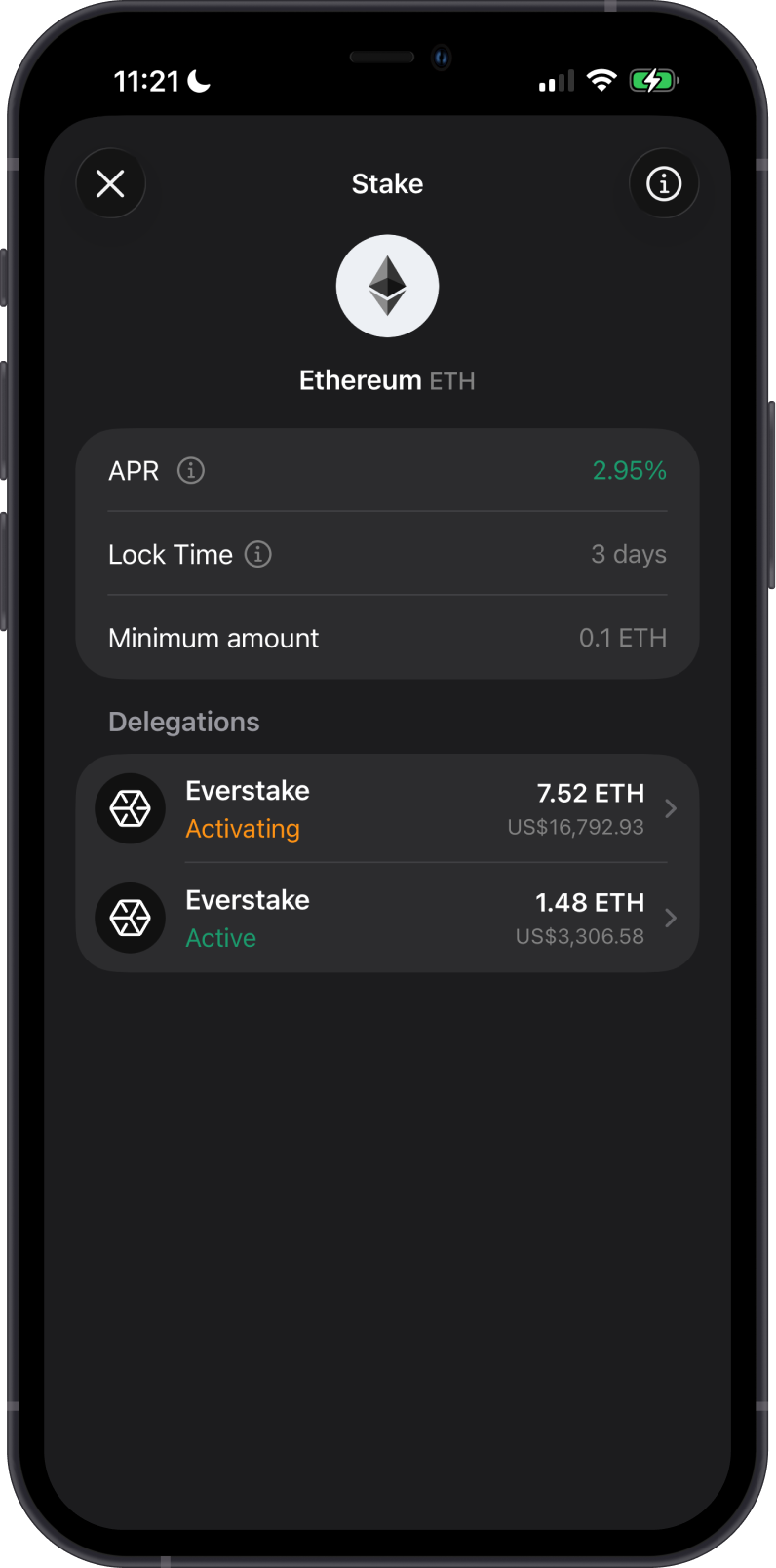
Tap the activating delegation to open its details. The Status field will continue to show Activating until the staking provider completes activation. The amount, validator, and estimated APR are also shown on this screen; the APR is an estimate and can change.
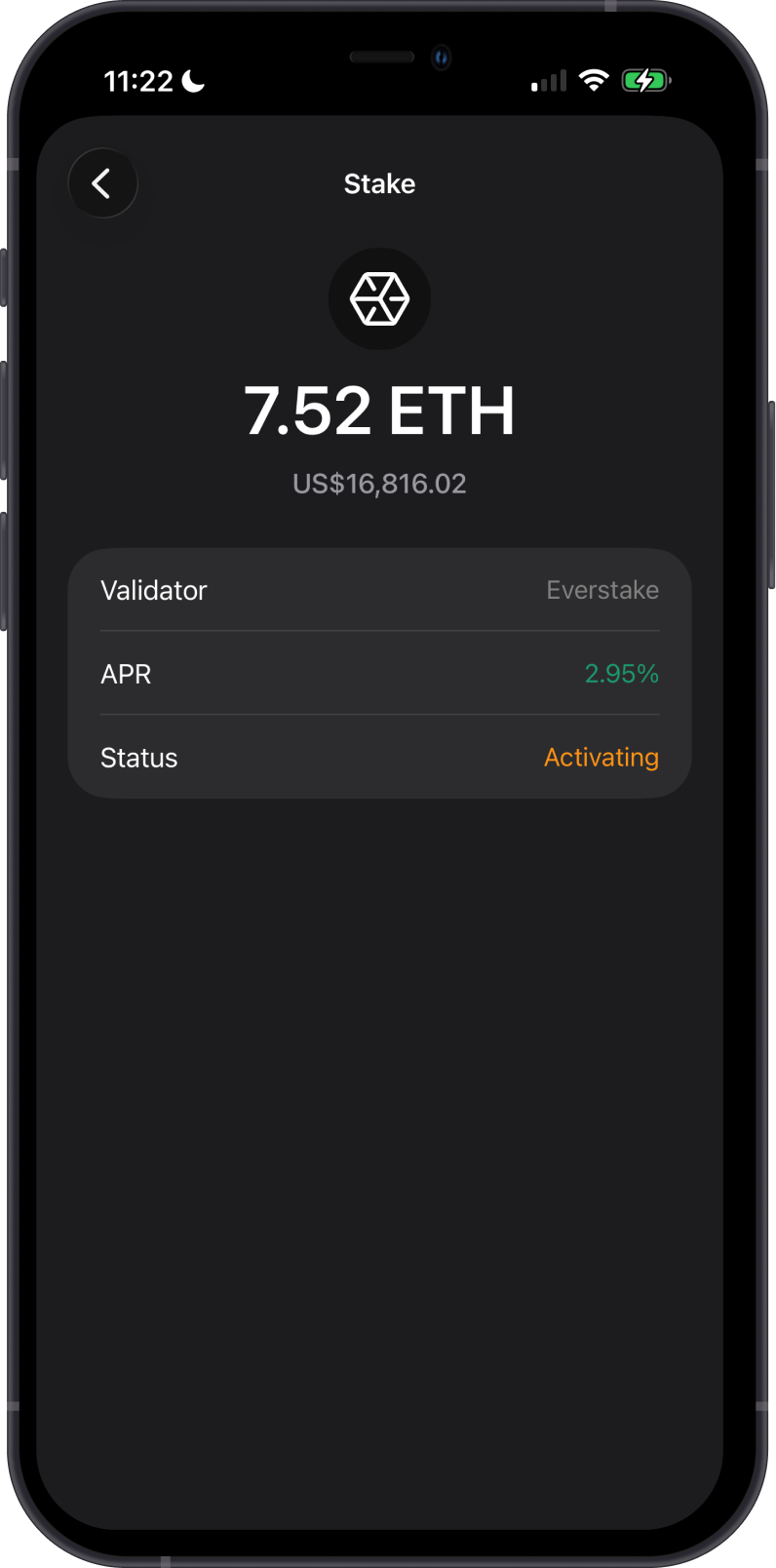
While your stake is pending activation:
- Your ETH is not lost; it has been submitted for staking.
- You do not need to submit another staking transaction.
- Rewards start only after the stake becomes active, not when the deposit transaction is confirmed.
- Check the staking details in Gem Wallet for the latest status. If the status does not change after an unusually long time, contact support through Settings > Support and include your public transaction ID.
Ethereum Staking Rewards
By staking Ethereum (ETH), you can earn Ethereum rewards automatically. This is not a fixed rate since rewards vary with network conditions, validator performance, and the staking provider or validator you have chosen.
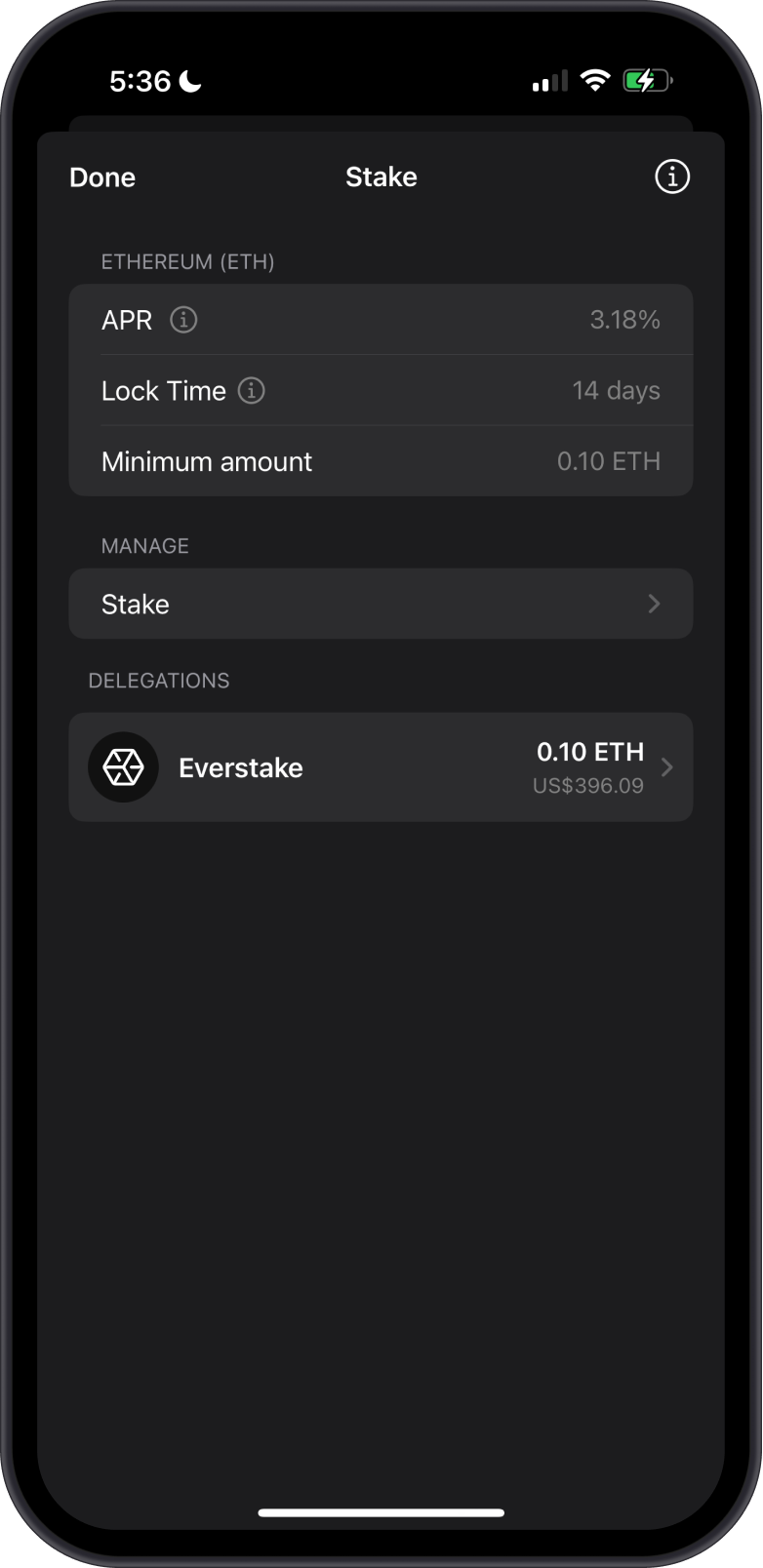
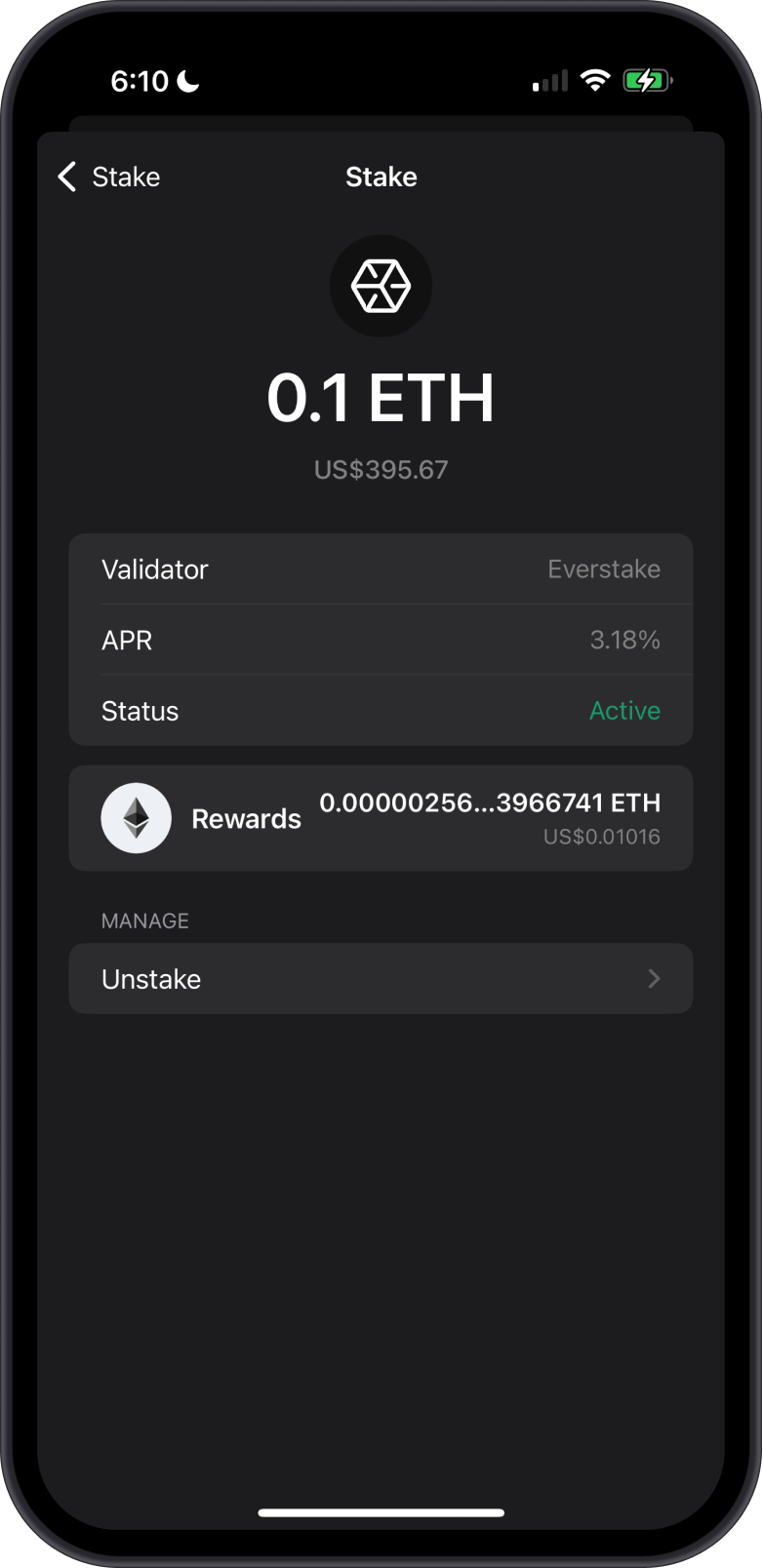
Staking Ethereum (ETH) on Gem Wallet will reward you with ETH tokens.
Unstaking Your ETH
Your Ethereum (ETH) is locked until you unstake it. Gem Wallet currently shows a 3-day lock time. A validator exit then enters Ethereum's exit queue, and the withdrawn ETH is processed during the protocol's automatic withdrawal sweep, so final availability can vary. To unstake your ETH, simply tap on the name of the validator under Delegations. Then under Manage, tap on Unstake. Make sure to leave a small amount of ETH in your wallet to cover transaction fees. Indicate the amount you want to Unstake and confirm it.
Is Staking Ethereum on Gem Wallet Secure?
Yes, Gem Wallet is a secure and open-source wallet for staking Ethereum. Here are some reasons why you need to stake your ETH with Gem Wallet:
- Transparency: Open-source wallets have publicly available code that can be reviewed and audited by anyone.
- Community Trust and Collaboration: Being open-source fosters a collaborative environment where developers and security experts continuously improve the wallet.
- No Hidden Backdoors: Open-source wallets are less likely to have hidden backdoors or malicious code, as the open nature of the code allows for thorough scrutiny by the community, minimizing the risk of unauthorized access.
Staking Ethereum (ETH) using Gem Wallet is a great way to earn passive income while supporting the network. By following these steps and tips, you can ensure a smooth and secure staking experience.
Learn more about Ethereum Staking and Ethereum staking withdrawals.