Send Issues
Before You Send
Always run through this checklist before confirming any transaction to avoid common mistakes:
- ✅ Correct address — double-check the recipient address, especially the first and last few characters
- ✅ Correct network — make sure both sender and recipient are on the same blockchain
- ✅ Sufficient gas — ensure you have enough native coin (e.g. ETH, BNB, TRX) to cover network fees
- ✅ Memo / Destination Tag — required by some exchanges (e.g. Binance, Kraken) for XRP, XLM, TON, and similar assets
- ✅ Send a test transaction — when sending a large amount for the first time, send a small amount first to verify everything is correct
Common Send Issues and Solutions
Here are the most common Send issues that you might encounter while using the app. Click on an issue below to jump to the suggested solution.
- Insufficient Funds
- Pending Transactions
- Reverted Transactions
- Fee Charged After Failure
- Incorrect Recipient Address
- Wrong Network Selection
- Missing Memo or Destination Tag
- Token Not Arriving After Sending
Insufficient Funds
Issue:
When attempting to send cryptocurrency from your wallet, you may encounter an "insufficient funds" error. This error typically occurs when the wallet does not have enough balance to cover both the amount being sent and the associated transaction fees (often referred to as "gas fees" on networks like Ethereum).
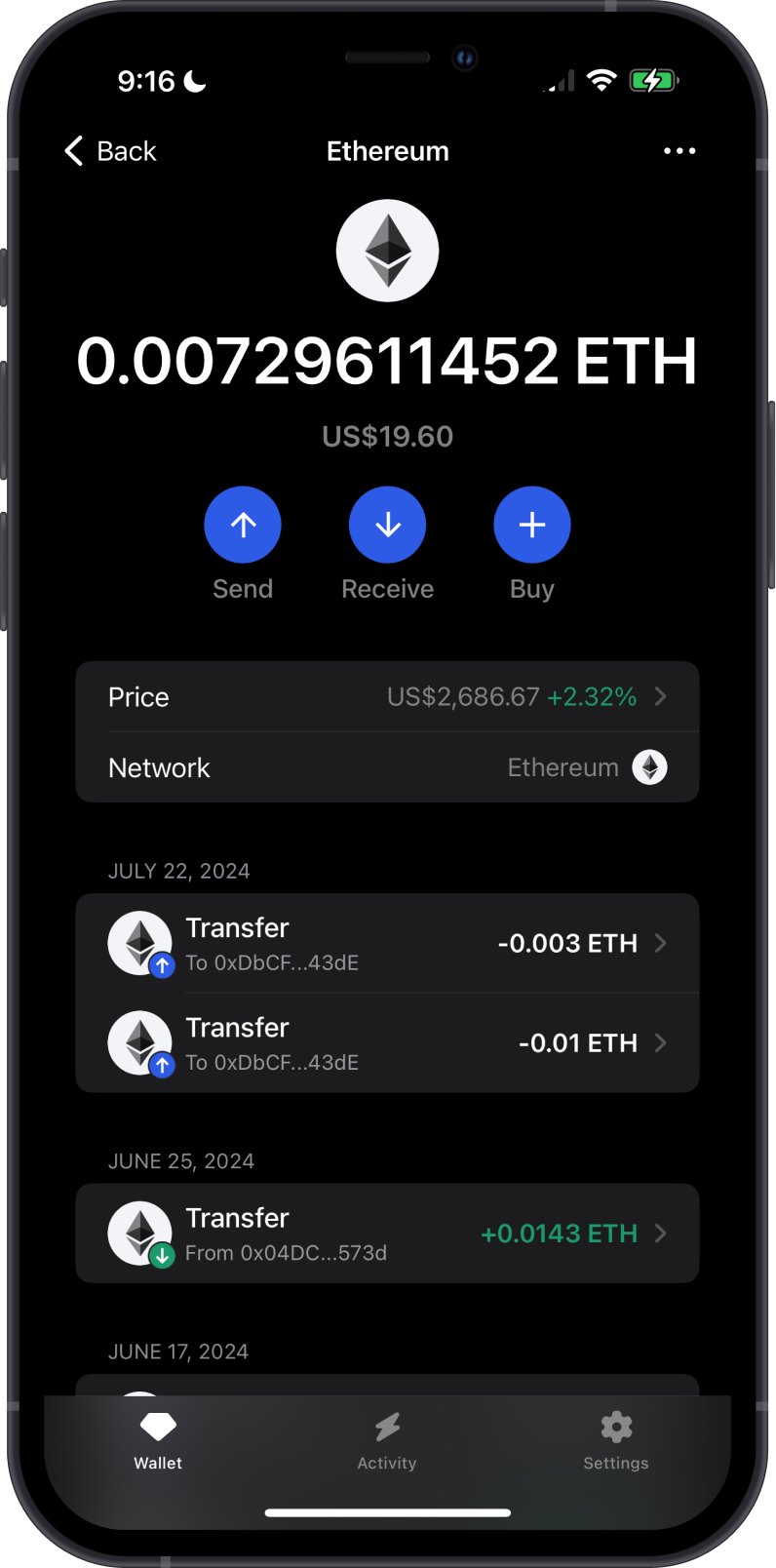
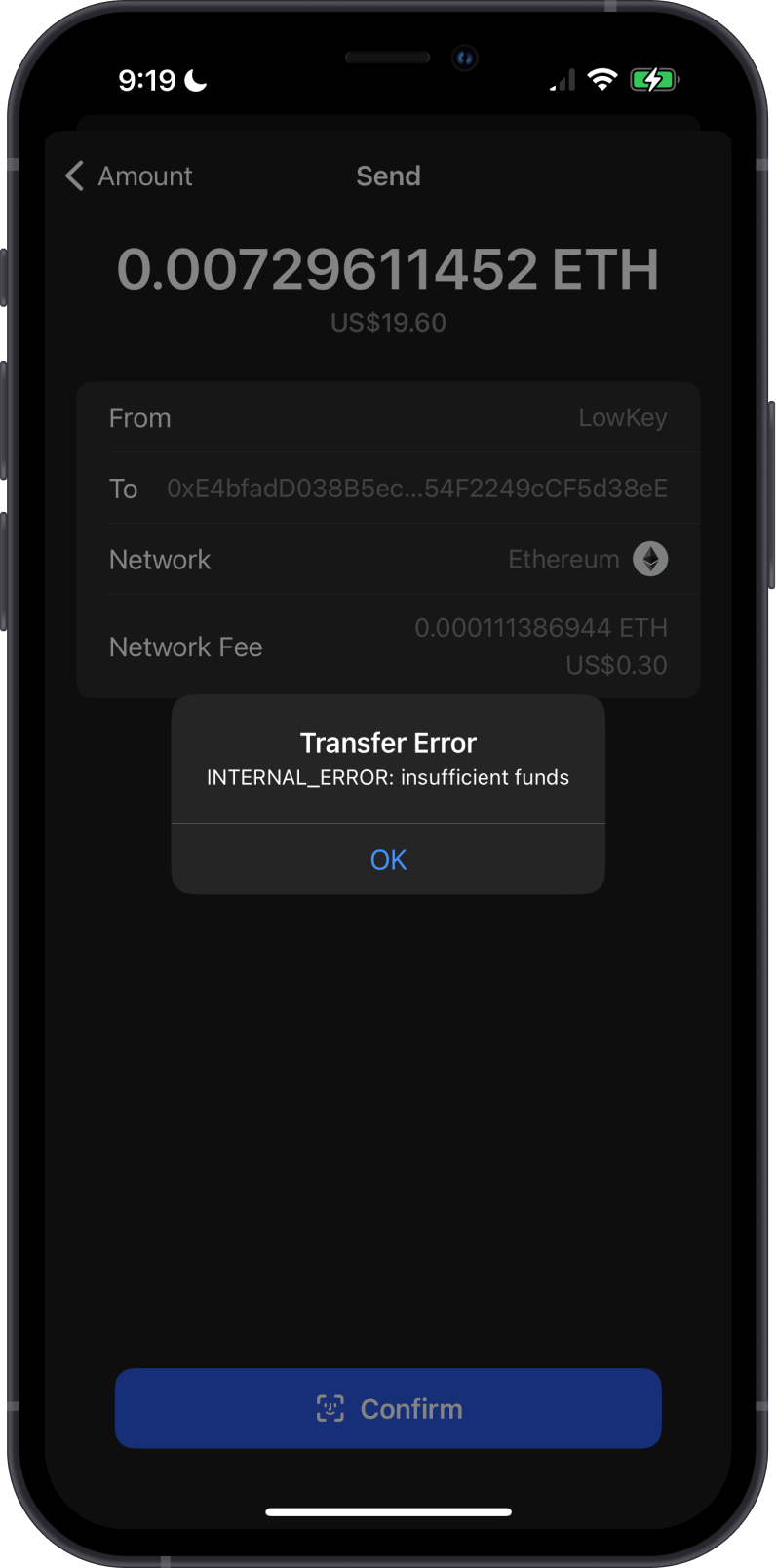
This can happen due to a few reasons:
-
Low Account Balance: The most common reason is simply not having enough cryptocurrency in the wallet. Even if you have enough to cover the amount you want to send, the transaction fee must also be accounted for.
-
High Transaction Fees: During periods of network congestion, transaction fees can spike, making it more likely that a user’s available balance is insufficient to cover both the transaction amount and the required fee.
Solution:
Ensure that you have enough cryptocurrency to cover the transaction amount plus any network fees. Check your wallet balance before initiating a transaction.
Follow the dedicated insufficient funds troubleshooting guide to identify the required fee coin and other balance requirements.
Learn more about Network Fees.
Pending Transactions
Issue:
A pending transaction occurs when a user submits a transaction to the blockchain network, but it has not yet been confirmed or included in a block. This delay can be caused by various factors and can lead to user frustration, especially if the transaction takes longer than expected to process.
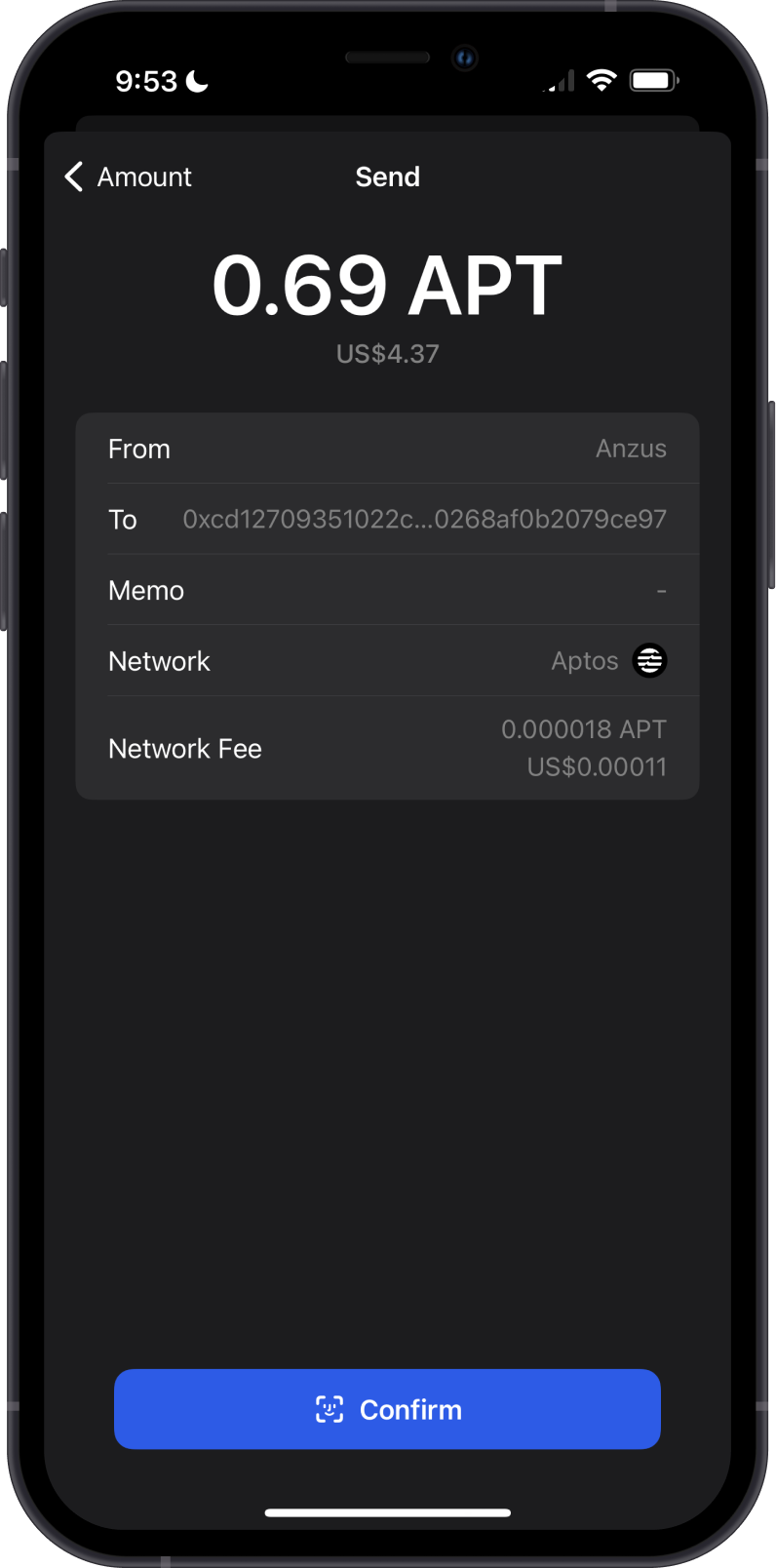
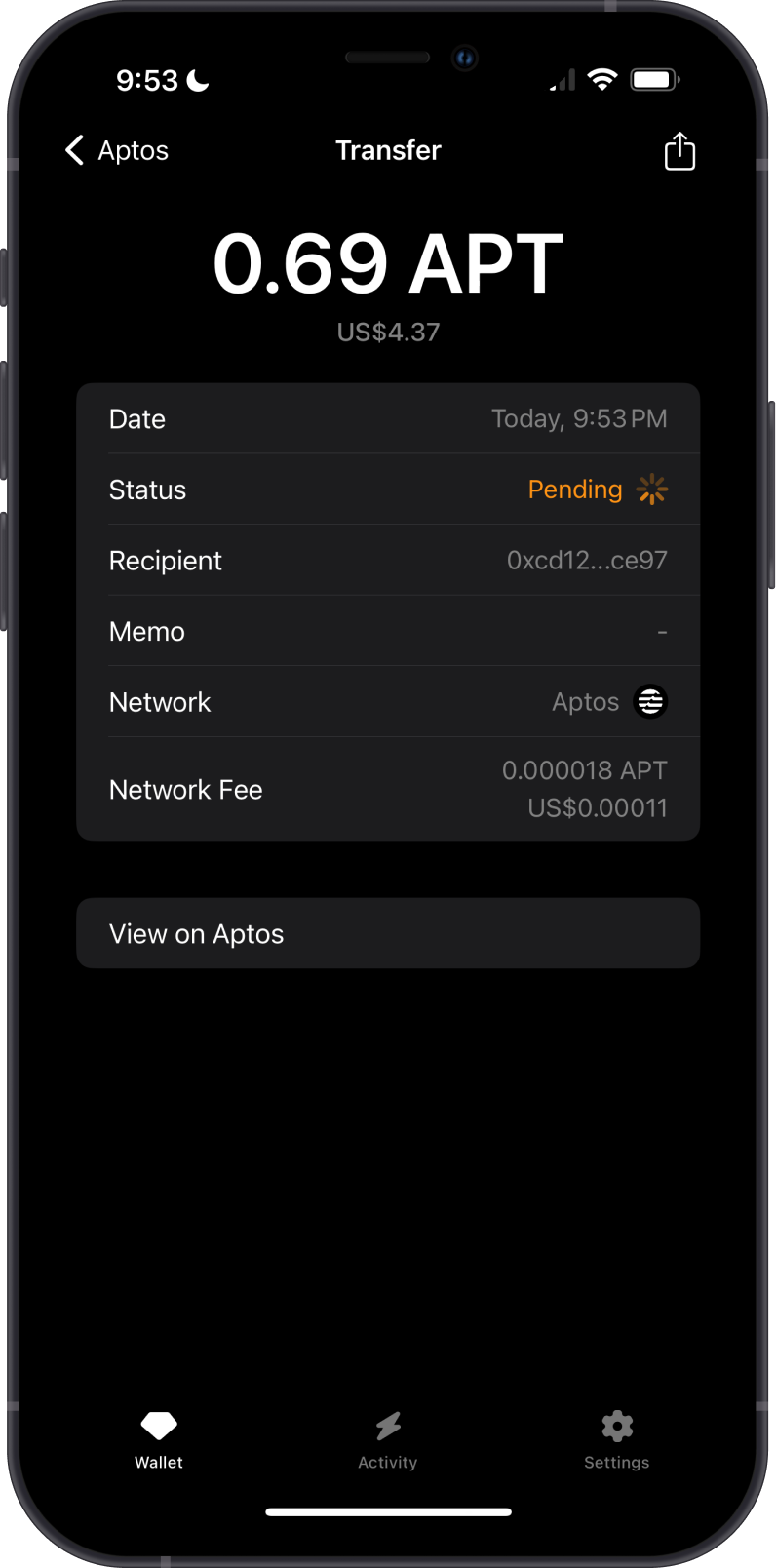
Causes of Pending Transactions:
- Network Congestion: During periods of high activity, blockchain networks can become congested with a large number of transactions waiting to be processed. This is particularly common on popular networks like Ethereum during high-demand periods.
- Low Gas Fees: Transactions are prioritized based on the gas fees attached to them. Transactions with lower fees may be delayed if miners prioritize transactions with higher fees.
Solution:
Use higher transaction fees to expedite processing. Check the transaction status on a blockchain explorer and be patient if the network is congested.
Incorrect Recipient Address
Issue:
Sending cryptocurrency to an incorrect recipient address is one of the most critical mistakes a user can make. Cryptocurrency transactions are irreversible, meaning that once the transaction is confirmed on the blockchain, it cannot be undone. If you send funds to the wrong address, you may permanently lose access to those funds.
Causes of Incorrect Recipient Address:
-
Typographical Errors: Cryptocurrency addresses are long alphanumeric strings, making them prone to typos when manually entered. Even a single incorrect character can direct the funds to the wrong address.
-
Copy-Paste Errors: Users often copy and paste addresses to avoid typing mistakes, but if the wrong address was copied, or if the clipboard was compromised, the wrong address could be pasted and used.
-
Malicious Software: Some malicious software or browser extensions can modify the address in your clipboard to one controlled by an attacker. This happens after you copy the correct address and before you paste it.
-
Address Poisoning: An attacker can place a look-alike address in public transaction history and wait for it to be copied into a future transfer. Learn how to inspect and avoid these entries in What Is an Address-Poisoning Scam?.
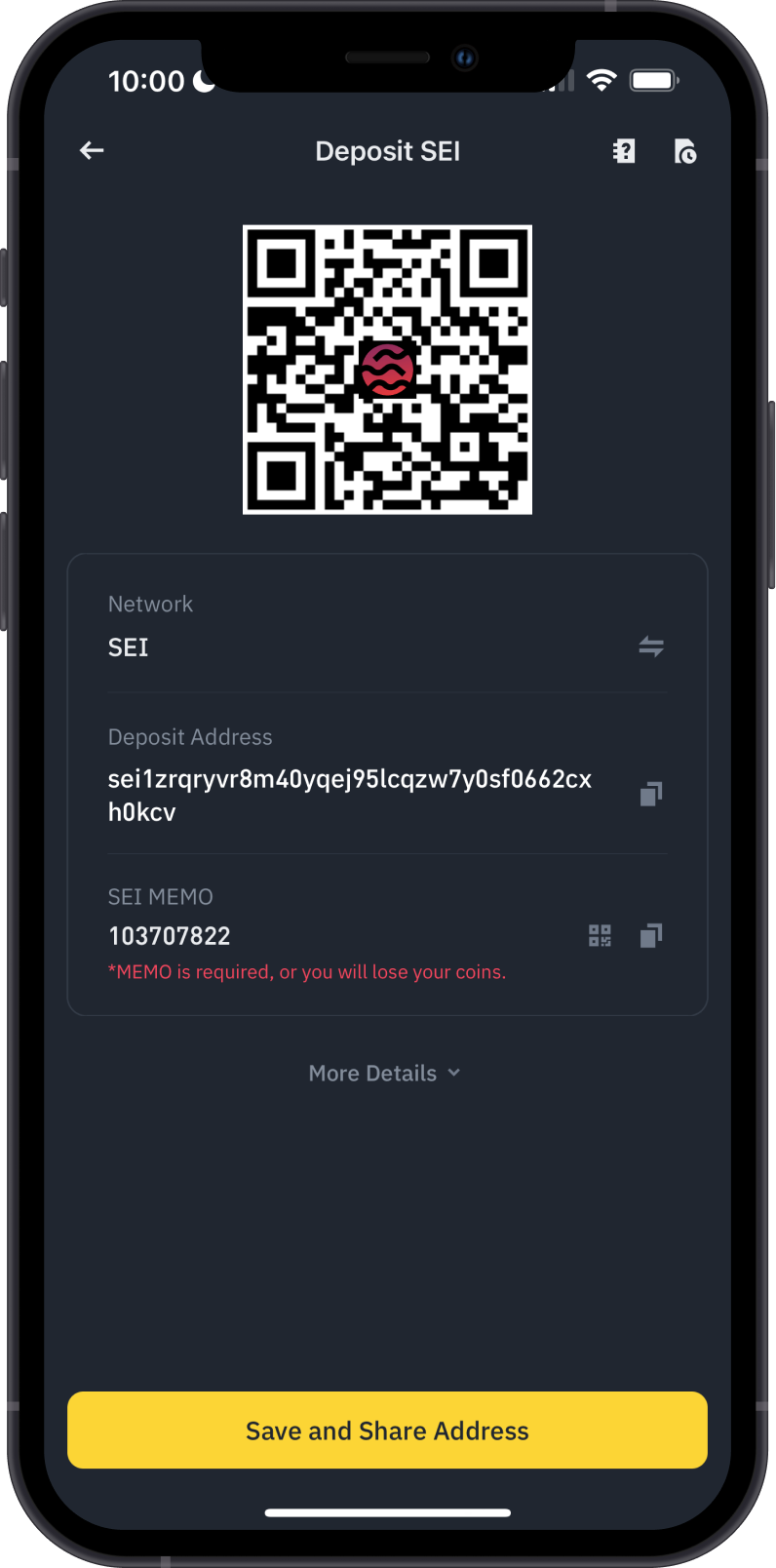
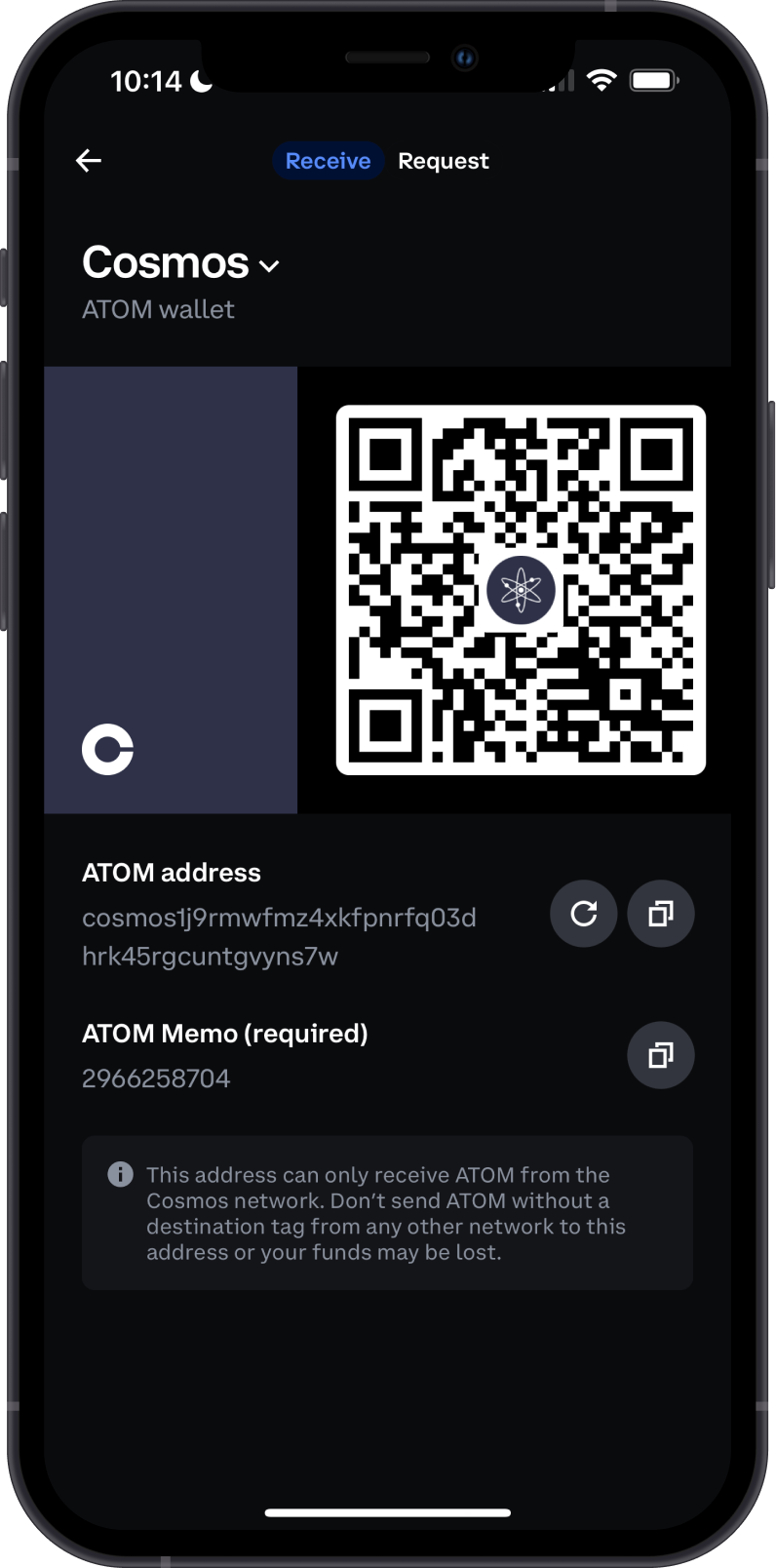
Solutions:
- Double-Check the Address: Always double-check the recipient address before confirming the transaction. This includes visually scanning the address for any typos or unusual patterns.
- Use QR Codes: Where possible, use QR codes to input addresses. This reduces the risk of typos and ensures the entire address is captured correctly. Ensure the QR code is from a trusted source and hasn’t been tampered with.
- Verify URLs: Before sending funds, make sure you are on the correct and official website of the wallet or exchange. Phishing websites often look very similar to the real ones but have minor differences in the URL.
- Send a Test Transaction: If you’re unsure, send a small amount of cryptocurrency first. This ensures that the address is correct before you send a larger amount. Wait until the test transaction is confirmed and the recipient acknowledges it before sending the full amount.
Wrong Network Selection
Issue:
Incorrect network selection occurs when users send cryptocurrency using the wrong blockchain network. For example, sending an ERC-20 token on the Ethereum network to a BNB Chain (BNB) address or vice versa. This mistake can lead to the loss of funds or significant difficulties in recovering them. Since blockchain transactions are irreversible, if assets are sent on the wrong network, they might not be accessible by the intended recipient unless specific recovery steps are taken.
Common Scenarios:
-
Different Token Standards: These are token standards for Ethereum and BSC, respectively. A common mistake is sending an ERC-20 token to a BEP-20 address or a BEP-20 token to an ERC-20 address. While the addresses may look similar, the underlying blockchains are different, which can cause the tokens to become "stuck" in the wrong network.
-
Multiple Network Support: Some wallets and exchanges support multiple networks (e.g., Ethereum, BSC, Polygon). Users need to choose the correct network for their transactions. For instance, sending a token from Ethereum directly to a Polygon address without using a bridge can result in a failed transaction or lost funds.
-
Wrapped Tokens: Some tokens exist on multiple blockchains as wrapped versions (e.g., WBTC on Ethereum and Binance-Peg BTCB on (BNB). Sending a wrapped token from one blockchain to another without proper conversion or bridging can cause issues.
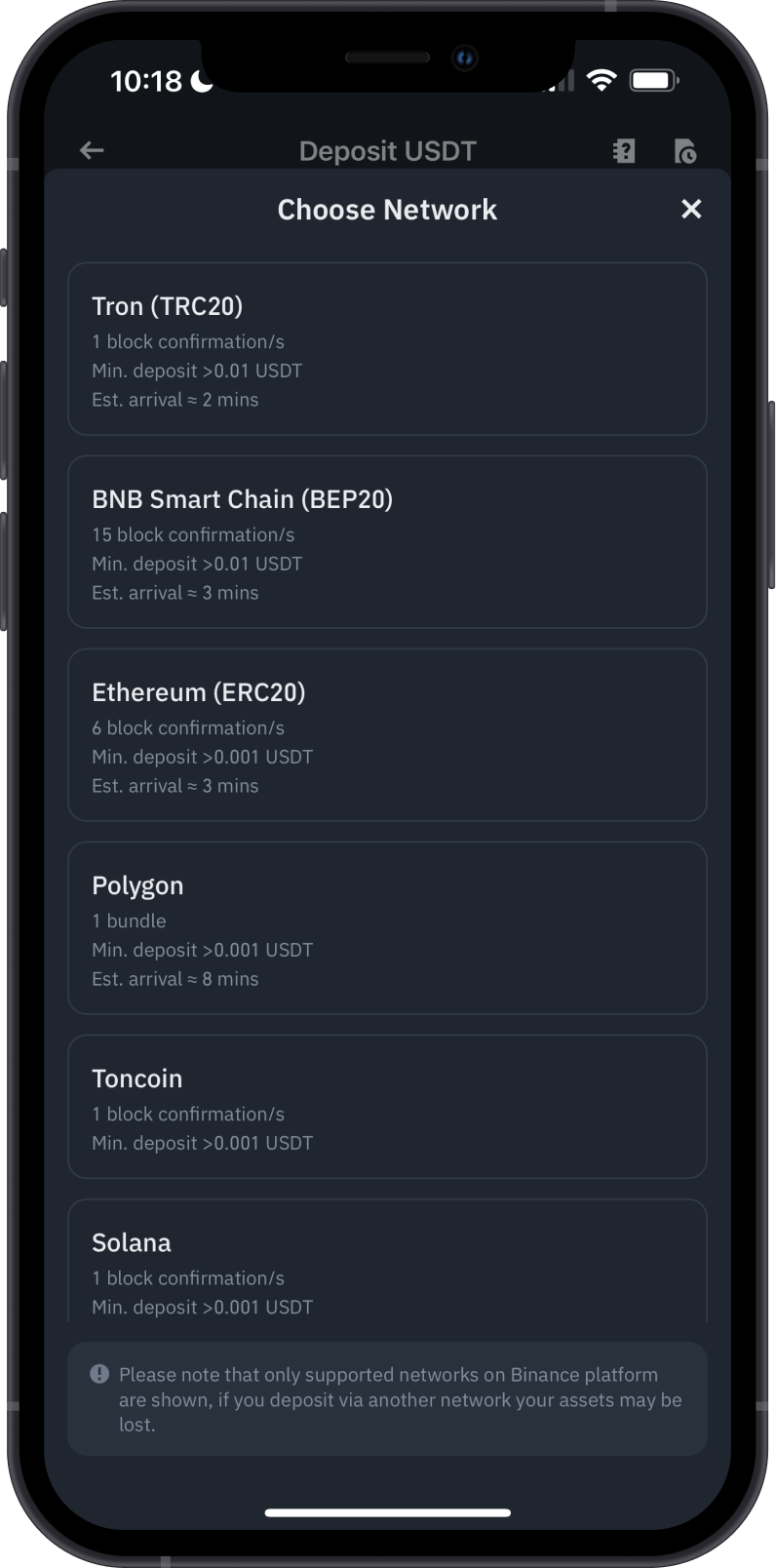
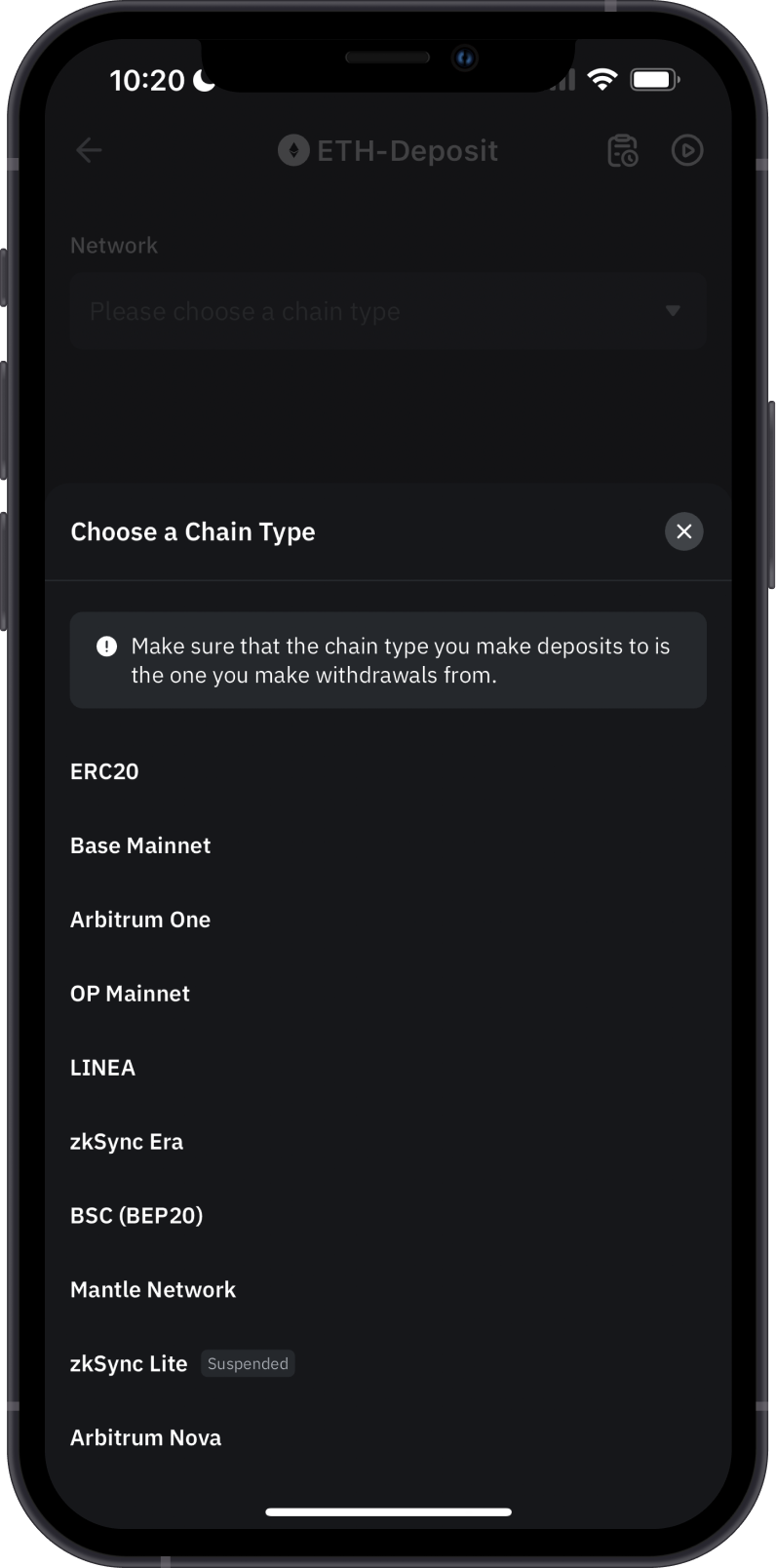
Solution:
- Double-Check Before Sending: Always ensure that both the sender and receiver are using the same network. If you're sending ERC-20 tokens, make sure the recipient address is also on the Ethereum network, not BNB or another chain. If you're transferring between networks, make sure the exchange or wallet supports both the sending and receiving networks.
- Contact Exchange Support: If you’ve made a mistake while transferring funds between different networks and can’t access your tokens, contact the support team of the wallet or exchange involved. They might be able to assist in recovering the funds, although recovery is not guaranteed.
- User Education: Understanding the differences between blockchain networks and how to transfer tokens correctly is crucial. Educate yourself or others on the distinctions between networks like Ethereum, BSC, Polygon, and others.
Use the dedicated wrong-network troubleshooting guide to verify the transaction and determine who controls the destination address.
Other Issues or Need Further Assistance?
If you’re still facing challenges after trying these solutions or your issue is not listed above, go to Settings > Support in Gem Wallet. Share relevant public details such as error messages, transaction IDs, and troubleshooting steps with the AI chatbot.
Missing Memo or Destination Tag
Issue:
Some blockchain networks and exchanges require an additional identifier — called a Memo, Destination Tag, or Payment ID — alongside the recipient address. This is common for assets like XRP, XLM, TON, ATOM, and BNB when sending to exchanges such as Binance or Kraken. If you omit the memo, your funds may arrive at the exchange but won't be credited to your account, and recovery can be a lengthy process.
Common networks that require a memo:
- XRP — Destination Tag (numeric)
- XLM (Stellar) — Memo
- TON — Comment / Memo
- ATOM (Cosmos) — Memo
- BNB (BNB Beacon Chain) — Memo
Solution:
- Always check whether the recipient exchange or wallet requires a memo before sending.
- Copy the memo exactly as provided — do not modify it.
- If you accidentally sent without a memo, contact the exchange's support team immediately with your transaction ID. Recovery is possible but not guaranteed and may take time.
Follow What to Do If You Forgot a Memo or Destination Tag for the complete verification and recovery checklist.
When sending to an exchange, look for a "Memo", "Tag", or "Comment" field on the deposit page — if it's there, it's required.
Token Not Arriving After Sending
Issue:
Your transaction shows as confirmed on the blockchain, but the recipient (usually an exchange) hasn't credited the funds to your account. This is different from a pending transaction — the blockchain has processed it, but the receiving platform hasn't reflected it yet.
Common causes:
- Exchange Processing Delays: Exchanges often require a minimum number of block confirmations before crediting a deposit. This can range from a few minutes to several hours depending on the network and exchange policy.
- Missing Memo: If a memo or destination tag was required and not included, the exchange may receive the funds but be unable to attribute them to your account automatically. See Missing Memo or Destination Tag above.
- Unsupported Token or Network: Some exchanges only support specific networks for a token (e.g., USDT on Ethereum but not on TON). Sending via an unsupported network may result in funds not being credited.
Solution:
- Verify the transaction is confirmed by checking it on a blockchain explorer using your transaction ID.
- Check the exchange's deposit page for the minimum confirmation requirement and wait for it to be met.
- If confirmations are complete and funds still haven't arrived, contact the exchange's support team with your transaction ID, sending address, and amount.
Always verify that the exchange supports the specific network you are sending from before initiating the transaction.